



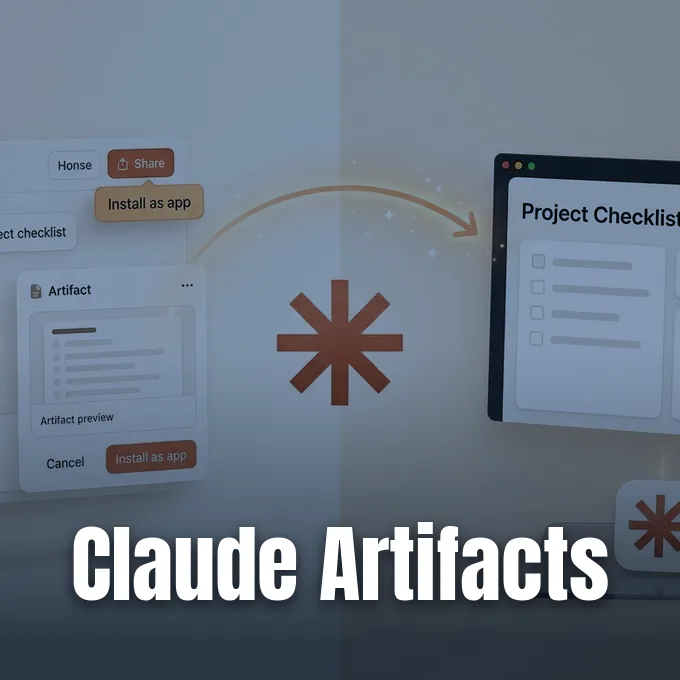
Anthropic launched a beta feature on Tuesday that lets users turn Claude artifacts into desktop apps on macOS and Windows [2]. The update moves live dashboards and custom tools out of chat panels and onto the desktop with separate window frames and Dock icons [3]. These tools update automatically whenever someone edits the base project, but they still need a live web link and an active Claude account to open [4].
Desktop Setup and Requirements
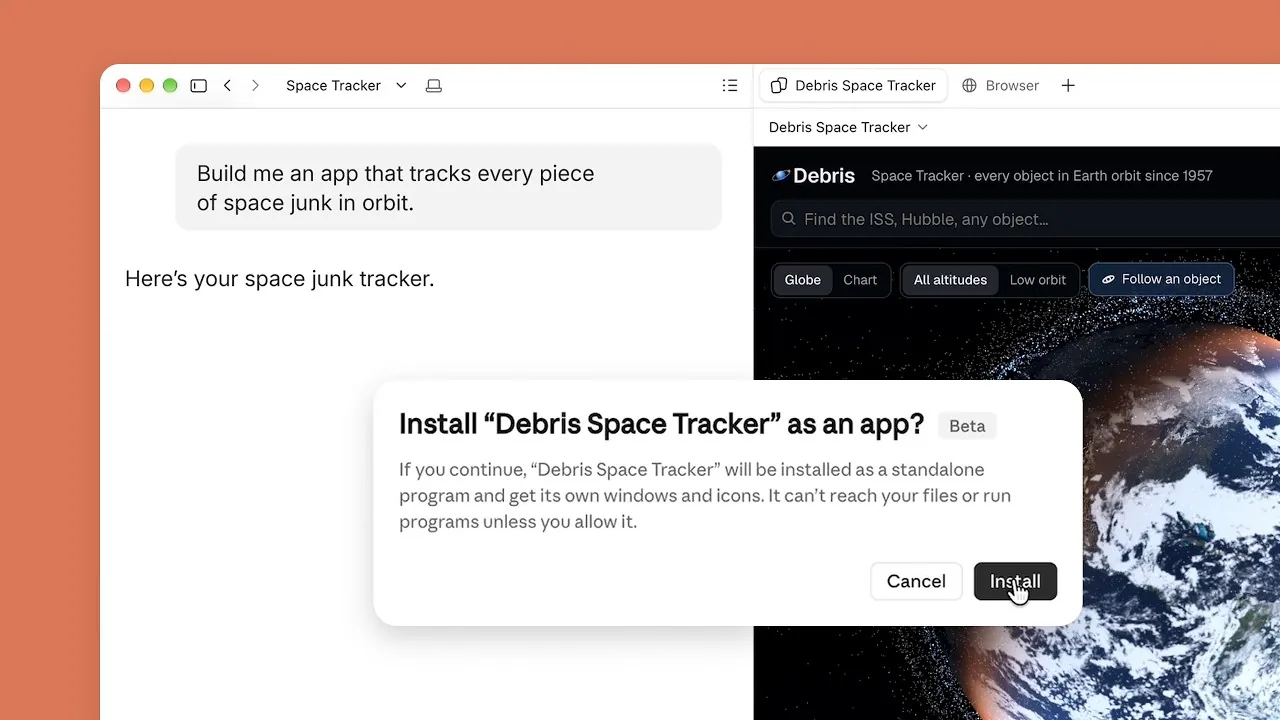
To turn an artifact into an app, users open it in Claude Desktop and pick “Install as app” from the Share menu. The setup needs Claude for Mac or Windows version 6.28899.0 or later [1]. Users do not need to compile code, package files, or configure an API key [2]. According to Tim Hardwick of MacRumors, the app runs in its own window and appears in the macOS Dock or the Windows taskbar, giving users a familiar desktop experience [3].
Not every chat output qualifies. Anthropic specifically excludes templated work, meaning Claude Docs, Claude Slides, and Claude Sheets cannot be installed as desktop tools. The company also barred organizations with HIPAA-ready setups and hybrid deployments from the beta [1]. Ana Maria Constantin reported for The Next Web that Anthropic withheld the tool from Linux, mobile devices, and the web [2].
Desktop setups link directly to Anthropic servers, meaning installed tools need active account rights to handle prompts and pull data from services tied to the user’s workspace [1]. Anthropic also offers developer tools like Claude Code terminal utilities to map local project files. Edits made in chat refresh the desktop tool automatically [2]. This live connection brings real operational surprises to office teams because an updated prompt can alter an app overnight, while external code loaded from outside websites can shift without prompting the user for approval. Matt Gonzales noted in TechRepublic that approvals cover only one build, forcing Claude to prompt users again after each update. IT teams must track who owns each prompt to prevent unexpected breakage across internal departments [1].
Permissions for Claude Artifacts
Anthropic divides system access into three levels. Under Default permissions, an app works strictly within basic browser sandbox limits without touching host files [1]. At this base level, an artifact displays visual items or sorts notes without reading local drives or monitoring system keys [3].
Tools that need deeper reach can request higher app access. This tier lets an app send system alerts, hover above active windows, register global shortcuts, or pin an icon to the macOS menu bar and Windows tray [2]. These tools act like native utilities, alerting users while they handle other tasks [4]. The Claude Desktop client asks for approval before an app uses these system hooks [1].
The highest tier is full computer access, letting an app run programs and read, edit, or delete files without prompting each time [1]. Anthropic posted a warning on its help page: “Only allow it if you trust everyone who wrote the app. Anthropic doesn’t review apps before you install them”. Users can only grant unrestricted rights to tools they built personally, though Team and Enterprise customers can also authorize software created by colleagues across their organization [2]. A denial remains active until the user changes it [1].


Workplace Controls and Audit Gaps
Work administrators face different defaults. On standard Team plans, app installs and basic app rights start enabled, while full computer access stays off [1]. On Enterprise plans, all three levels remain off until an admin turns them on [2]. This setup lets enterprise leaders test safety rules before staff members roll out custom tools [4].
Companies can enforce limits via Claude organization settings and local device management rules, with the stricter rule taking priority to keep unapproved software off company machines. This setup lets IT teams block rogue tools even if an employee signs in with a personal account on a company laptop. But monitoring app activity inside the office network reveals a major logging blind spot. Anthropic stated that the Compliance API treats app launches and security checks as simple artifact views, omitting records of installations, local user approvals, or file operations. Companies that need detailed audit records for regulatory compliance cannot rely on Claude logs to track local data access. Security teams must maintain independent endpoint monitoring if their internal compliance standards require tracking file modifications [1].
Data rules add another hurdle. While Anthropic added zero data retention to its Enterprise Frontier Safeguards, it confirmed that zero data retention does not apply to installed desktop apps running on local machines [2]. Matt Gonzales of TechRepublic advised testing one permission at a time with mock checklists before letting Claude tools handle real work [1].
Internal Tools from Anthropic Teams
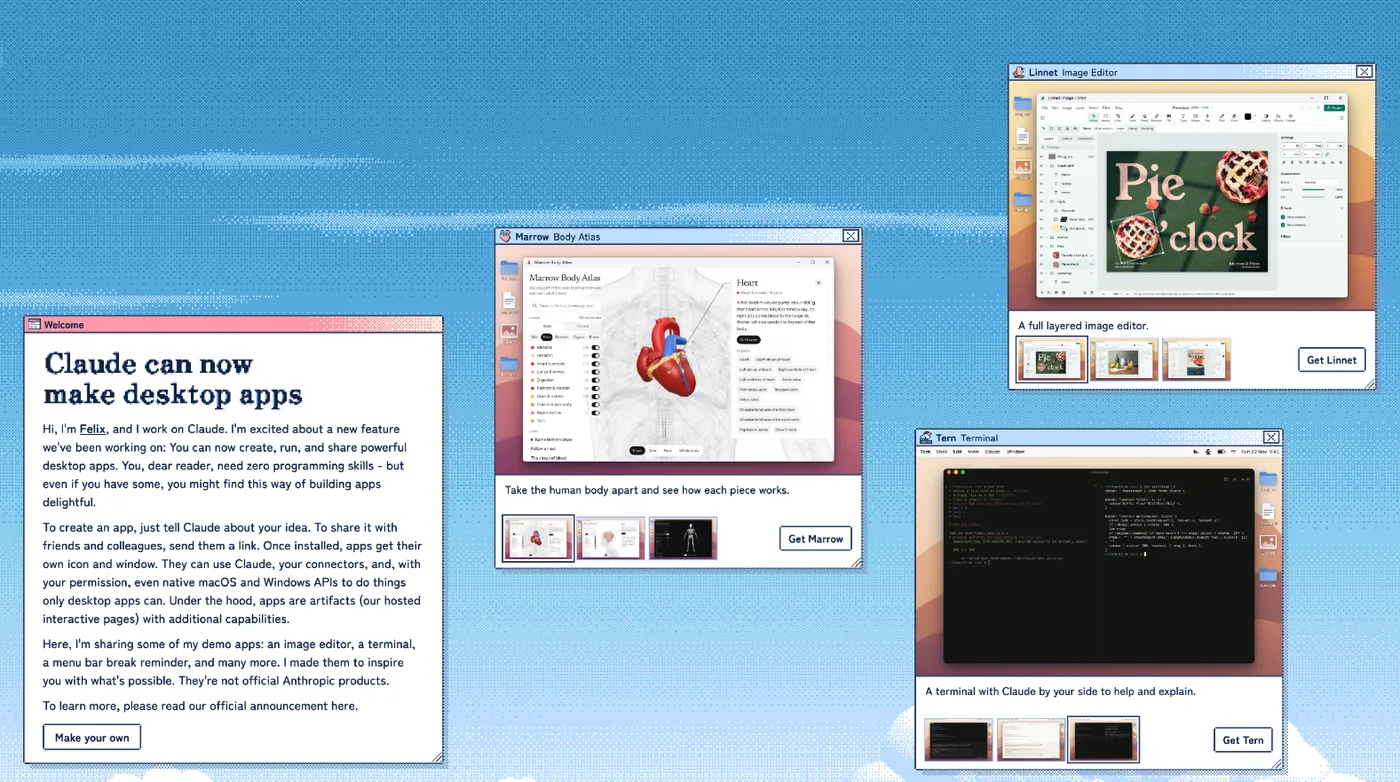
Anthropic built several internal tools to show what works. Engineers at Anthropic PBC created an image editor called Linnet, a file browser styled with a cinematic layout known as Phosphor, and a desktop terminal program named Tern to test how prompts turn into practical software [4]. Staff also built folder sorters and live activity monitors [2].
Free Claude accounts can run the software. Felix Rieseberg of Anthropic stated on X that a standard free login gives users full access to desktop artifact setups, while developers who hold an active Apple Developer account can also have Claude compile standalone Mac binaries [5]. The launch arrived on the same day Anthropic expanded Model Context Protocol server capabilities. That update lets external servers ship custom skills into chat, while Anthropic also published its Siren evaluation to test how well models stay within weakened security sandboxes [2].
Writers debated whether AI tools will replace traditional desktop software. Mike Wheatley of SiliconANGLE noted that creating functional apps from plain text prompts revives debates about artificial intelligence eating traditional codebases. SiliconANGLE co-founder John Furrier highlighted community discussion around these agents [4]. Zac Hall of 9to5Mac described the beta as an easy path for Mac and Windows users to craft custom tools for everyday tasks [6].

Usage Limits for Claude Artifacts
Installed Claude artifacts do not operate like offline programs. Users must stay online and signed in to a Claude account to open and run an app. If internet access drops, the tool stops working immediately, distinguishing it from traditional native desktop software that operates without an active connection to remote servers [4]. This keeps each app tied to Anthropic cloud infrastructure for basic model queries [1].
Usage fees require close monitoring. Every query an app sends to Claude or linked connectors counts against monthly plan limits. An active dashboard that queries models throughout the day can drain credits rapidly. System integration behaves differently than recent shell adjustments in the Windows 11 context menu update. Because tools build without manual coding, teams can deploy them quickly, but managers must watch token balances to prevent unexpected service cutoffs during busy workdays [4].
Can prompt-built tools replace standard office software without adding fresh security risks? While the beta makes software building easy for anyone in chat, Anthropic leaves code auditing to users. Organizations adopting these tools must set clear ownership and check permission rules before adding AI software to daily office work [1].
- ONLINE NEWS Gonzales, M. (2026, November 25). Claude Turns Desktop Apps: What Changes on Mac and Windows. TechRepublic. [Article Link]
- ONLINE NEWS Constantin, A. M. (2026, November 25). Claude can now install artifacts as Mac and Windows desktop apps. The Next Web. [Article Link]
- ONLINE NEWS Hardwick, T. (2026, November 25). Claude Now Lets You Install Artifacts as Desktop Apps. MacRumors. [Article Link]
- ONLINE NEWS Wheatley, M. (2026, November 24). Anthropic is trying to kill traditional desktop apps with Claude-generated desktop apps. SiliconANGLE. [Article Link]
- ONLINE NEWS Bastian, M. (2026, November 24). Anthropic turns Claude Artifacts into standalone desktop apps for macOS and Windows. The Decoder. [Article Link]
- ONLINE NEWS Hall, Z. (2026, November 24). Anthropic just gave Claude users a new way to make Mac apps. 9to5Mac. [Article Link]


