





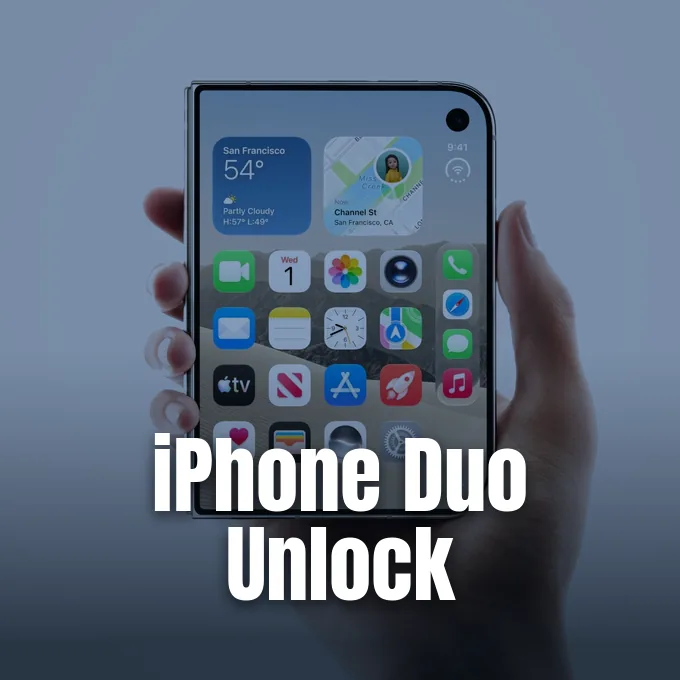
Apple launched its foldable iPhone Duo on October 23, shipping the new dual-screen phone without Face ID hardware for the first time in years. In place of facial recognition, the company placed a Touch ID fingerprint sensor on the side button and added official support for a paired Apple Watch. This setup lets owners use iPhone Duo unlock without resting a finger on the frame, borrowing a proximity check that Mac owners have used for years [1].
Setting Up iPhone Duo Unlock
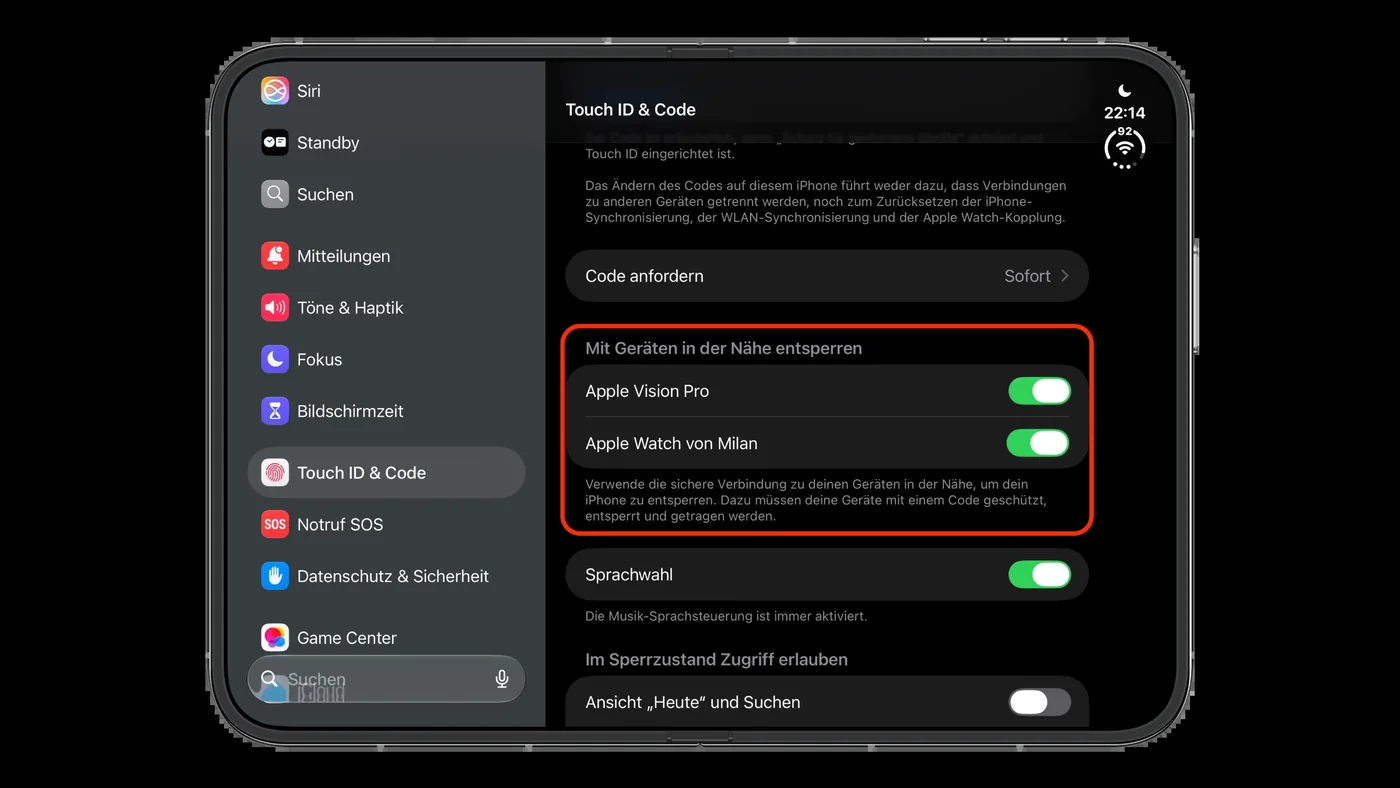
Setting up iPhone Duo unlock takes about a minute inside the standard iOS Settings menu. Users open Settings, tap Touch ID & Passcode, enter their passcode, and scroll down to the section labeled “Unlock with Nearby Devices.” Toggling the switch next to the paired watch turns on the tool immediately, and users with multiple watches can turn on the toggle for each device [1].
To unlock the phone, the watch must stay on the wrist, unlocked, and protected with a passcode [3]. If the watch sits on a nightstand, authentication fails by design. Unlocking works whether the phone is closed or unfolded into its wider workspace. Raising the handset, tapping the glass, or opening the folding panels wakes the screen so the nearby watch can handle verification. The user must swipe up from the bottom edge to dismiss the Lock Screen, though Apple lets owners turn off this extra swipe step in Settings if they prefer moving straight to their apps without an extra gesture [1].
Apple does not publish a complete compatibility list in its main tutorial, but the feature operates on Apple Watch Series 9 or later, Ultra 2 or later, and SE 3 [1]. Hands-on testing by Apfelpatient showed the system also pairs with an Apple Watch Ultra 4, as well as an Apple Vision Pro headset [3].
The Missing Face ID Hardware
The omission of Face ID surprised buyers accustomed to instant facial scans on standard slab iPhones. A full Face ID array needs infrared cameras, a dot projector, and flood illuminators mounted in a fixed position relative to the user’s face. Fitting those components into a thin foldable chassis with two separate display halves would have added bulk and complexity that Apple wasn’t willing to accept for its first attempt at this form factor [4].
Touch ID in the side button gives the phone consistent fingerprint recognition regardless of whether it rests flat, folds shut, or opens into a mini tablet [4]. Reporting from The Verge confirmed that the handset carries no native facial recognition hardware at all, leaving the side sensor as its only built-in biometric tool. Apple said in its announcement that the side button provides easy and consistent authentication in both orientations [6]. Bloomberg reporter Mark Gurman earlier reported that iPhone Duo could start at $2,000, putting the premium foldable in direct competition with top-tier hardware where buyers expect smooth everyday security without awkward hand gymnastics. Users holding the phone in either hand can reach the side button quickly, avoiding the need to reposition their grip after unfolding the dual screens [4].
Apple can’t easily position front-facing sensors to track a face from every angle when two folding screens shift positions during use [8]. The side sensor works the same way whether the phone is closed or open, so users don’t have to search for a fingerprint pad. It’s a practical setup that keeps the display borders thin [4].


Daily Limits of iPhone Duo Unlock
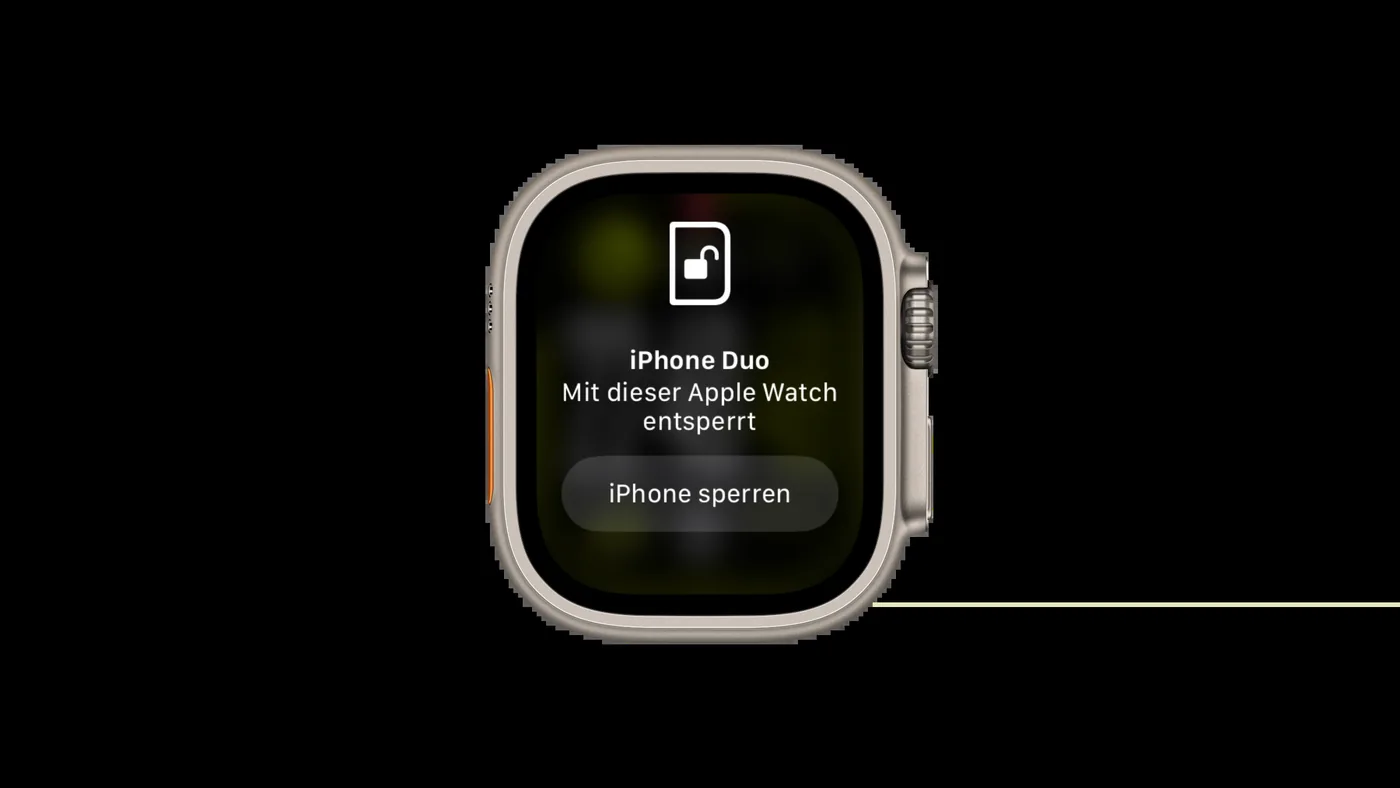
Every successful authentication triggers a brief vibration on the watch wrist. The watch face immediately displays a notice reading “Unlocked with this Apple Watch” alongside a prominent Lock iPhone button [3]. Tapping that button sends a lock command over Bluetooth to secure the handset if someone else opens it nearby, forcing a manual passcode on the next attempt [6].
Security boundaries prevent the watch from handling financial transactions or saved passwords. The iPhone Duo unlock process only replaces the journey past the Lock Screen to reach the Home Screen. When a user tries to run Apple Pay or auto-fill website credentials, iOS demands a fingerprint scan or the device passcode. The watch check only verifies that a paired accessory is close by, so it can’t tell who is actually holding the phone. If an owner leaves the unlocked phone on a desk while colleagues sit nearby, anyone could open the device unless the owner taps the lock alert on their wrist [3].
Apple’s Platform Security guide previously documented watch-based unlocking for standard iPhones running iOS 14.5, where it helped users wearing face masks [3]. On those older devices, the system only kicked in when Face ID saw a covered mouth and nose. Because iPhone Duo has no facial cameras, watch authentication acts as an independent convenience layer rather than a mask fallback [6].
Hardware Teardowns and Dual Battery Layout
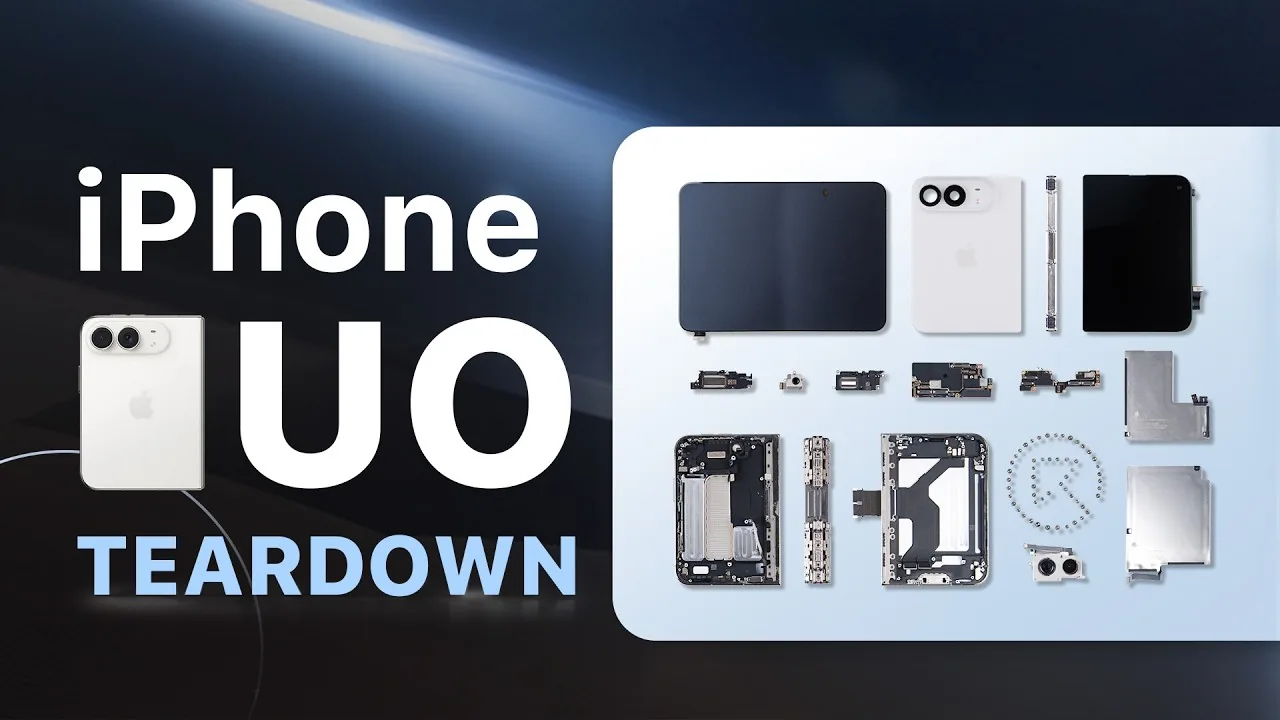
Early teardown videos published by YouTube channels REWA Technology and Phone Repair Guru revealed how Apple arranged the hardware inside. Inside the split chassis sit two separate battery cells secured by electrically-activated adhesive. The larger battery holds a 2,962 mAh capacity (11.56 Wh), while the smaller pack delivers 1,921 mAh (7.5 Wh). Together, they provide a combined capacity of 4,883 mAh between the two halves [5].
REWA Technology’s logic board inspection identified Apple’s A20 Pro processor with a custom C2 cellular modem. Phone Repair Guru reported that the USB-C charging port uses a modular design that can be replaced on its own, but warned that removing the side-button Touch ID sensor during repairs is a difficult task. The teardown also confirmed that iPhone Duo is an eSIM-only handset in every global market. Apple published an official repair manual for the device together with these teardowns, providing certified technicians with step-by-step schematics for opening the casing and disconnecting ribbon cables [5].
The company also published software guidance for its protective covers, building on earlier reports showing how Apple secures the $79 iPhone Duo case with adhesive strips. In a support document covered by 9to5Mac, Apple said that users experiencing screen obstruction from the case can open Settings, tap Display & Brightness, and turn on Shift Left Edge to shift outer display content away from the front bezel [2].
Retail Warnings and Launch Supply
Apple opened pre-orders for iPhone Duo at 5:00 a.m. Pacific Time on Friday, October 16, ahead of in-store availability on Friday, October 23. Apple Store employees received instructions to warn customers against visiting retail stores without an existing reservation on launch day, as locations expected zero walk-in inventory. The company prioritized online orders to manage tight launch supplies during the first week [7].
In his Power On newsletter, Bloomberg reporter Mark Gurman criticized the rollout schedule, arguing that Apple moved too quickly despite manufacturing bottlenecks. Gurman called the decision to launch without deeper inventory a “major mistake,” writing: “Let me cut to the chase: Apple made a major mistake here”. Behind the scenes, App Store updates showed screenshots of built-in apps running on the Duo’s dual panels in landscape mode, giving early buyers a preview of how software adapts to the wider folding display before retail units arrived on doorsteps [7].
As shipments began arriving, Apple published troubleshooting guides covering hinge maintenance and hardware care. The documents outline what steps owners should take if the hinge feels loose, makes unexpected noise, becomes bent, or fails to open and close completely [2]. Pairing flexible hardware with iPhone Duo unlock gives users alternative ways to access their device every day, balancing durability with convenient security [4].
- ONLINE NEWS Hardwick, T. (2026, October 24). Skip the Touch ID Scan: Unlock iPhone Duo With Apple Watch. MacRumors. [Article Link]
- ONLINE NEWS Miller, C. (2026, October 23). Apple Publishes iPhone Duo Support Documents Covering Hinge, Touch ID, Cases, More. 9to5Mac. [Article Link]
- ONLINE NEWS Jovicic, M. (2026, October 24). How to Unlock iPhone Duo with Apple Watch. Apfelpatient. [Article Link]
- ONLINE NEWS Hussain, I. (2026, September 10). iPhone Duo Skips Face ID for Touch ID and Watch Unlock. Ithinkdifferent. [Article Link]
- ONLINE NEWS Rossignol, J. (2026, October 24). iPhone Duo Teardowns Reveal Two Batteries and More. MacRumors. [Article Link]
- ONLINE NEWS Gadget Hacks. (2026, September 11). Unlock iPhone Duo with Apple Watch: What Apple Confirms. Gadget Hacks. [Article Link]
- ONLINE NEWS Hardwick, T. (2026, September 10). Touch ID Isn’t the Only Way to Unlock an iPhone Duo. MacRumors. [Article Link]
- ONLINE NEWS Terpstra, P. (2026, September 10). iPhone Duo Adds Apple Watch Unlock as Face ID Alternative. TUAW. [Article Link]


