



Dynamic Host Configuration Protocol (DHCP) automates how computers, mobile phones, and networked hardware obtain Internet Protocol (IP) parameters whenever they connect to an office or residential local area network. Manual setup in early computer labs often led to typing mistakes and address conflicts on crowded office floors [7]. By handling these assignments through an automated exchange, a central server distributes numeric addresses along with default gateways and subnet masks, reclaiming each lease when a client disconnects or moves away [4]. This client-server architecture eliminates manual intervention across campus networks and residential routers alike [7].
Roots in BOOTP Network Booting
Early local networks configured connected hardware through the Reverse Address Resolution Protocol, defined in 1984 for diskless workstations that had no local storage to hold network settings [7]. Because RARP operated directly on the data link layer, it couldn’t cross router interfaces, forcing administrators to install and maintain an individual server on every physical network cable. In September 1985, Bill Croft and John Gilmore introduced the Bootstrap Protocol (BOOTP) in RFC 951 to overcome these link-layer limitations. BOOTP moved host configuration into the transport layer by using User Datagram Protocol (UDP) packets on port 67 for servers and port 68 for clients. Routers running BOOTP relay agents could now forward configuration traffic across subnets, letting one central server answer requests from remote network links [8].
Why did network engineers abandon static tables? In RFC 951, BOOTP mapped each physical MAC address to a single fixed IP address recorded in a configuration table by an administrator [8]. When mobile computers and visiting laptop users entered offices, administrators had to manually edit text tables before anyone could obtain network connectivity. This static binding proved too rigid for growing campus environments where users moved between desks throughout the business day [1].
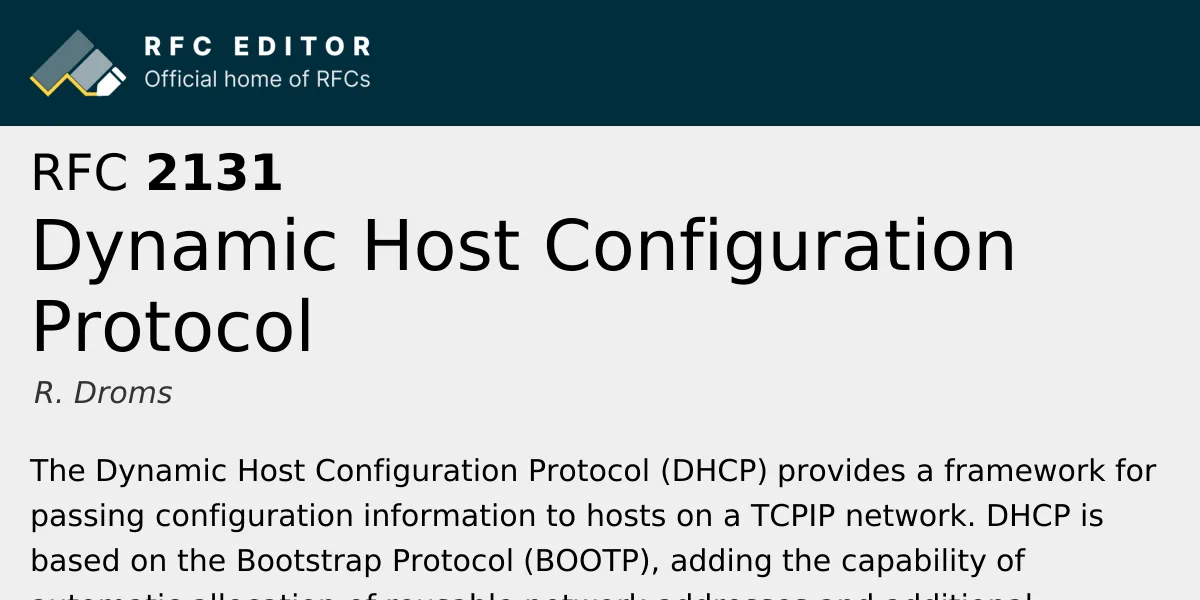
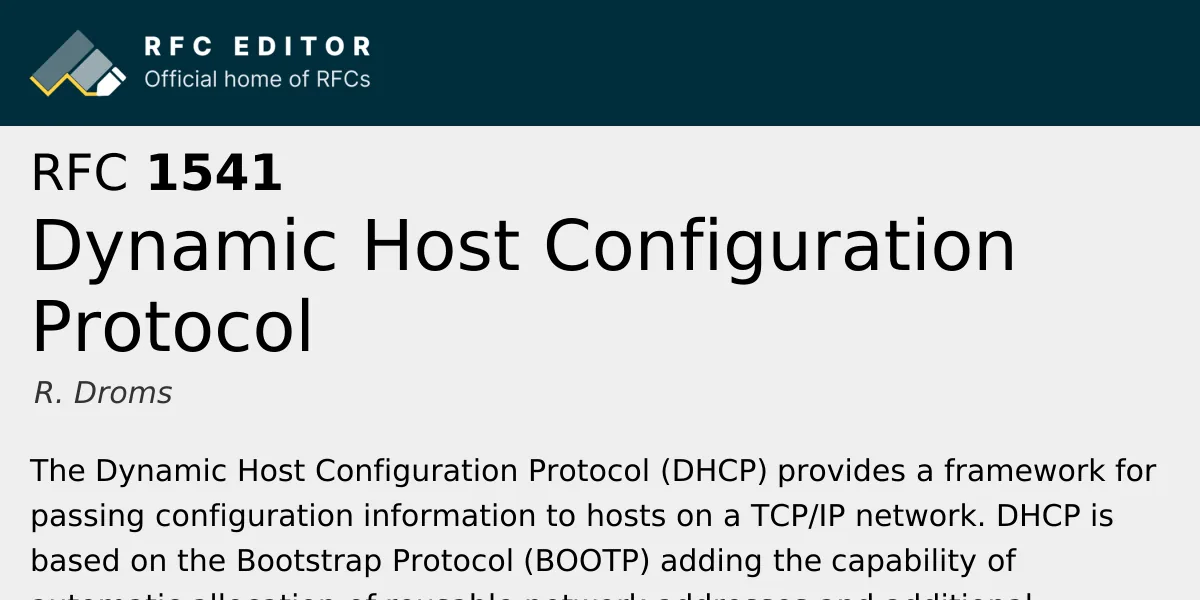
In October 1993, computer scientist R. Droms published RFC 1541 at Bucknell University to define dynamic allocation while keeping backward compatibility with existing BOOTP client hardware. The specification preserved BOOTP packet headers and UDP port numbers so legacy network hardware could communicate with modern servers [2]. Droms addressed related work in RFC 1541 section 1.2 by evaluating RARP and TFTP, before expanding vendor fields into structured options and adding lease timers. Four years later, in March 1997, Droms issued RFC 2131 as an updated Draft Standard, incorporating RFC 1534 interoperation rules to let BOOTP and DHCP participants share physical subnets [1].
Dynamic Host Configuration Protocol Architecture
Dynamic Host Configuration Protocol runs on a client-server architecture over connectionless User Datagram Protocol transport [1]. A client program listens on UDP port 68, while the server listens on UDP port 67. When an unconfigured computer boots up on an unfamiliar network segment, it can’t send regular unicast packets without an IP address, so it broadcasts a query to 255.255.255.255 [7]. Any listening DHCP server on that physical link can process the query and offer network settings [1].
In RFC 2131, R. Droms established three separate mechanisms for allocating IP addresses to network clients: manual allocation, automatic allocation, and dynamic allocation [1]. In manual allocation, an administrator binds a device’s physical MAC address to a predetermined IP address inside the server configuration repository [7]. The server looks up the client hardware address in its database and delivers that exact address every time the machine connects [1]. This static reservation method suits Hewlett-Packard network printers, file servers, and management interfaces that need stable addresses so employees can access them without changing local connection settings [6]. Manual binding gives administrators dependable control over network hardware while keeping address delivery within the automated protocol [1].
Automatic allocation permanently assigns an IP address from an available range, remembering past assignments so a returning host keeps its address [7]. In contrast, dynamic allocation lends an address for a limited lease period, reclaiming the IP address when the client disconnects [1]. In an enterprise where hundreds of employees share numeric addresses during different work shifts, dynamic leasing recycles inactive leases so that every active computer connects smoothly without manual adjustments [4].
The Four DORA Phases
Lease acquisition follows a four-step handshake known as DORA: Discovery, Offer, Request, and Acknowledgement [7]. An unconfigured host begins the conversation by broadcasting a DHCPDISCOVER packet to the destination address 255.255.255.255, seeking configuration profiles from any responsive server on the local physical link [1]. In this frame, the client sets the hardware type field HTYPE to 1 for Ethernet and the hardware length HLEN to 6 octets. It places its physical media access control address into the client hardware address field, labelled CHADDR [7]. The client can also suggest an IP address it previously held, helping the server assign the same address if it remains unassigned [1].
When a server receives the discovery message, it reserves an available address from its pool and responds with a DHCPOFFER packet. The server writes the proposed address into the YIADDR field, meaning “your IP address” [7]. This offer contains the subnet mask, lease duration, and the server IP address in option 54 [1]. A client can request broadcast delivery by setting the broadcast flag to (0x8000), aiding older network adapters that can’t receive unicast packets before their IP stack is initialized [7].
If multiple servers answer, the client accepts the first arrival and broadcasts a DHCPREQUEST message naming its chosen server in option 54 [1]. Broadcasting lets unselected servers return their reserved addresses to their free pools [7]. The selected server finalizes the transaction with a DHCPACK message [1]. Before binding the offered parameters, the client sends an Address Resolution Protocol (ARP) probe across the local switch to verify that no neighboring machine uses that IP address [7]. If a collision occurs, the client sends a DHCPDECLINE packet and restarts the discovery process [1].
Lease Lifecycles and Renewal Timers
Every dynamic address granted by a server carries an explicit lease time, defined in seconds under option 51 [5]. Leases keep abandoned devices from tying up IP addresses permanently. On residential gateways, address leases typically last 24 hours, whereas busy public Wi-Fi hotspots at airports often reduce lease durations to just one or two hours [4]. When half of the lease expires, the client enters the renewal state at timer (T1), sending a unicast DHCPREQUEST packet directly to the leasing server [1].
When the original server sends back a DHCPACK message, the lease timer resets to zero, allowing the client to continue network communications without changing its IP settings. If that server fails to reply because of hardware faults or maintenance outages, the client keeps operating with its current address until reaching timer T2. Defined by RFC 2131, timer T2 signals the rebinding state. In this rebinding phase, the client stops sending unicast requests to the missing server; instead, it broadcasts a DHCPREQUEST packet across the local link, asking any active server on the network to renew its lease. Any compatible server with authority over that subnet can answer with an acknowledgement, extending the lease and preventing connection drops [1].
If no server responds before a lease runs out, the client must stop all IP communications, drop existing network sockets, and return to the initial discovery state. When an operating system shuts down cleanly, it transmits a DHCPRELEASE message to return the address ahead of time. In RFC 2131 section 1.1, R. Droms also introduced the DHCPINFORM message, which lets hosts with manual IP addresses query parameters like web proxies without requesting an address lease [1].


Dynamic Host Configuration Protocol Option Codes
Dynamic Host Configuration Protocol structures its configuration payloads using Type-Length-Value encoding, detailed in (RFC 2132) by S. Alexander and R. Droms. Each parameter, known as an option, begins with a one-octet tag identifying the setting, followed by an octet showing payload length and the actual configuration data bytes [5]. This flexible format lets standard client software parse core routing settings while safely skipping vendor extensions that it does not understand [1]. Network administrators can supply dozens of auxiliary settings in addition to numeric addresses without rewriting client operating systems. The Internet Assigned Numbers Authority (IANA) manages these option codes, which range from subnet masks and time servers to modern captive portal indicators [5].
Two fundamental network settings arrive in option 1 and option 3 [5]. Option 1 delivers the subnet mask, which separates local network hosts from outside subnets. Option 3 provides the address of the default gateway router that forwards traffic toward external destinations. Without option 3, a computer can communicate with local peers on its switch but can’t reach remote web servers [4].

Domain name resolution relies on option 6, which delivers the IP addresses of recursive Domain Name System (DNS) servers that turn human-readable website names into numerical destination addresses [4]. Option 15 complements this by providing the client’s local domain search suffix. Control options manage operations: option 53 indicates message types such as DHCPDISCOVER, while option 54 identifies the server IP address. Option 61 carries a unique client identifier, which administrators frequently pair with a device’s physical MAC address to keep fixed reservations stable [5].
Relay Agents Across Subnets
Standard network routers discard broadcast packets to prevent congestion, meaning an unconfigured client’s discovery broadcast can’t leave its local wire. Installing a separate server on every Virtual Local Area Network (VLAN) would inflate operating costs [8]. Engineers solve this issue by enabling DHCP relay agents, often called DHCP helpers, on intervening routers or multilayer switches [7]. A relay agent intercepts client discovery broadcasts on UDP port 67, encapsulates them into standard unicast IP datagrams, and forwards them directly to a centralized configuration server [8].
When a relay agent forwards a client broadcast, it inserts its own interface IP address into the GIADDR header field before transmitting the datagram [1]. This gateway IP address tells the central server exactly which subnet the client belongs to, allowing the server to select an available address from the proper address pool. Without the relay agent setting this field, the server couldn’t tell which network segment originated the request. The server sends its reply back to the relay agent using unicast IP routing. Once the relay agent receives the server’s offer or acknowledgement, it delivers the payload onto the local link for the waiting client, simplifying administration across large multi-switch environments [8].
Relay routers can encounter performance bottlenecks under heavy network traffic. In a 2020 study, researchers W. A. Syafei, Y. A. A. Soetrisno, and A. B. Prasetijo showed that wireless routers running OpenWRT firmware risk dropped DHCP requests when processor memory runs low. Their investigation tested Cisco relay services combined with MikroTik hardware, proposing a master-backup algorithm that shifts relay duties if the primary router becomes overloaded. Related research by J. Natali, F. Fajrillah, and T. M. Diansyah evaluated static NAT routing across VLAN networks using DHCP address delivery on enterprise switches [7].
Dynamic Host Configuration Protocol for IPv6
Modern networks moving toward IPv6 can choose between two main mechanisms: DHCPv6 and Stateless Address Autoconfiguration, commonly called SLAAC. In SLAAC, client devices generate their own IPv6 addresses without consulting a central allocation database. The host listens for a Router Advertisement packet sent by an upstream gateway router, extracts the announced 64-bit network prefix, and derives the remaining 64 bits from its interface identifier. It then performs Duplicate Address Detection (DAD) to verify that no neighboring host shares that address on the link. In a 2011 paper in Telecommunication Systems, T. Mrugalski, J. Woźniak, and K. Nowicki noted that Duplicate Address Detection can take over 1000 milliseconds during handovers, producing noticeable gaps in connectivity [6].
In contrast, DHCPv6 maintains a stateful record of address leases, exchanging SOLICIT, ADVERTISE, REQUEST, and REPLY messages [6]. Standardized in draft specifications by Tomek Mrugalski, Bernie Volz, Michael Richardson, Sheng Jiang, and Timothy Winters, DHCPv6 identifies each client using a DHCP Unique Identifier (DUID) instead of a MAC address [3]. DHCPv6 uses multicast instead of broadcast packets. Unlike IPv4 DHCP, DHCPv6 does not provide the default gateway address, leaving gateway discovery to ICMPv6 router advertisements [6].

Operating system makers took contrasting approaches to these standards. Google Android has steadfastly refused to support DHCPv6 by relying exclusively on SLAAC, whereas Microsoft added native SLAAC functionality to Windows 10 only in the Creator Update. In Network World, Neal Weinberg wrote that “adoption of IPv6 has been extremely slow” across enterprise networks. Weinberg reported that only 25 percent of networks advertised IPv6, while only 28 percent of top websites supported it, keeping dual-stack setups prevalent [6].
Centralized Management Trade-offs
Centralized configuration gives network administrators great efficiency by automating daily IP assignments and preventing address collisions [4]. Dynamic address pools let companies share limited IPv4 subnets among visiting workers, recycling unused leases automatically [6]. Administrators can update subnet masks and DNS resolvers across hundreds of machines by changing one server file [4]. In Unix and Linux systems, client behavior is refined through configuration files like /etc/dhclient.conf [7].
What happens if a DHCP server suddenly loses power? A single central server introduces a single point of failure; if it goes offline, newly connected devices can’t obtain network parameters, leaving them unable to reach local resources or the internet [4]. Basic DHCP also lacks built-in authentication, making networks vulnerable to rogue DHCP servers that can answer client discovery requests with malicious gateway addresses. In mobile ad hoc networks that lack central servers, distributed alternatives become necessary. In 2011, L. J. G. Villalba, J. G. Matesanz, A. L. S. Orozco, and J. D. M. Díaz presented a distributed protocol in Sensors, using OLSR synchronization to guarantee unique addresses across moving nodes without a central authority [7].
Other service protocols operate without central servers; Microsoft and Hewlett-Packard developed the Simple Service Discovery Protocol in 1999, using UDP multicast packets on port 1900 for Universal Plug and Play (UPnP) discovery. Cloudflare described SSDP reflection misuse as the “Stupidly Simple DDoS Protocol” when attackers exploited port 1900 in 2014 [9]. For local IP management, Dynamic Host Configuration Protocol serves as the backbone of modern networks [7]. Pairing dynamic leasing for client devices with static reservations for core printers keeps local networks dependable and easy to run [4].
- REPORT Droms, R. (1997). Dynamic Host Configuration Protocol (RFC 2131). RFC Editor. [Article Link]
- REPORT Droms, R. (1993). Dynamic Host Configuration Protocol (RFC 1541). RFC Editor. [Article Link]
- REPORT Mrugalski, T., Volz, B., Richardson, M., Jiang, S., & Winters, T. (2025). Dynamic Host Configuration Protocol for IPv6 (DHCPv6) (draft-ietf-dhc-rfc8415bis-10). Internet Engineering Task Force. [Article Link]
- WEBSITE Router IP Net. (2025). Understanding DHCP: How Dynamic Host Configuration Protocol Works and Its Benefits. RouterIPNet. [Article Link]
- WEBSITE Internet Assigned Numbers Authority. (2026). Dynamic Host Configuration Protocol (DHCP) and Bootstrap Protocol (BOOTP) Parameters. IANA. [Article Link]
- ONLINE NEWS Weinberg, N. (2018). Why DHCP’s days might be numbered. Network World. [Article Link]
- WEBSITE Wikipedia. (2026). Dynamic Host Configuration Protocol. Wikimedia Foundation. [Article Link]
- WEBSITE Wikipedia. (2026). Bootstrap Protocol. Wikimedia Foundation. [Article Link]
- WEBSITE Wikipedia. (2026). Simple Service Discovery Protocol. Wikimedia Foundation. [Article Link]


