





Adobe officially launched its dedicated Adobe Premiere Android application on the Google Play Store on Tuesday, delivering layered multi-track timeline editing and 4K exports without requiring a Creative Cloud subscription [1]. The release arrives nearly a year after its iPhone debut in late 2025, giving mobile creators a full editing suite without watermarks or mandatory paywalls [3]. Downloads quickly crossed 50,000 units [1].
Adobe Premiere Android Delivers Free Multi-Track Video Editing
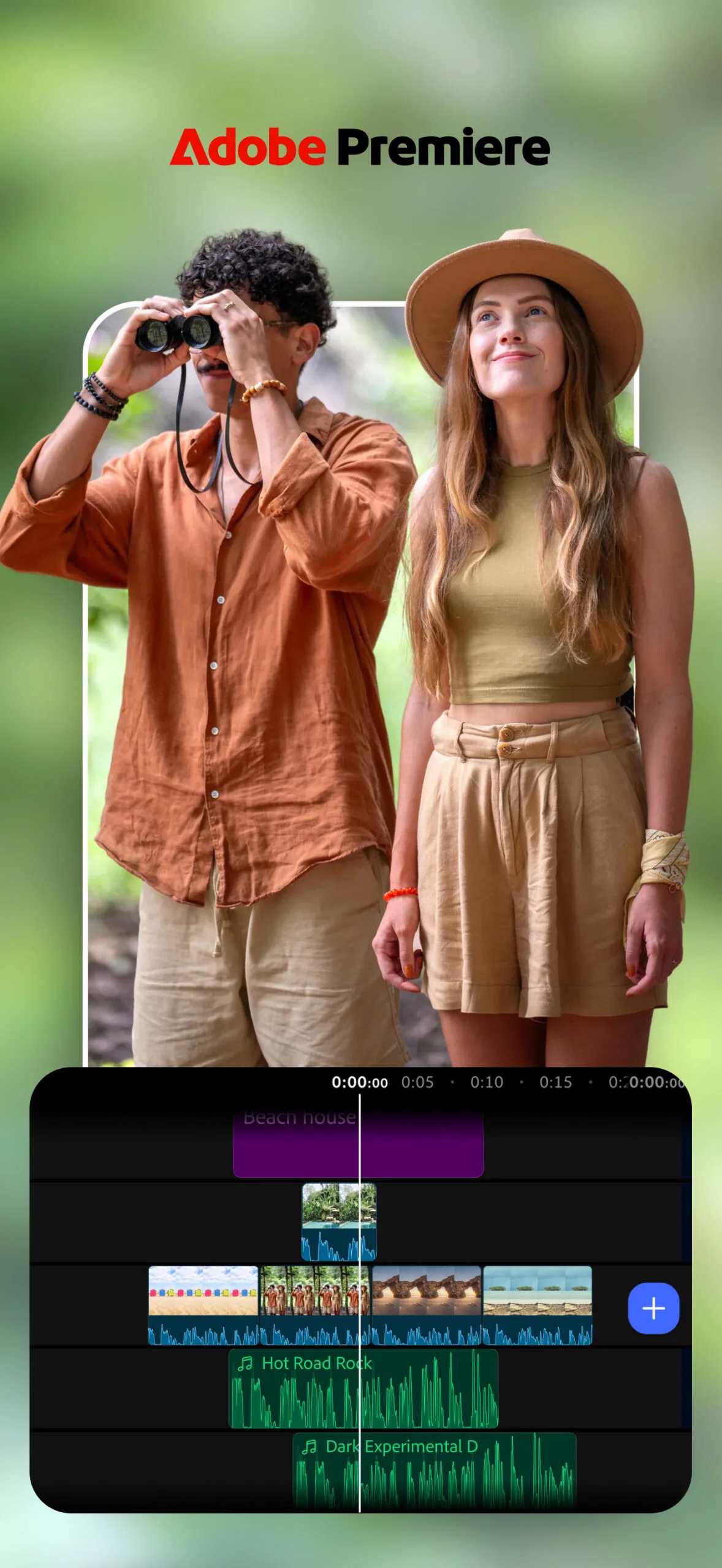
The software centers around a granular editing environment engineered to handle complex mobile production rather than simple clip trimming. Creators assembling short-form videos for YouTube Shorts, Instagram Reels, or TikTok can import footage directly from their local camera rolls into a multi-track workspace that supports layered video feeds, graphic overlays, independent sound effects, and background music drawn from Adobe Stock or personal libraries [1]. Color grading filters, custom transitions, and preset title animations can be inserted across multiple tracks with fine trim adjustments, while an integrated voice recorder captures narration synchronized against live playback in real time [5]. Projects export cleanly at up to 4K resolution without watermarks or duration limits [1].
Running the application requires modern mobile hardware capable of sustained graphic workloads. Android 13 marks the floor. Devices must also contain a minimum of 5GB of RAM to execute the software’s timeline rendering and processing pipeline [1]. Chethan Rao of Android Authority noted that this memory threshold rules out entry-level hardware for Adobe Premiere Android, yet the requirement reflects the computational overhead demanded by multi-track rendering and generative tools on portable chipsets [2].
Users navigating the interface can toggle between a mini editor and a full editor depending on their immediate workflow needs. The mini editor streamlines swift cuts, allowing creators to trim clips, swap assets, and apply uniform color filters across an entire sequence before exporting directly to YouTube Shorts without leaving the program. Transitioning to the full editor exposes the comprehensive multi-track timeline, unlocking precise layering controls for video tracks, sound effects, and graphic titles [3].
Tailoring the Premiere Android App for Foldable Screens
Adapting a desktop heritage to touchscreens required structural adjustments across non-traditional form factors. When opened on foldable devices such as the Samsung Galaxy Z Fold 8 or Google Pixel 11 Pro Fold, the application automatically bifurcates its workspace, placing full-resolution footage playback on the left screen while spanning the multi-track timeline across the right display [3]. Editors retain continuous editing capability whether folding handsets stay closed or fold fully flat, eliminating clumsy viewport compromises [4].
Eric Snowden, senior vice president of design at Adobe, stressed that the development group avoided executing a direct visual port of the iOS codebase. ‘We wanted this to run on as many devices as possible, so the team spent a ton of time making sure that this is not just for flagship phones,’ Snowden told WIRED. Snowden indicated that refining the interface across diverse Android displays will also inform Adobe’s preparations for Apple’s upcoming iPhone Duo hardware [3].
Screen expansion extends to emerging portable form factors as well. Adobe verified that its creative suite—comprising Acrobat, Photoshop, Lightroom, and Premiere—is calibrated for Google’s Googlebook laptop platform, allowing mobile timelines to stretch across larger displays. However, the company emphasized that running these mobile packages on laptop displays cannot match the full desktop-grade editing power found in Premiere Pro on Windows or macOS [3].

Retiring Premiere Rush Without Paid Subscription Paywalls
The launch marks a clean departure from Adobe’s historical monetization playbook on mobile operating systems. Between 2019 and 2025, the company maintained Premiere Rush CC in the Google Play Store as a lightweight mobile alternative. Premiere Rush cost $9.99 monthly. Alternatively, users required membership in the complete Adobe Creative Cloud Suite, which exceeds $50 each month. By contrast, the newly released Premiere app removes paywall barriers entirely for core editing tasks, allowing users to assemble cuts and render exports as a free download without encountering paywalls [1].
Support for the previous mobile application will conclude on September 30, making the new release the sole supported mobile video editing client in Adobe’s catalog. Adobe built momentum for the transition through its iOS deployment, where the revamped application earned a 4.8-star rating across more than 25,000 user reviews on the Apple App Store. Replicating that positive reception across diverse Android hardware represents a crucial milestone for retaining digital creators [3].
Eric Snowden told WIRED that eliminating mandatory account logins removes steep barriers to entry, enabling new video creators to begin editing immediately without onboarding friction [3].
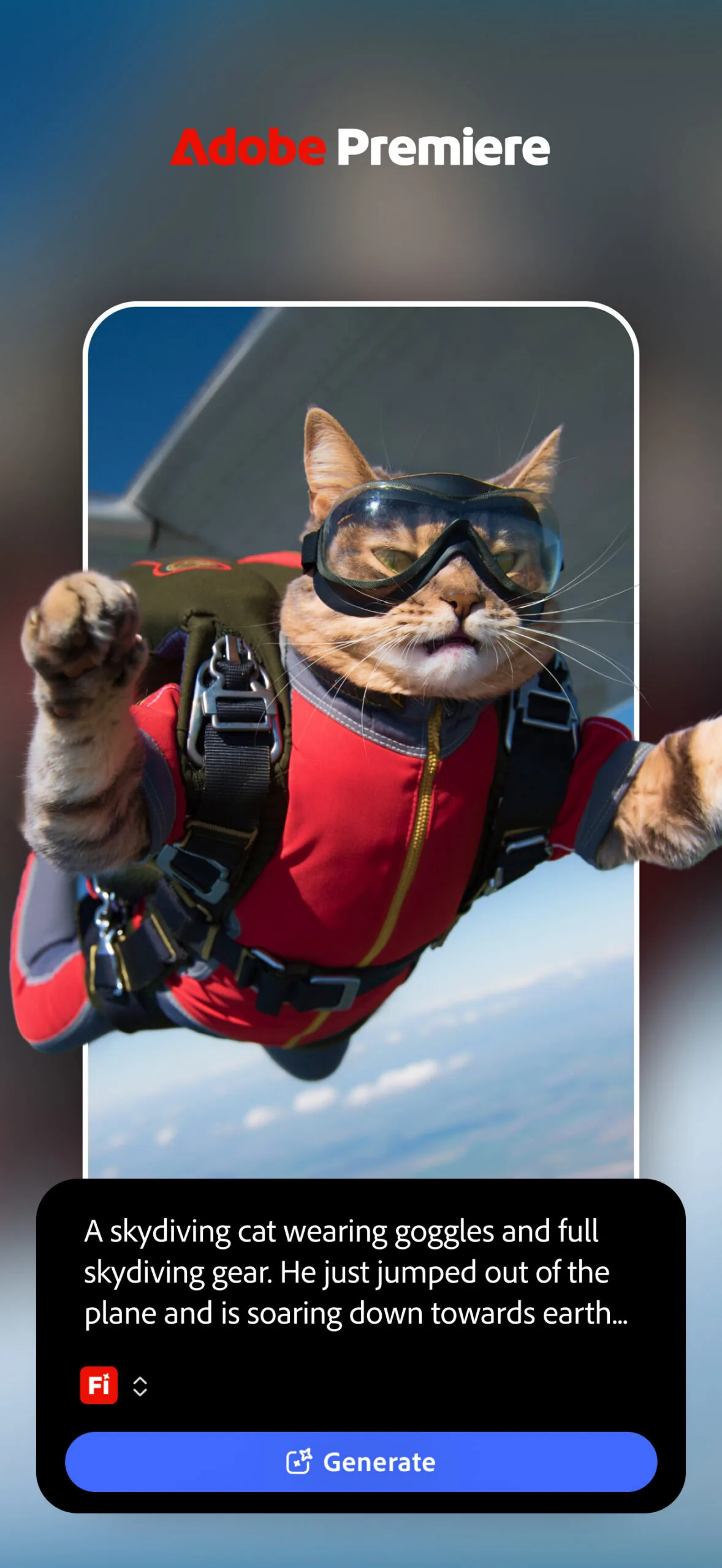
Powering Adobe Premiere on Android with Firefly AI
Artificial intelligence functions form the boundary where free usage shifts into commercial subscriptions. The mobile client integrates Adobe’s Firefly generative intelligence family, providing Generative Fill to alter visual components through text descriptions, an Image-to-Video engine that animates still photographs into moving clips, and automated sound design tools that generate contextual audio effects [1],. While video trimming, multi-track mixing, and basic asset management remain permanently complimentary without an Adobe account, utilizing these cloud-reliant Firefly modules consumes monthly generative credit allowances [2], [6]. Once those bundled allotments run out, creators must purchase additional credits or subscribe to maintain active generation capabilities [3].
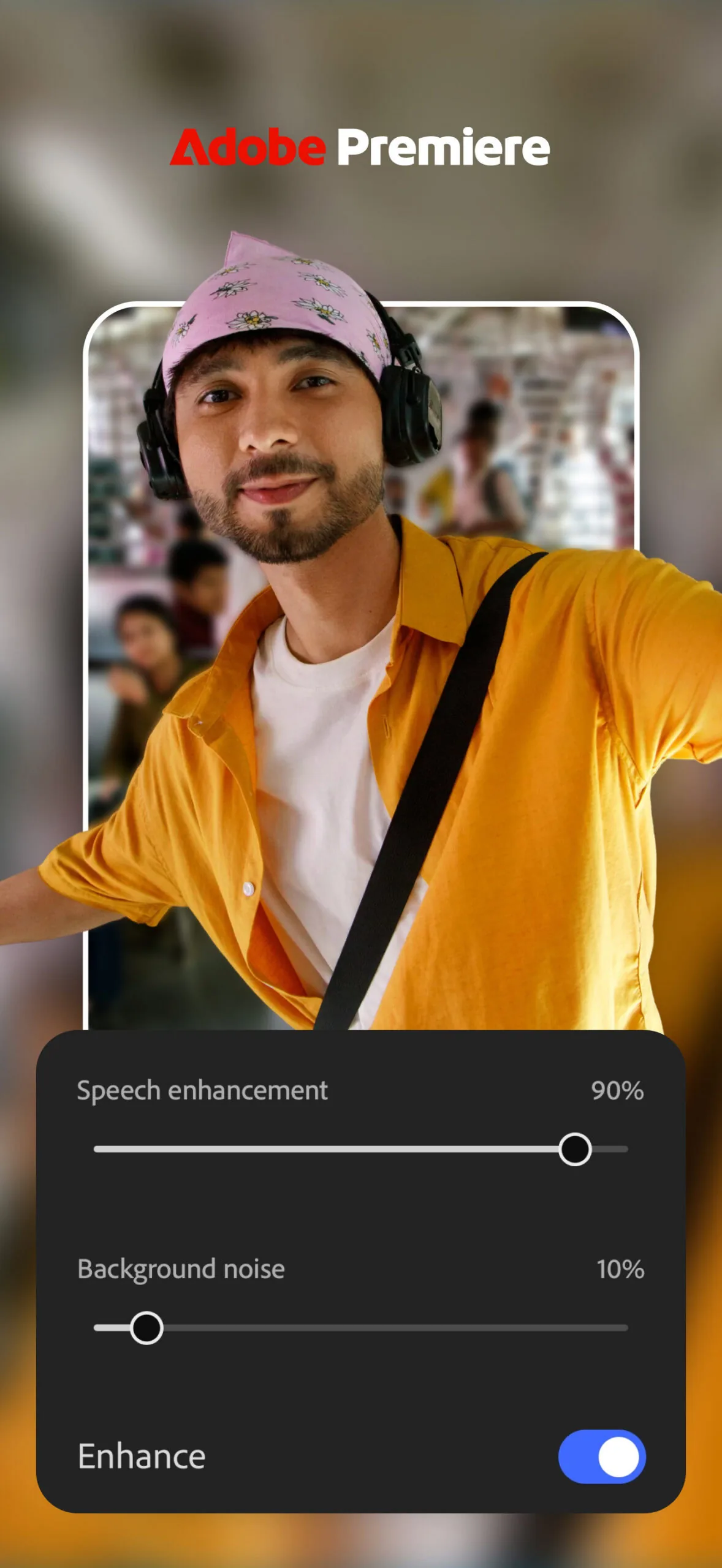
Beyond generative image manipulation, audio enhancement operates as one of the software’s most practical utilities. The Enhance Audio feature inside Adobe Premiere Android isolates recorded dialogue from harsh environmental noise, cutting background hum and boosting voice presence to yield clean narration that resembles studio microphone captures [3], [5]. Video podcasters extracting short interview segments or vloggers filming on busy city streets can process spoken tracks with a single slider adjustment [1].
These audio and visual automated tools cater to a geographic shift in how contemporary media is assembled. Diksha Kuhar, Adobe’s director of product marketing for Premiere, told CNET that creators in emerging creator economies—notably across India and Brazil—increasingly rely on entirely mobile-only editing workflows. The app displays zero advertisements. By bundling sound cleanup, automated caption generation, and direct YouTube Shorts publishing into a free Android package, Adobe hopes to engage videographers who may never purchase a conventional desktop computer [4].

Challenging Mobile Rivals While Preparing Desktop Project Sync
Entering the Android ecosystem places Adobe in immediate conflict with deeply entrenched mobile competitors. While Premiere Pro dominates high-end Hollywood editing suites, phone-based video creation has long been dominated by accessible tools like CapCut, Canva, LumaFusion, and InShot [1],. These competing applications established immense user bases by offering intuitive interfaces, viral video templates, and lightweight rendering [2]. Can an enterprise software titan successfully displace apps born natively on mobile touchscreens? Adobe is betting that zero subscription fees, clean exports without watermarks, and brand recognition will convince creators to migrate to Adobe Premiere Android [1], [4].
To strengthen its appeal against those rivals, Adobe confirmed several key features currently in development for subsequent updates. Adobe Fonts arrives next. The development roadmap also includes enhanced auto-caption styling, manual keyframe animation, customized cropping ratios, and algorithmic beat detection to sync cuts directly to musical rhythms [1], [5]. These upcoming additions aim to close the functional disparity between mobile phone production and desktop post-production [1].
The most anticipated capability on that horizon is the upcoming Continue Editing bridge, which will permit videographers to initiate edits on Android smartphones and finish detailed color passes or sound mixing inside Premiere Pro on desktop [1], [3]. For now, mobile storytellers handle the entire production cycle on Android, while complex multi-camera television or documentary projects continue to depend on dedicated desktop workstations [4].
- ONLINE NEWS Steele, C. (2026, September 22). Full-featured Adobe Premiere app finally comes to Android and it’s free. Android Police. [Article Link]
- ONLINE NEWS Rao, C. (2026, September 22). It’s taken a while, but Adobe Premiere is finally available for Android. Android Authority. [Article Link]
- ONLINE NEWS Chokkattu, J. (2026, September 22). Adobe Premiere, One of the iPhone’s Best Video-Editing Apps, Is Now on Android. WIRED. [Article Link]
- ONLINE NEWS Chedraoui, K. (2026, September 22). Adobe Brings Its Premiere Video Editing Mobile App to Android. CNET. [Article Link]
- ONLINE NEWS Schoon, B. (2026, September 22). Adobe Premiere for Android launches for free with layered video editing, YouTube templates. 9To5Google. [Article Link]
- ONLINE NEWS Ars Technica. (2026, September 22). Adobe Premiere finally brings powerful video editing to Android, and it’s free. Ars Technica. [Article Link]


