




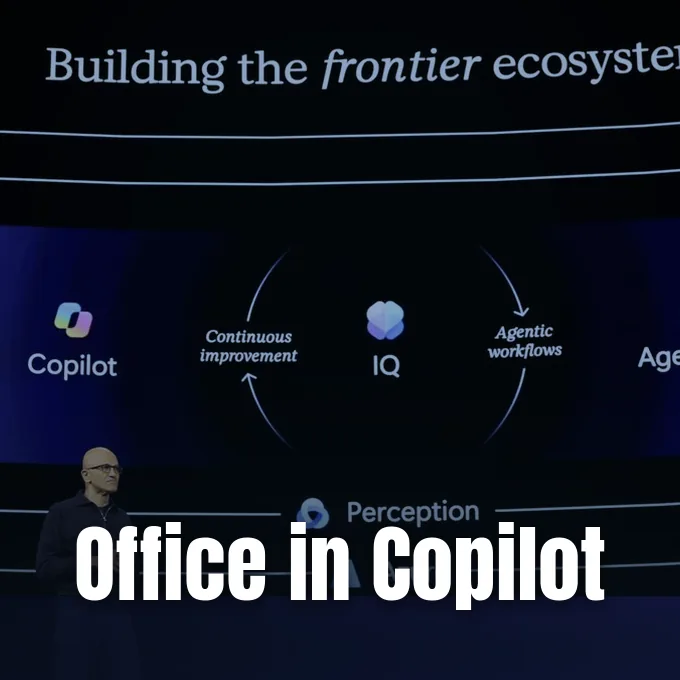
Microsoft made Office in Copilot generally available on Nov. 17 at its Ignite conference in San Francisco, putting Word, Excel and PowerPoint editors directly inside its conversational assistant. Chief Executive Satya Nadella presented the change during his keynote address, describing Copilot as “the new operating system for work” before enterprise customers [1]. The update lets subscribers create documents, workbooks and presentations without leaving their chat threads, while coworkers can edit the same files at the same time [2]. Resulting files stay editable in standard desktop and web programs as Microsoft tries to turn separate productivity apps into plug-ins for autonomous agents [3].
How Office in Copilot Works
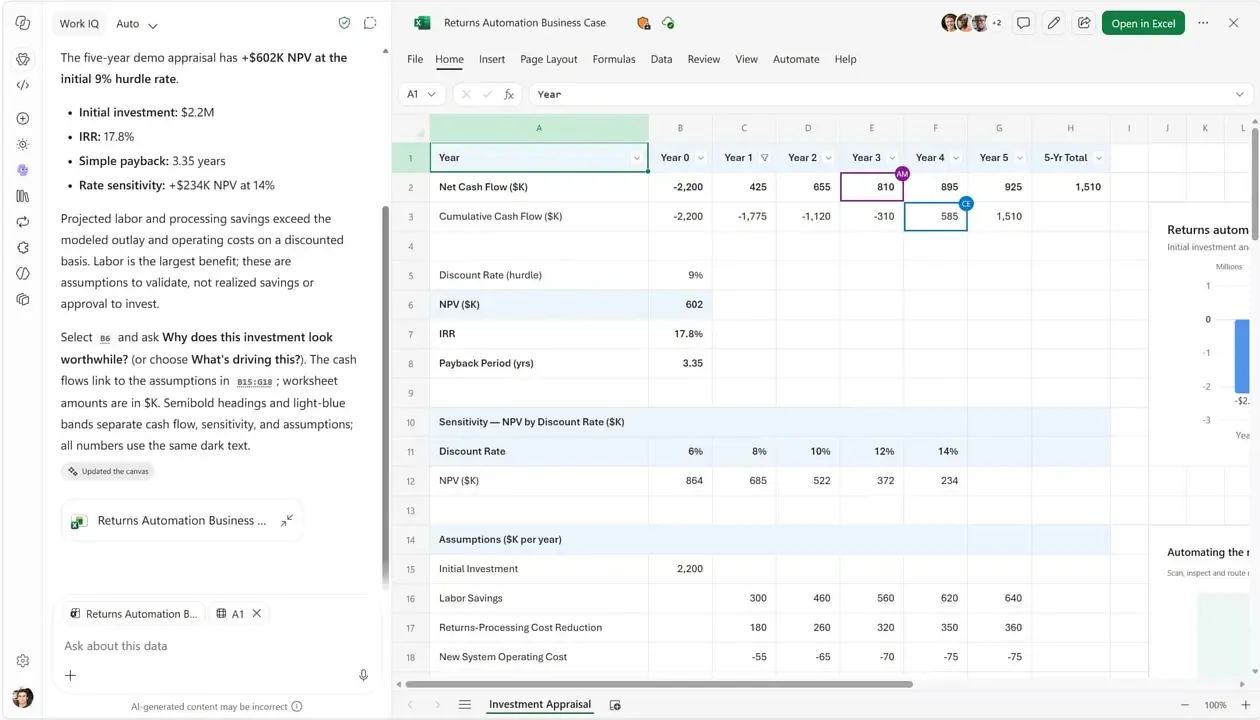
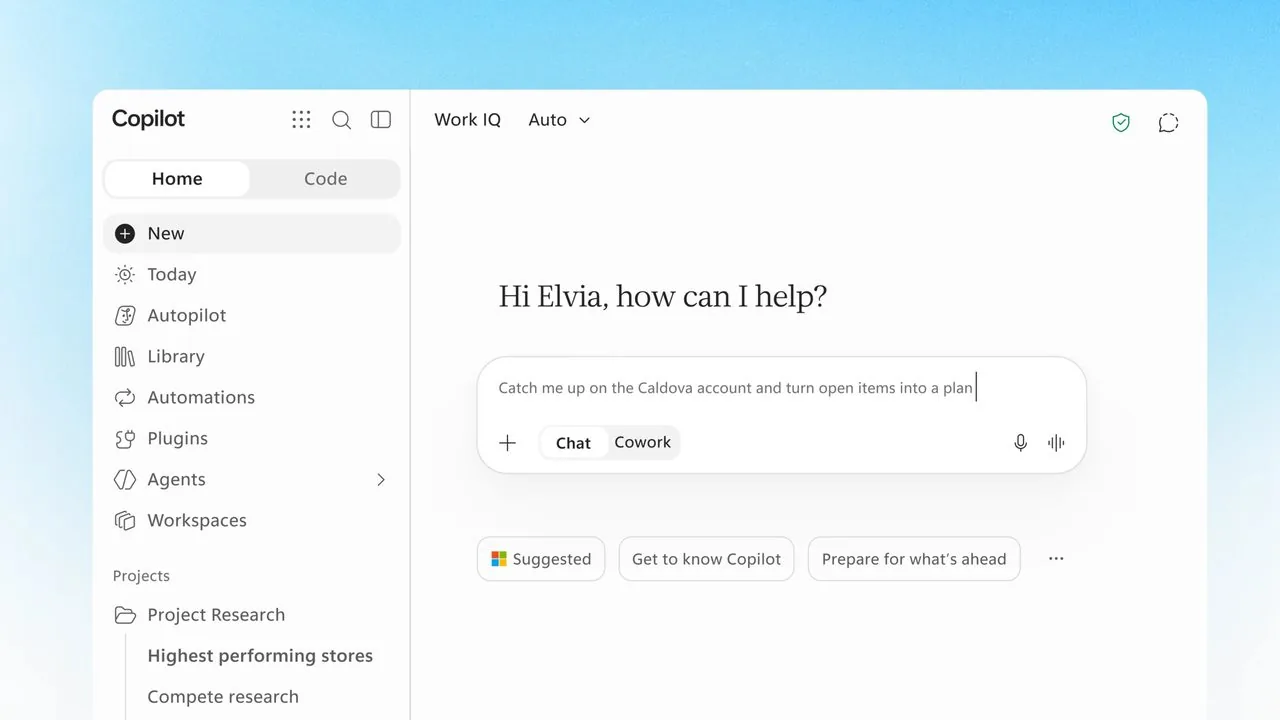
Under the new setup, an employee using Office in Copilot can draft a project brief or an outline from research notes and watch it open as a Word document right beside the conversation window. Anyone with access can edit the text by hand or ask the assistant to make specific revisions, and the text updates immediately for every coworker on the thread [2]. Excel workbooks and PowerPoint slide decks follow the exact same layout. People don’t have to launch a separate program just to adjust a formula or reshape a slide [3].
Copilot already produced drafts from prompts, and people could invoke the assistant from ribbon menus inside Word, Excel and PowerPoint. But putting editors inside chat flips that relationship, turning the assistant into the place where tasks begin [2]. As tech publication Ars Technica observed, applications now operate as components that support the agent rather than standalone destinations [3].
The interface mirrors recent moves in cloud software. Google Workspace introduced a similar path between AI chats and standalone editors by allowing Gemini users to begin a presentation in its web app before opening Google Slides to refine formatting. Microsoft’s version keeps the full document canvas active while the conversation continues. Teammates can chime in with feedback or prompt the assistant for alternative phrasing without losing their spot on the page [2].
File Storage and Team Permissions
Every file created inside the assistant saves to Microsoft OneDrive automatically. Documents inherit existing organization permissions, access policies and sensitivity labels from the moment an employee generates them, so security rules stay intact (Word, Excel and PowerPoint). Teammates with permission can jump into the file in real time while others continue asking the assistant questions in the side panel [2].
Because storage relies on standard cloud infrastructure, users don’t risk stranding their work inside an isolated chat history. Files remain accessible through normal OneDrive folders, where Microsoft continues adjusting cloud touchpoints after it retired OneDrive Copilot shortcuts from File Explorer to streamline its desktop integration. If a team member prefers standard desktop software, opening the file in Word, Excel or PowerPoint shows every live update made during the Copilot chat without any export steps. That setup keeps existing access rules and labels for sensitive data working across both environments, ensuring companies don’t face unexpected security gaps. Coworkers can keep polishing text on their laptops while remote colleagues review the exact same paragraphs on mobile devices without conflicting copies [2].
Office editing features come included at no extra cost for Microsoft 365 Copilot subscribers. The company didn’t add a separate fee for the integrated editors, giving existing license holders immediate access to the new canvas. Organizations can start using the side-by-side editing view as soon as their tenant receives the update [2].

Autonomous Workflows with Copilot Autopilot
Together with built-in editors, Microsoft introduced Copilot Home as a unified starting point that merges quick Chat prompts with multi-step tasks in Cowork [1]. Cowork has handled complex assignments since June, and in the Frontier early-access program, the app can now suggest moving an inquiry from Chat to Cowork whenever a request needs deeper coordination. Users can accept the switch with a single click, keeping task history and file drafts organized on one screen [2].
For jobs that run between prompts, Microsoft rolled out Copilot Autopilot to Frontier customers on Nov. 17. The agent handles recurring background work (such as scheduling syncs or requesting draft reviews) without waiting for human prompts at every step. For example, the software can coordinate a supplier review by arranging meetings and asking colleagues for status updates on outstanding deliverables. It draws context from work emails, calendar entries, chats and files through Microsoft’s Work IQ system, operating within established workplace permissions so it can’t read restricted materials [2]. That persistent execution frees staff from monitoring routine administrative handoffs throughout the business week.
Nadella argued that businesses still have a limited grasp of how AI models function, making supervisory safeguards necessary before companies hand off sensitive duties. Each Autopilot agent possesses its own distinct identity, allowing administrators to limit permissions, review activity logs or revoke access entirely. Users can also require the agent to ask for explicit human approval before taking key actions, helping prevent accidental mistakes or data exposure [2].
Usage Costs for Office in Copilot
While basic Office in Copilot editing carries no extra fee, background agents operate under a different financial model. Autopilot consumes Copilot Credits based on compute usage, meaning administrators must track consumption and establish spending caps to prevent billing surprises. Microsoft plans to publish final packaging details and exact pricing tiers before Autopilot leaves Frontier and enters general availability [2].
To help companies monitor those expenses, Microsoft launched an Agent 365 Business Analytics dashboard in Frontier. The tool displays organizational AI spending right beside “assisted hours,” which Microsoft estimates by comparing typical task completion times with the share of work handled by machine intelligence. At launch, companies need at least 50 Microsoft 365 Copilot licenses to view the analytics, though Microsoft plans to lower that requirement to a single license by mid-December [2].
Cost and value breakdowns arrive first for Cowork in November before expanding to autonomous agents in December [2]. But measuring genuine productivity remains tricky. Nadella described the analytics platform as “an ERP system of AI usage,” acknowledging that companies want measurable returns on their software investments [1]. Whether assisted hours translate into actual time saved for employees will require separate independent evaluation [2].
Enterprise Connectors and Security Controls
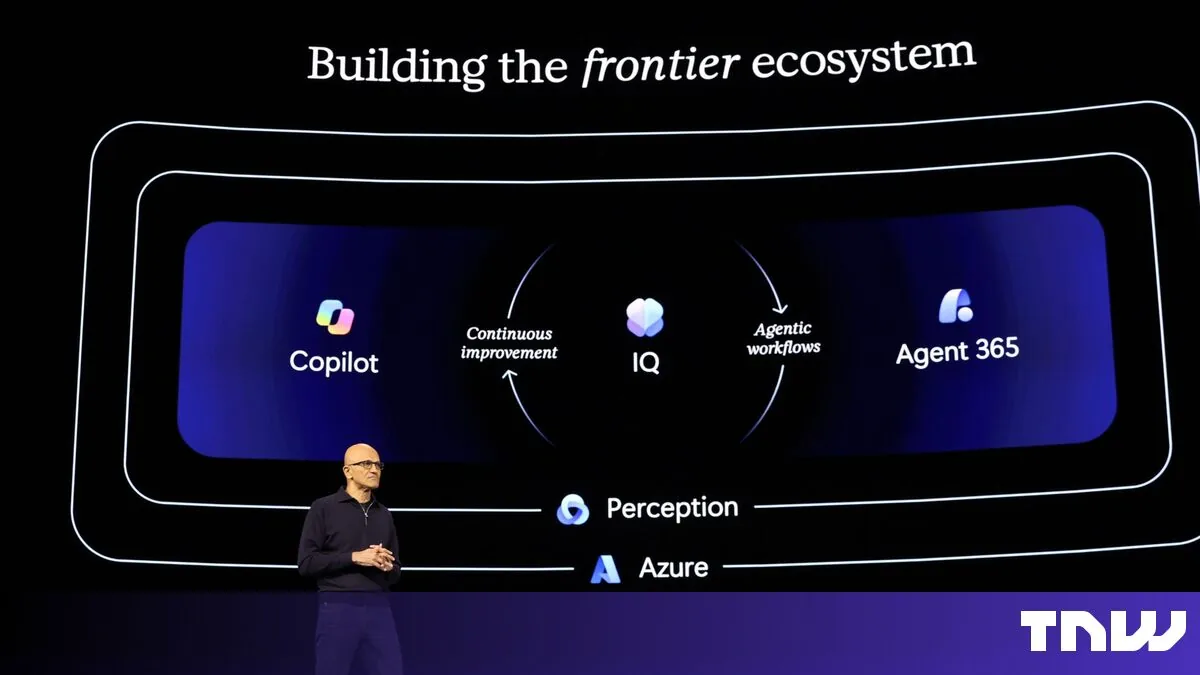
Microsoft also widened its data fabric to support autonomous workflows. The new Microsoft IQ platform gathers organizational data from Fabric, Foundry and Microsoft 365, adding more than 350 third-party connectors so software agents can operate with complete business context. Agent 365 already manages roughly 50 million agents across corporate tenants, and Nadella announced new plugins for Salesforce as well as Dynamics 365 to expand their reach across enterprise databases [1].
For safety testing, Microsoft made its Perception security system generally available, using coordinated red, blue and green team agents to attack, detect and fix vulnerabilities. The company also launched the AI Transparency Initiative with 40 partner organizations to establish open evaluation standards and expand joint work with the NIST Agent Standards Initiative. Nadella addressed the fundamental challenge of trusting automated systems directly during his remarks. “How can you even trust all this powerful technology? And the reality is, by definition, you can’t,” Nadella said during his address [1].
Nadella opened his keynote by addressing the recent Microsoft 365 outage that disrupted Outlook and Teams worldwide, telling customers that the company takes service reliability seriously. He explained that a software bug surfaced under specific traffic patterns during routine testing, clarifying that AI code did not trigger the downtime. As Microsoft rolls out MAI Code 2 and previews Copilot Workspaces for team collaboration, Nadella told reporters at The Verge that gaining enterprise trust remains an ongoing effort that must be earned one customer at a time [1].
- ONLINE NEWS Constantin, A. M. (2026, November 19). Microsoft launches Office in Copilot, with Word, Excel and PowerPoint. The Next Web. [Article Link]
- ONLINE NEWS Kasanmascheff, M. (2026, November 18). Microsoft Copilot Now Edits and Co-Authors Office Files in AI Chats. WinBuzzer. [Article Link]
- ONLINE NEWS Dataconomy Media. (2026, November 18). Microsoft brings Word, Excel and PowerPoint into Copilot. Dataconomy. [Article Link]


