



XDA Developers writer Dhruv Bhutani reported on October 25, 2026, that plugging a $20 car USB hub into an older 12V auxiliary outlet fixed persistent power delivery shortages for his in-car accessories. Built-in vehicle ports output weak trickle charging current. When drivers run demanding software like wireless Android Auto, mobile batteries drain faster than factory console jacks can replenish them. Bhutani bypassed that bottleneck immediately [1].
Why Factory Ports Fall Behind
Most passenger cars provide few built-in USB ports. Automakers rarely included more than one or two ports in earlier models, and even single factory jacks were wired with primitive charging controllers that fail to support current consumer power standards. Bhutani said his 10-year-old car came with an aging USB outlet that barely delivers enough energy to keep a phone powered as Google Maps runs. A dash cam takes over that sole port for continuous safety recording. Drivers then face a tough choice between recording traffic and keeping a smartphone charged [1].
Energy demands climb when drivers use wireless infotainment tools on the highway. Wireless Android Auto drains phone batteries rapidly and generates noticeable device heat during daily driving. Factory dashboard jacks output weak current that can’t offset this heavy power drain. Mobile screens slowly lose battery percentage over time [1].
Frequent cable swapping during daily commutes creates dangerous driving distractions, especially when motorists unplug navigation phones or dash cams just to give secondary accessories a brief battery boost on busy highways. Dashboard integration has faced software hurdles, but Google rolled out fixes after Android Auto dashboard signal bugs disrupted wireless communication. Weak factory jacks still fail. Bhutani realized that installing an inexpensive car USB hub into an unused 12V socket would solve the problem permanently [1].
Car USB Hub Power on 12V Sockets
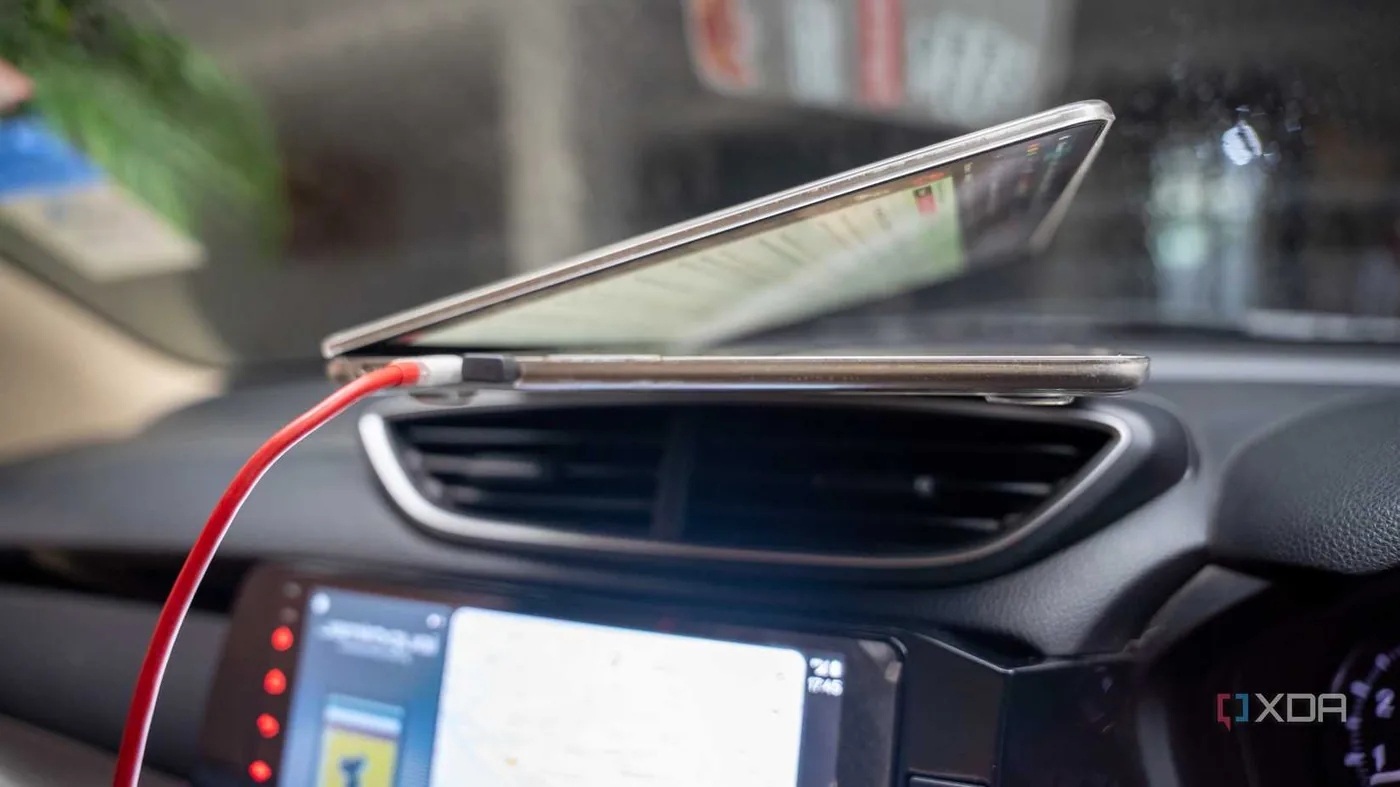
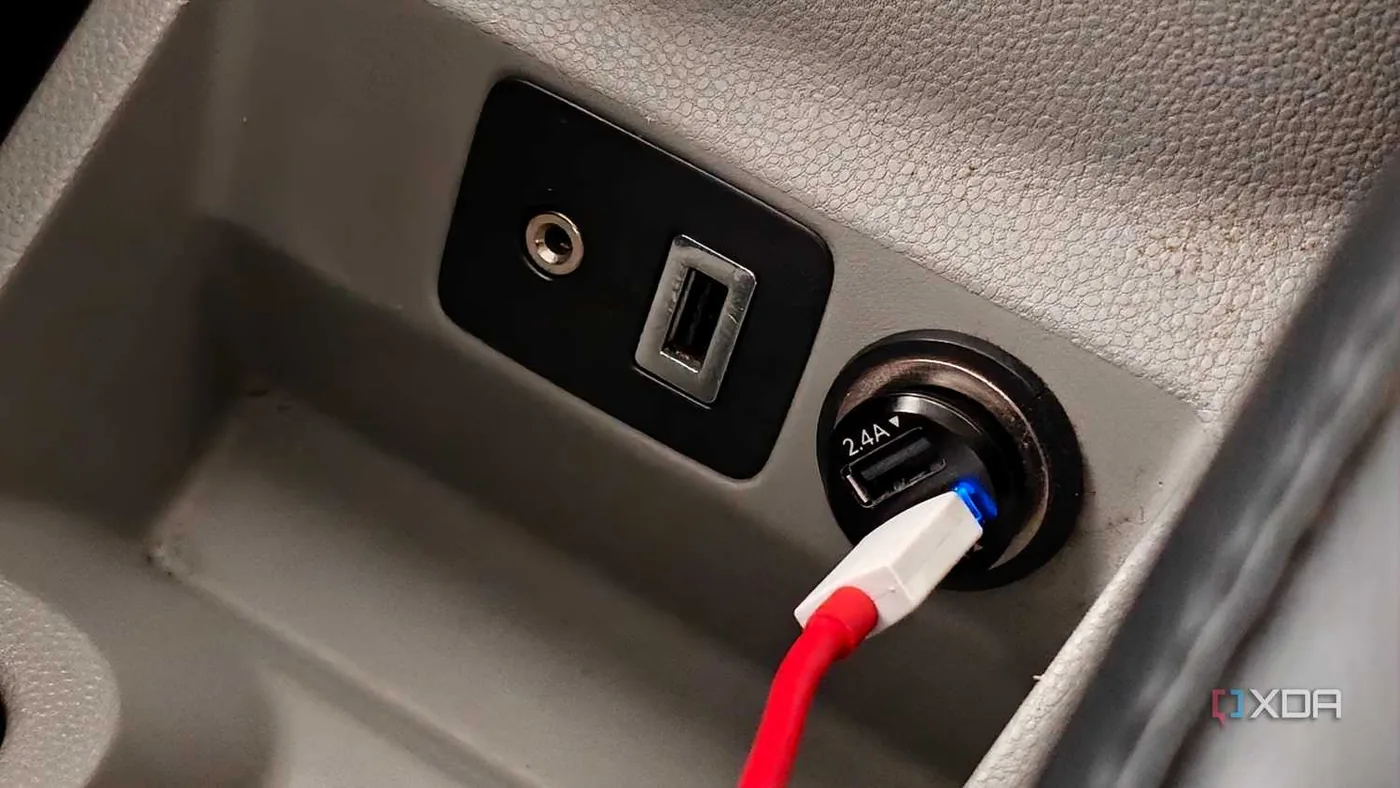
Cigarette lighter sockets offer an underused power channel inside older vehicles. This 12V auxiliary port connects straight to the car’s main electric bus, bypassing the low wattage limits that throttle console USB jacks. It draws steady electricity from the alternator and vehicle battery whenever the engine runs [1].
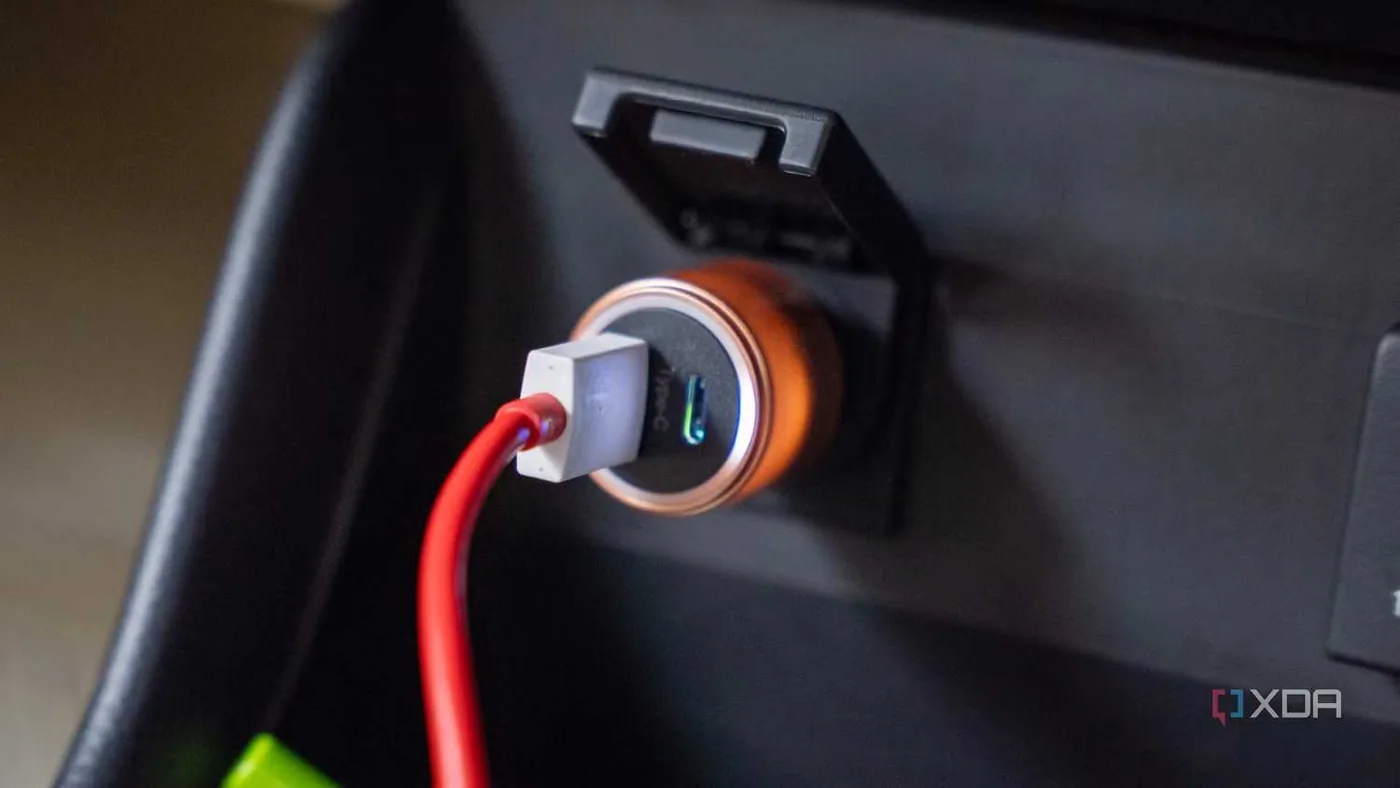
Adapters plugged into that socket tap that direct electrical feed to bring fast charging to older dashboards. Bhutani said aftermarket chargers can deliver up to 100W of power, which is plenty of wattage to replenish a demanding Apple MacBook laptop at highway speeds. A driver can plug a multi-port car USB hub into this single socket and power several devices at the same time without encountering voltage dips. Bhutani picked a model with two USB-A ports and one USB-C port, giving him enough flexibility to recharge his phone and run his dash cam simultaneously [1].
Passengers also gain extra charging options on long road trips. Friends or family members can easily top up their phones without unplugging the driver’s navigation screen. One 12V adapter turns a single unused port into a shared charging hub for the entire vehicle cabin [1].

Port Power Allocation
Multi-port chargers split electrical output unevenly across their connectors. Manufacturers design these adapters with asymmetric wattage ceilings rather than feeding identical power to every port, which means drivers cannot expect equal charging speeds from every open jack. The primary USB-C port receives the highest wattage rating to support USB Power Delivery standards for rapid phone and laptop charging. Standard USB-A ports supply lower current. Drivers should check these output ratings before connecting cables [1].
Bhutani matched his cables to the power needs of his hardware setup. He plugged his dash cam into a low-draw USB-A port for steady video recording on the road. The second USB-A port handled wireless earbuds and portable gear during daily trips [1].
Phone navigation functions best on the high-wattage USB-C port. Wireless Android Auto demands substantial power to process live directions and stream map visuals to the dashboard display, and connecting a phone to this dedicated outlet prevents battery depletion. Cables stay plugged in permanently. Drivers can route thin wires along console trim seams, keeping the dashboard neat and free of clutter during daily commutes [1].
Car USB Hub Hardware Safety
Basic vehicle charging upgrades do not require heavy spending. Bhutani said basic socket adapters cost roughly $20 and provide immediate utility for older passenger cars. An affordable car USB hub powers both a dash cam and a phone at full speed without requiring professional dashboard modifications [1].
Hardware safety remains an essential factor when choosing an in-car charger. Bhutani pointed to a Belkin USB-A car charger as a reliable option, noting that its two ports each deliver up to 12W of power to connected phones while an LED indicator confirms a secure connection. This Belkin unit features durable construction. Bhutani stressed that motorists should select adapters equipped with overcurrent protection circuitry. Large electronics like laptops can pull heavy current from the vehicle electric bus, so internal circuit protection guards against sudden power surges [1].
Physical fit inside the 12V socket is another practical detail to check before driving. Loose plugs can shake free on bumpy streets, cutting power to dash cams right when video recording matters most. Adapters with firm spring-loaded clips keep the connection solid over rough asphalt [1].
Essential Android Auto Settings
Hardware upgrades supply steady power, but smartphone operating system settings govern software stability on the dashboard display screen. In an analysis for Android Police, technology writer Parth Shah explained that disabling core Android features often triggers unexpected disconnections, sluggish responsiveness, and navigation app freezes during highway driving. Shah tested these settings on a Samsung Galaxy S25 Ultra. Aggressive battery rules frequently disrupt data links between the phone and the car console. Motorists must configure four specific settings to keep Android Auto operating smoothly [2].
Accurate location data and mobile connectivity keep navigation maps functioning properly. Shah said navigation apps like Google Maps and Waze require precise location permissions under Settings > Location > App permissions to guide drivers through complex turns. Google Location Accuracy combines Wi-Fi networks, cellular towers, and device sensors whenever satellite GPS reception weakens in tunnels. Mobile data must stay active as well, because live traffic updates, alternative routing, and Gemini voice commands for task lists and meeting summaries depend on internet access [2].
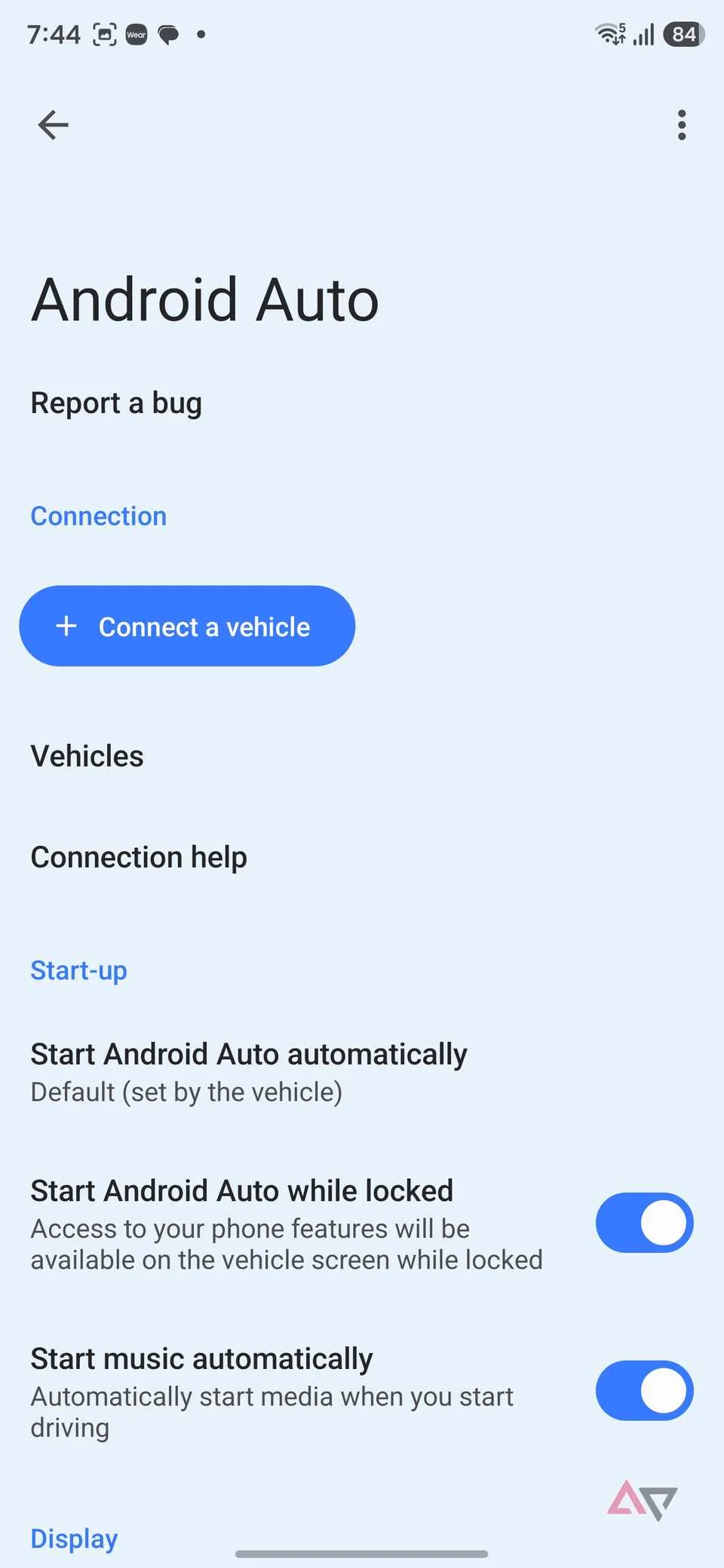
Automation settings and background activity rules finish an ideal setup. In Android Auto settings, Shah recommends enabling “Start Android Auto automatically” and allowing connection when the phone is locked so the dashboard interface starts without manual unlocking. He keeps automatic music playback turned off to prevent blasting audio when the engine starts. Shah also checks Settings > Battery > Background usage limits on Samsung phones. Drivers should place Google Maps, Waze, and the Poweramp music app into the “Never auto sleeping apps” list so Android’s battery manager never puts them to sleep [2].
- ONLINE NEWS Bhutani, D. (2026, October 25). I put a $20 USB hub in my car, and now my dash cam, phone, and Android Auto all run off one port. XDA Developers. [Article Link]
- ONLINE NEWS Shah, P. (2026, October 25). 4 Android phone features you should never disable when using Android Auto. Android Police. [Article Link]


