




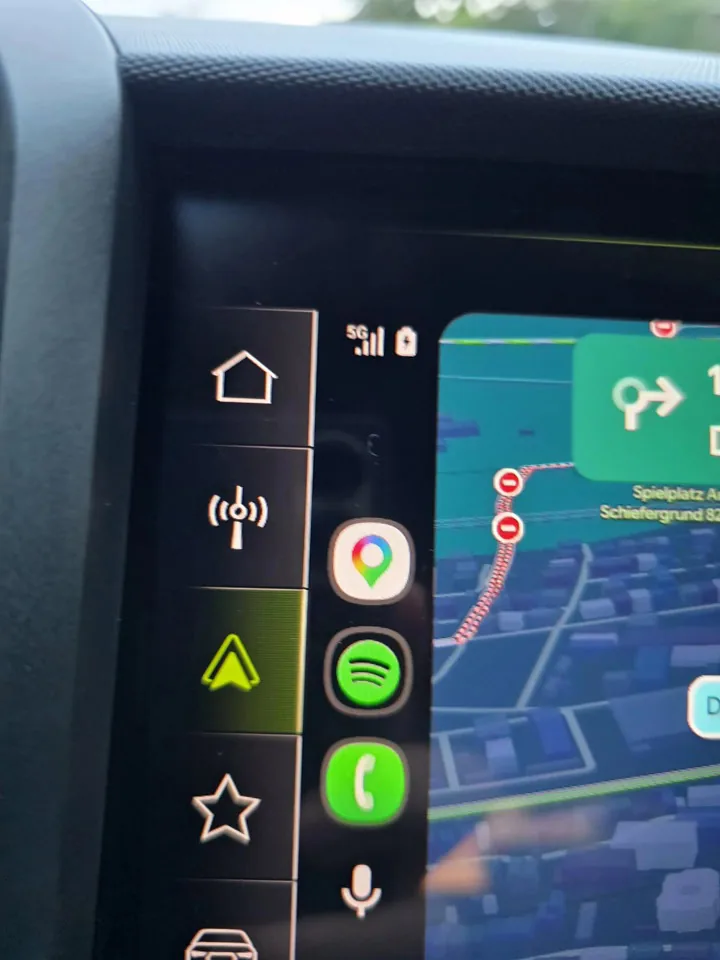
Persistent Android Auto problems that left drivers guessing their mobile network strength are beginning to lift as Google deploys a targeted interface correction across experimental beta releases. Motorists navigating spotty reception corridors have spent months glancing at blank dashboard panels where cellular indicators once warned them of imminent call drops. Hillary Keverenge of Android Authority reported on September 18, 2026, that cellular signal bars are finally reappearing on vehicle consoles through Android Auto beta version 17.8.1638 after months of silence [1].
- Android Auto Problems Ease With Missing Signal Indicator Fix
- Reddit Drivers Track Cellular Icon Restorations in Beta
- Wireless Adapter Dropouts Trigger Pairing and Handshake Errors
- Audio Stuttering Disappears After Cache and Band Configuration
- Dashboard Upgrades Bring Maps Avatars and Destination Summaries
Android Auto Problems Ease With Missing Signal Indicator Fix
Dashboard displays serve as critical navigation interfaces where split-second glances keep eyes focused on busy highways rather than handheld screens while traveling at speed through demanding traffic environments. The cellular indicator simply disappeared. When unexpected Android Auto problems stripped network strength meters from the primary console earlier this year, calls, mobile data, and route calculations continued without technical interruptions, yet drivers felt vulnerable entering dead zones because visual reassurance had vanished [1].
The missing bars turned into a widespread annoyance for motorists who depend on continuous hands-free voice calls during extended highway journeys across remote regions. A driver approaching a rural mountain pass or an unserviced transit valley needs to know whether network connectivity remains robust before initiating a high-priority business conversation or emergency dispatch. While background navigation through Google Maps or Waze maintained cached directions without failure, motorists faced unexpected disconnects mid-sentence without any prior warning on their digital console. The return of this small visual gauge in version 17.8.1638 provides immediate relief by restoring situational awareness directly beside the battery status icon [1].
Software testers examining early beta builds discovered that the visual fix is rolling out progressively rather than through an instantaneous global switch. Google has not officially clarified the underlying mechanics of the deployment, leaving open the strong possibility of server-side configuration switches. For beta participants who noticed their network bars flickering into view, the restoration confirms that Google recognized the irritation and prioritized a functional remedy [1].
Reddit Drivers Track Cellular Icon Restorations in Beta
Community feedback on Reddit became the primary barometer for tracking how drivers navigate persistent Android Auto problems as missing signal bars returned across different vehicle configurations and infotainment screens. Why did a purely cosmetic glitch provoke such persistent driver frustration? Commuters traveling through cellular dead spots explained that a missing status indicator forced them to check physical handsets while driving, creating dangerous road distractions that undermined the primary purpose of hands-free vehicle displays. Enthusiasts running Android Auto 17.8 celebrated the icon reappearing beside vehicle battery gauges [1].
Rollout behavior remained puzzlingly erratic. Several beta testers watched the cellular bars reappear, vanish completely after a subsequent restart, and then return without version increments [1]. The fix proved immediate.
Drivers seeking immediate restoration discovered an effective workaround that accelerates the update process across affected hardware. Reddit members noted that installing version 17.8.1638 did not always revive the cellular meter immediately until they manually cleared stored system data to flush out legacy application cache. Motorists had to open system settings, navigate to the application list, and select Clear cache to purge stale configuration files. Jade Bryan Jardinico of Android Police confirmed that clearing temporary app storage frequently forces Android Auto to refresh dashboard assets and re-establish corrupted system interfaces [2].


Wireless Adapter Dropouts Trigger Pairing and Handshake Errors
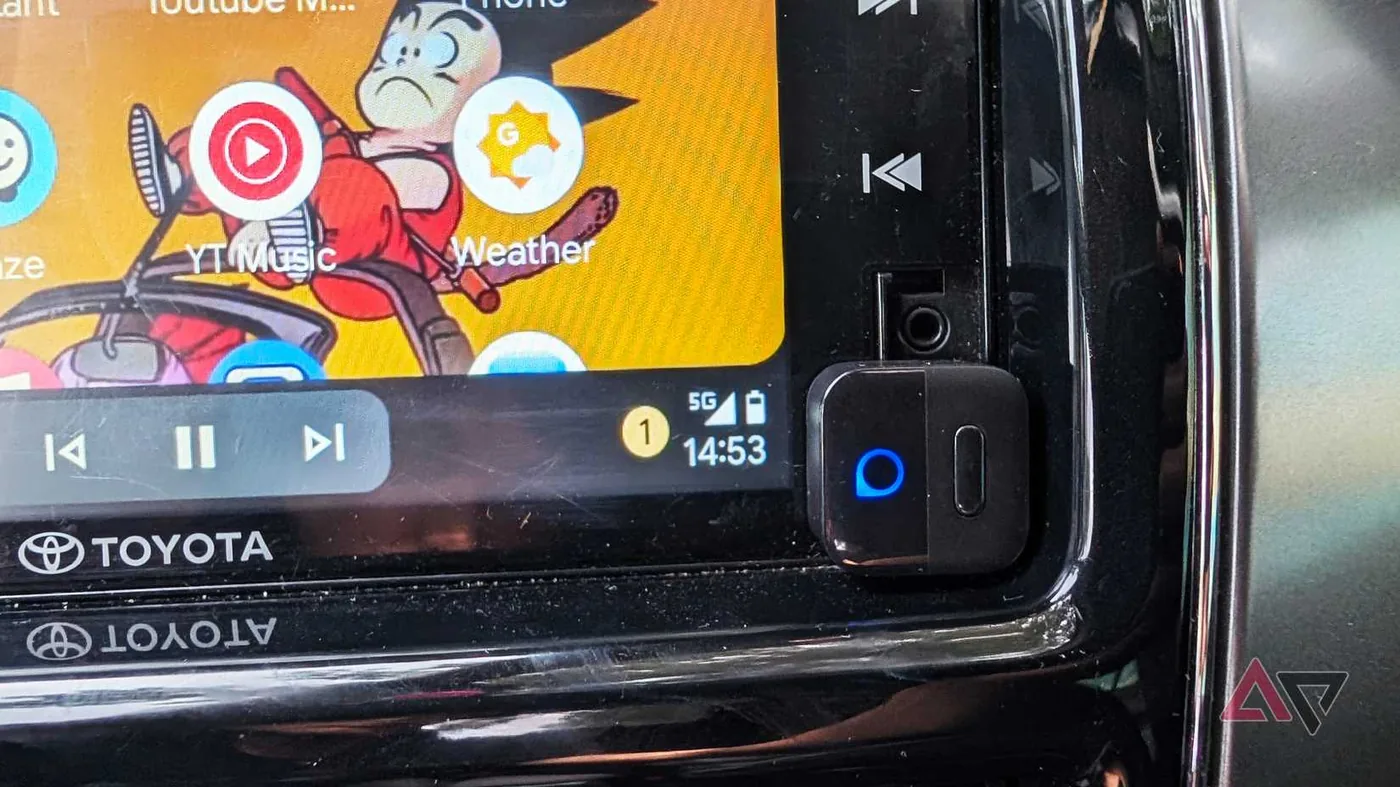
While Google addresses visual dashboard indicators in upcoming releases, physical connectivity hurdles continue to generate common Android Auto problems across everyday commutes. Many motorists eliminate cabin clutter by connecting compact wireless dongles rather than tethering smartphones to dashboard mounts with dangling USB cords that can tangle around gear shifts during transit. Jardinico tested this setup extensively using an Ottocast Mini Pico, a lightweight thirty-dollar wireless adapter compatible with Android and iOS. Initial impressions were seamless, but prolonged daily driving exposed recurring connection dropouts [2].
Automated pairing routines frequently broke down when the vehicle started, turning routine commutes into frustrating troubleshooting sessions. Drivers found themselves toggling phone Bluetooth and Wi-Fi switches repeatedly just to trigger an initial display handshake. Jardinico experienced these failures across (both Google Pixel and Samsung Galaxy handsets), showing that pairing conflicts stemmed from wireless dongle handshakes rather than head-unit operating lag. Handshake errors stopped completely [2].
Fixing these startup handshake headaches required a methodical reset of stored device credentials. Android deliberately conceals the adapter’s wireless network identifier (the Wi-Fi SSID) on most modern smartphones, preventing direct network management. Instead, drivers must open Settings, tap Connected devices, locate the adapter, and select Forget device. Re-pairing the dongle creates a clean cryptographic handshake that bypasses corrupted authorization caches. While security updates for Google Pixel phones routinely harden local wireless protocols, manual profile refreshes remain necessary when third-party accessories stumble over initial handshake authorizations [2].

Audio Stuttering Disappears After Cache and Band Configuration
Media playback represents another significant friction point where wireless Android Auto problems irritate commuters during daily travel. Why did audio streams stumble while navigation maps remained smooth? In vehicle tests conducted by Jardinico, streaming tracks on Spotify and YouTube Music frequently developed repetitive audio stutters midway through songs despite pristine local cellular signal reception. Drivers instinctively blamed intermittent cellular coverage, but audio playback hitched even along suburban routes with flawless reception. The root bottleneck traced back to congested wireless local transmission between the handset and vehicle dongle [2].
Switching wireless communication frequencies delivers immediate bandwidth gains for struggling hardware. Verifying that the phone transmits over a 5GHz wireless connection rather than the crowded 2.4GHz spectrum prevents local packet collisions. Certain adapter brands supply companion applications to force 5GHz operation, though contemporary Google Pixel devices default to 5GHz automatically. Testing confirmed the difference. High-frequency local channels maintain uninterrupted audio throughput while map data flows concurrently across vehicle consoles [2].
Hardware configurations also play a decisive role in resolving stubborn Android Auto problems like stuttering playback and unexpected disconnects. Drivers must verify that their wireless adapter connects to a designated USB data port rather than a console outlet wired exclusively for charging. Unrestricted battery access helped. Furthermore, enabling unrestricted battery usage in application settings (Settings > Apps > Android Auto) stops aggressive background task killers from throttling streaming audio buffers mid-drive. As a practical backup, downloading local playlists on Spotify bypasses simultaneous cellular streaming and wireless vehicle relays entirely [2].

Dashboard Upgrades Bring Maps Avatars and Destination Summaries
Beyond repairing missing signal indicators, Google is packing Android Auto version 17.8 with meaningful visual and navigational enrichments. The update introduces direct vehicle dashboard selection for the Google Maps driving avatar, enabling drivers to customize their vehicular icon on display screens without handling smartphones. Keverenge highlighted that earlier builds forced users to adjust avatar settings exclusively on mobile handsets before connecting to vehicle infotainment systems. The trade-off makes sense [1].
Infotainment capabilities are expanding even further as developers test richer destination cards powered by artificial intelligence. Code analysis from Android Authority reveals ongoing preparation for visual destination previews that integrate location photographs directly into arrival alerts. Google is also preparing Gemini-powered destination summaries (concise contextual overviews generated by artificial intelligence models) to brief drivers on business hours and site highlights before they arrive at their destination. Resolving basic Android Auto problems like signal bars ensures these advanced navigational features debut on a dependable foundation [1].
Drivers on stable release channels will need patience while beta testing runs its course across diverse automotive infotainment systems. Inconsistent rollouts among early adopters suggest that Google continues fine-tuning server configurations to keep cellular bars permanently docked beside battery icons. For motorists wrestling with adapter dropouts or missing indicators today, clearing system cache and verifying 5GHz wireless bands provide immediate relief before version 17.8 transitions into broad public distribution [1].
- ONLINE NEWS Keverenge, H. (2026, September 18). Android Auto may finally be fixing this annoying dashboard bug. Android Authority. [Article Link]
- ONLINE NEWS Jardinico, J. B. (2026, September 19). I tweaked my Android Auto connection settings, turning a glitchy $30 wireless adapter into a seamless dashboard hub. Android Police. [Article Link]


