




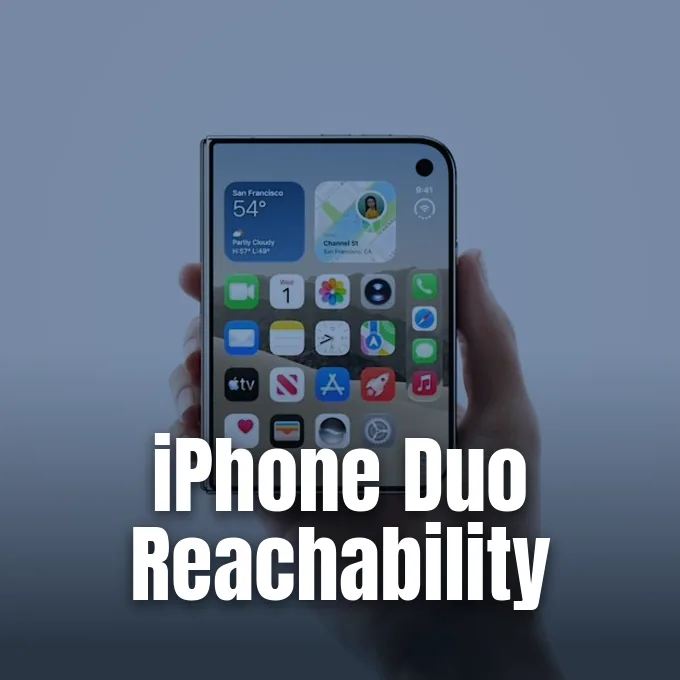
Apple rolled out the first developer beta of iOS 27.3 this week, adding horizontal Reachability to the iPhone Duo to make one-handed use easier on the foldable phone. The new option answers early buyer feedback about the wide outer display by letting owners slide on-screen items straight to either edge with a quick gesture. With iPhone Duo reachability turned on, interface elements shift sideways instead of downwards, giving one thumb quick access to navigation buttons and app controls [1].
How iPhone Duo Reachability Works
Apple first added Reachability to smartphones when it launched the iPhone 6 in 2014, helping customers handle screens that felt too tall for single-handed navigation. On standard iPhones, the tool pulls the entire display downward vertically. The foldable hardware needed a different approach because its 5.4-inch outer OLED panel is wider than standard handsets [2].
Under the new implementation in the iOS 27.3 beta, Reachability moves the screen picture horizontally rather than vertically, adjusting smoothly to the unique physical proportions and aspect ratio of the foldable body. Swiping left along the left edge or right along the right edge pulls interface elements closer to that specific side of the panel, placing distant buttons within comfortable thumb range [3]. If someone holds the closed phone in their right hand, a swipe pulls the left edge of a web browser inward so they can tap back buttons without stretching their fingers [2]. The adjustment works on both screens, functioning identically whether someone uses the outer cover glass or the unfolded 7.6-inch nano-textured inner display [4].
Writing for Tom’s Guide, tech editor Jeff Parsons pointed out that the layout of the phone originally penalized left-handed users because key navigation bars were locked to the right side. The horizontal shift solves that limitation by letting people drag menus closer to their preferred thumb. It makes everyday tasks simpler when holding the phone in one hand [4].

Enabling iPhone Duo Reachability in Settings
Owners who install the developer build can find the control inside system preferences, where Apple placed it under Accessibility (Settings > Accessibility > Touch > Reachability) [2]. The feature is turned on by default once the software installs. Users can toggle it off if they prefer standard gestures [3].
The software adjustment follows early reviews from October that criticized the device for making one-handed use awkward on the wide exterior frame. Reviewers reported that typing text messages and reaching across the screen felt clumsy without two hands [4]. Apple said at the time that software updates would soon help with reach issues on the new body style. The foldable launched with iOS 27.1, arriving just weeks after Apple seeded iOS 27.2 RC to developers with Apple Pencil support and Edge Light for video calls. Bringing Reachability to the hardware fulfills that launch promise, giving owners greater control over screen real estate [1].
Apple pushed the horizontal layout into developer testing before a planned public beta. Company release schedules point to a final rollout in December, when all customers will receive the finished software without needing a beta profile. Retail buyers will receive the update over the air [1].

Keyboard Adjustments for One-Handed Typing
Sliding interface elements sideways is not the only way Apple improved one-handed handling in this update. In the iOS 27.3 beta, the default virtual keyboard on the outer screen features narrower keys and slightly smaller fonts. It makes text entry much less strenuous on the thumb [5].
Social media account Beta Profiles shared side-by-side comparison screenshots on X, showing that the narrower key spacing pulls letters closer together so fingers do not need to stretch awkwardly across the wide cover glass. Writing for 9to5Mac, reporter Ryan Christoffel said the keyboard refresh provides a subtle but clear upgrade that pairs naturally with horizontal sliding. Early testers found that typing text messages and notes feels noticeably smoother while walking or holding items in the other hand. The change helps left-handed and right-handed typists equally by reducing thumb strain during messaging sessions. The narrower keyboard layout applies specifically to the outer cover display, where single-handed typing occurs most frequently during daily commutes [5].
Multitasking on the phone also benefits from these ergonomics. While the inner screen can run two apps side by side, quick replies often happen while closed on the go. Having both narrower keys and reachable menus makes those quick interactions far less clumsy. Workflows become smoother [5].

StandBy Clock Faces on Other Models
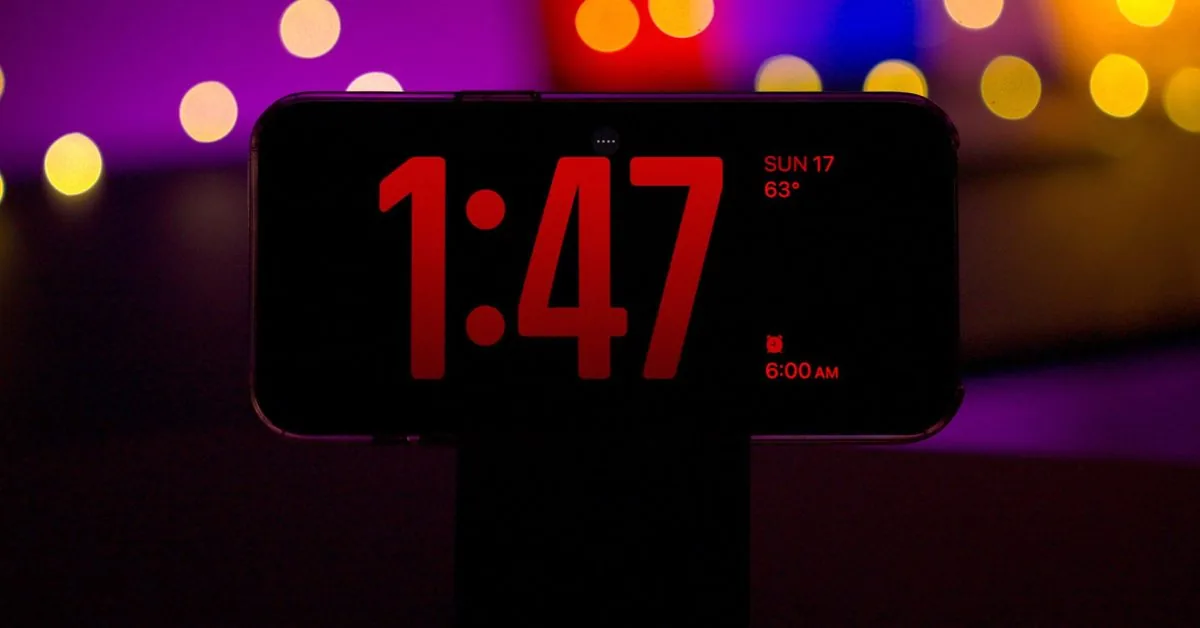
Beyond accessibility updates for the foldable screen, iOS 27.3 extends several features first seen on the device to standard phones. Apple introduced StandBy in iOS 17, turning an idle iPhone into a smart bedside display when placed horizontally on a charger. It quickly became popular on bedside tables [7].
When the foldable arrived in stores, it included revamped Analog and Digital Clock faces with extra styling choices that were previously unavailable on earlier phones. The new beta seed brings those redesigned clock styles to other hardware, adding extra color palettes and complications alongside new Calendar and Weather views. In the Photos widget, users can now select Shared Albums so pictures curated by family members rotate automatically on the nightstand. Owners of an iPhone 11 or newer phone can also configure several custom variations of the same clock face and swipe between them throughout the week. That allows users to keep different widgets for work hours and weekends without reconfiguring options each night [7].
The wider iOS 27.3 update also prepares the return of the redesigned Health app, which Apple tested during iOS 27.2 before postponing for further polish. The upcoming health suite will include a Health Age metric and appointment scheduling through Quest Diagnostics. Apple continues testing [7].
Third-Party Apps Adapting to Dual Screens
Software builders outside Apple have also started upgrading their apps to support the unique proportions of the foldable displays. Google released version 26.44.4 of Google Maps on the App Store to fill both screens completely without leaving dead space. It replaces an earlier version that looked incomplete on the device [6].
The prior build, numbered 26.43.1, had only partially adapted to the hardware, showing a vertical black border along the right edge where the status bar lives. With the fresh update installed, the map stretches across the full display area, placing search tools in the upper-left corner and tabs for Explore, You, and Contribute in a clean side panel alongside standard navigation controls. Several other popular workplace tools received similar optimizations this week, including Zoom, Microsoft Word, PowerPoint, Excel, and OneNote. Major developers continue updating their software to ensure tools look polished on both the compact cover glass and the expansive inner screen. These coordinated updates mean foldable owners can rely on standard office and navigation tools without dealing with awkward letterboxing or misaligned touch targets [6].
Apple is also widening browser utility on the device, bringing vertical tabs to Safari in the developer beta for macOS, iPadOS, and the iPhone Duo. Regular iPhones will not receive vertical tabs due to their smaller aspect ratios. As third-party developers and Apple refine their layouts, the foldable ecosystem is growing into a mature computing platform [6].
- ONLINE NEWS Christoffel, R. (2026, November 3). iOS 27.3 introduces new iPhone Duo feature for one-handed use. 9to5Mac. [Article Link]
- ONLINE NEWS Holt, K. (2026, November 5). iPhone Duo just got a new accessibility feature in iOS 27.3 beta. Engadget. [Article Link]
- ONLINE NEWS Clover, J. (2026, November 3). iPhone Duo gets Reachability in iOS 27.3 beta. MacRumors. [Article Link]
- ONLINE NEWS Parsons, J. (2026, November 4). iPhone Duo just got a usability feature it should have had at launch, thanks to iOS 27.3. Tom’s Guide. [Article Link]
- ONLINE NEWS Christoffel, R. (2026, November 5). iOS 27.3 changes the iPhone Duo keyboard, here’s how. 9to5Mac. [Article Link]
- ONLINE NEWS Hardwick, T. (2026, November 4). Google Maps updated to fully support iPhone Duo displays. MacRumors. [Article Link]
- ONLINE NEWS Mendes, M. (2026, November 3). iOS 27.3 brings the iPhone Duo’s revamped StandBy to other iPhones. 9to5Mac. [Article Link]


