






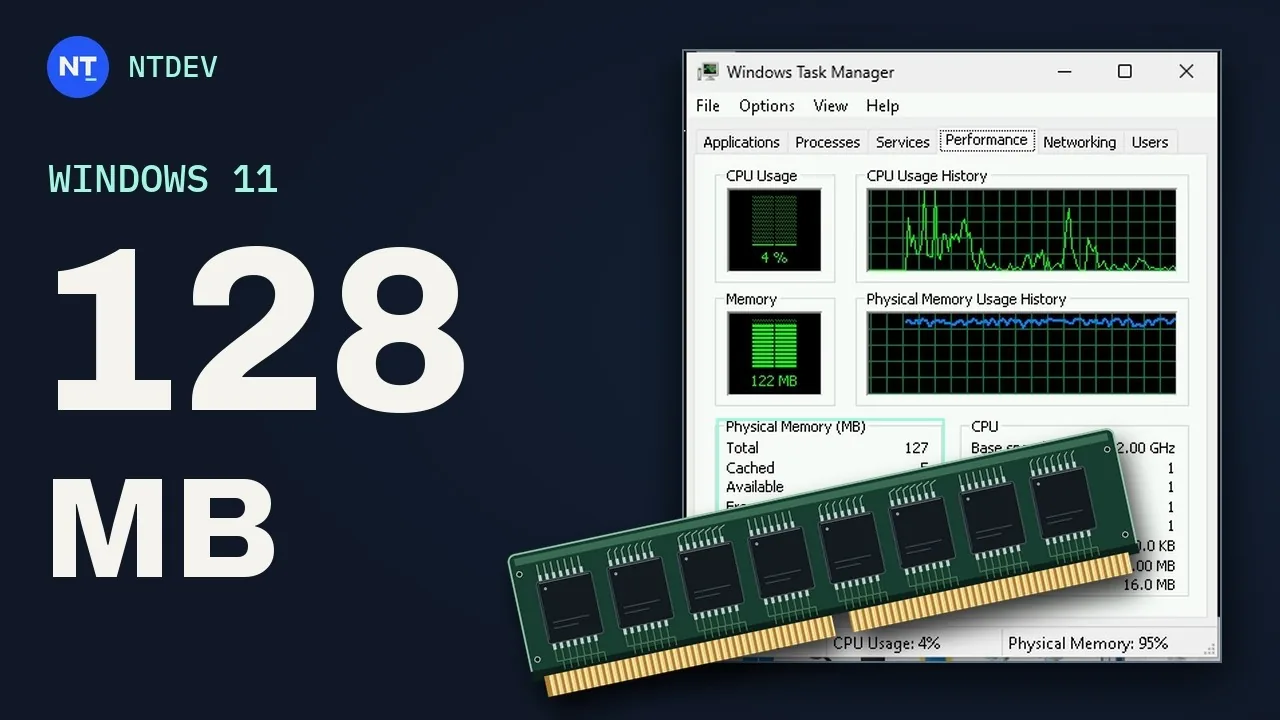
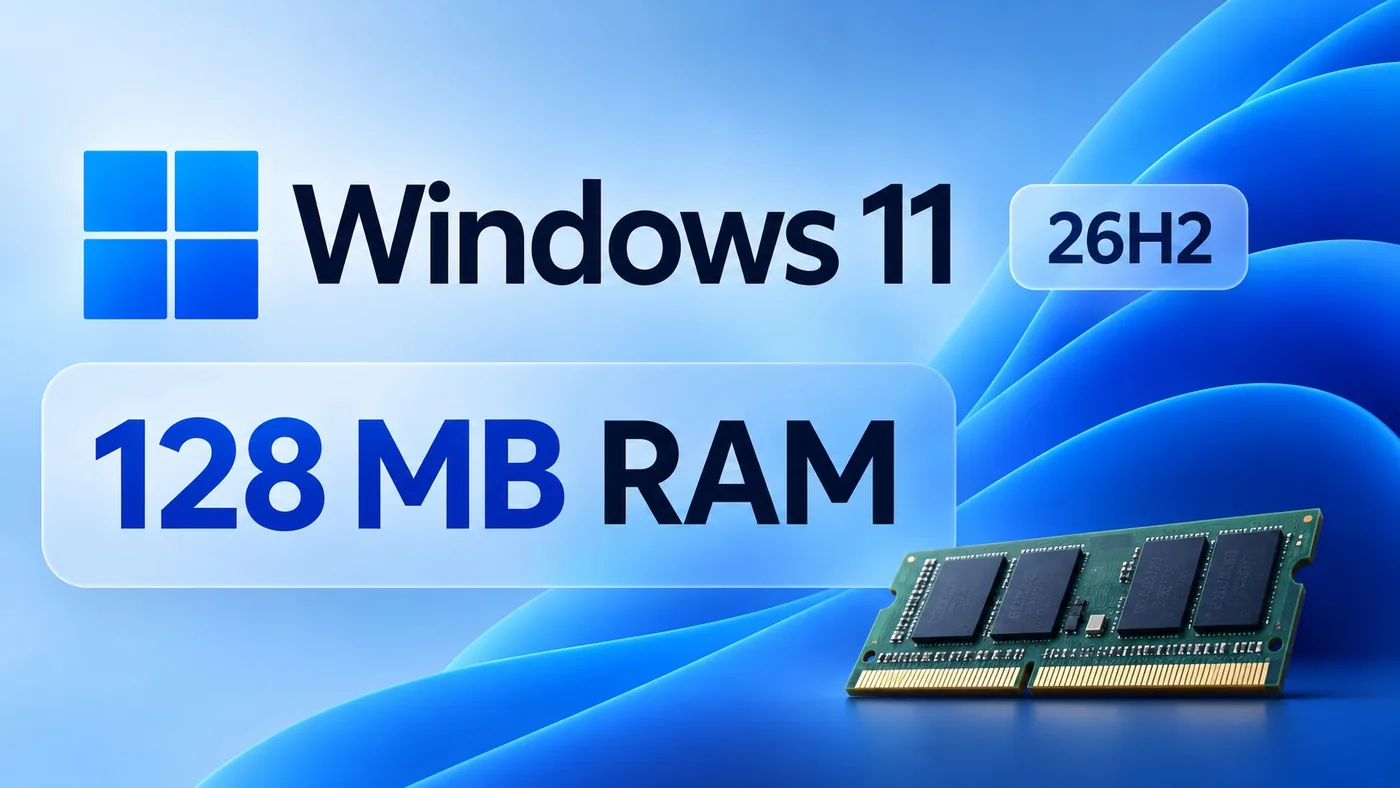
Developer NTDEV booted Windows 11 26H2 on a test machine using 128MB of RAM, operating far below Microsoft’s baseline system requirements. The build ran with one-thirty-second of standard memory. As Kunal Khullar reported for Tom’s Hardware, the stripped-down installation runs on roughly 3.125% of the official 4GB minimum memory requirement while keeping core parts of the Windows desktop functional. NTDEV shared video footage on YouTube showing File Explorer, the Start menu, and classic Notepad launching on the machine [1].
Core Windows 11 26H2 Desktop Features
Microsoft sets official minimum hardware requirements at 4GB of RAM and 64GB of storage for standard installations. NTDEV cut that memory requirement by thirty-two times [2]. Even with that tiny RAM allocation, NTDEV managed to load the main Windows desktop, navigate File Explorer directories, open the Start menu, and run classic Notepad [1]. Sebastian Castellanos at Wccftech reported that the YouTube demonstration shows the stripped software running several lightweight processes at once without immediately crashing [2].
NTDEV acknowledged that the experimental build runs “painfully slow,” making everyday computing impossible on the machine. The system was not meant for office tasks. Kunal Khullar at Tom’s Hardware said that NTDEV treated the demonstration as a technical test to explore how low Microsoft’s operating system could go on legacy hardware [1].
NTDEV has not shared a complete breakdown of every driver and background service disabled to reach 128MB. Building on prior work with Tiny11, NTDEV stripped out nonessential system drivers, default background tasks, and general servicing components that normally consume hundreds of megabytes on fresh Windows boots. Users lose standard servicing capabilities, encounter software compatibility issues with third-party tools, and suffer from degraded system responsiveness that makes basic file browsing drag on for seconds at a time [1]. Still, booting into the desktop on 128MB proves that Microsoft’s operating system architecture can survive with far fewer background services than retail builds provide [2].
Earlier Tiny11 and Pico11 Experiments
NTDEV has a long history of testing how small Windows installations can shrink through modification [2]. In 2023, NTDEV booted Windows 11 with only 176MB of RAM by stripping background drivers and switching from SATA storage interfaces to a legacy IDE controller [1]. Sebastian Castellanos at Wccftech reported that NTDEV also showed Windows 11 running with 184MB of RAM in Safe Mode, where diagnostic states bypass unneeded driver overhead [2].
During another 2023 test, NTDEV loaded Windows 11 into the 4GB VRAM of an NVIDIA GeForce RTX 3050 Laptop GPU. The graphics card carried 4GB of VRAM. More recently, NTDEV focused on Pico11, an upcoming project designed to generate tiny Windows installation images for compact media [2].
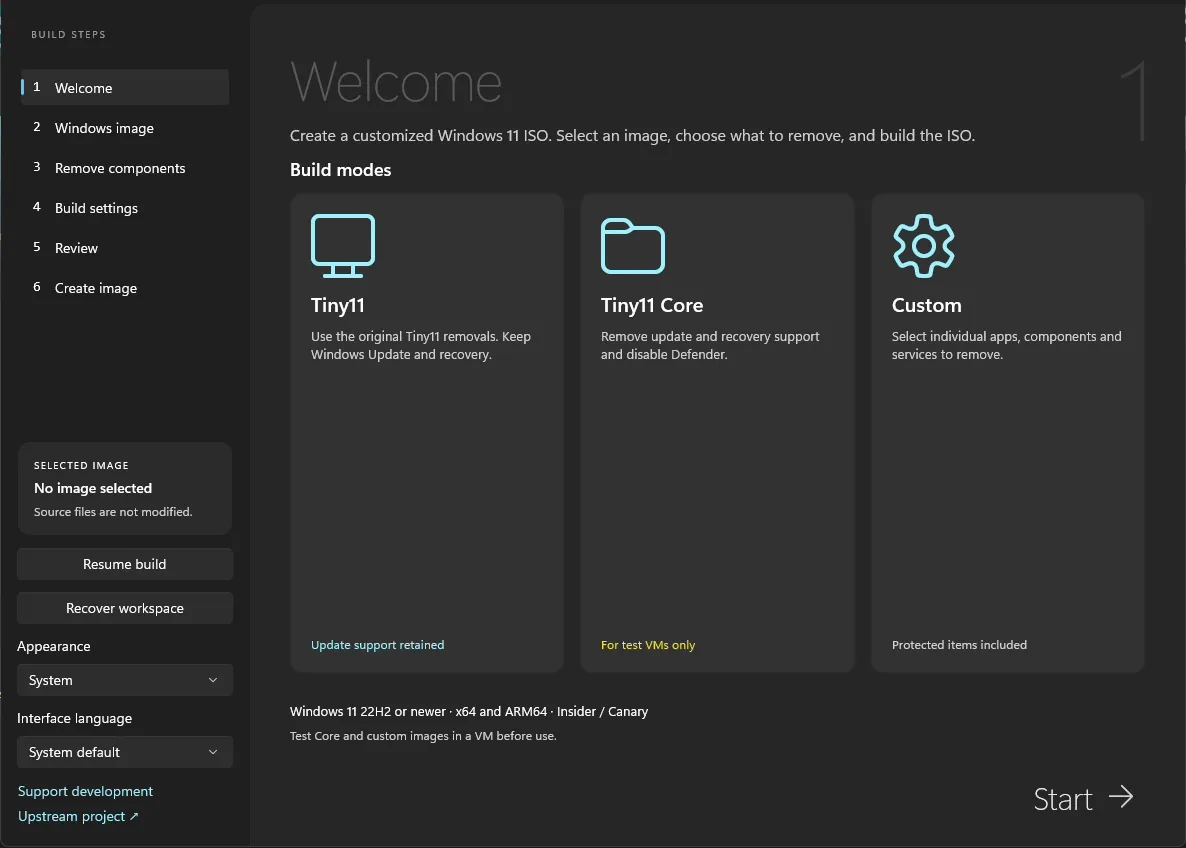
Last month, NTDEV squeezed an entire Windows 11 installation ISO into 699,811,840 bytes. The installer fits onto a standard 700MB CD-ROM. Unlike the 128MB test, the Pico11 demonstration was tested inside a virtual machine assigned 4GB of system memory, where Windows 11 consumed around 883MB of memory. Kunal Khullar at Tom’s Hardware said that NTDEV launched Calculator, Settings, Notepad, and Paint inside the virtual environment [1]. To achieve that tiny ISO footprint, Pico11 sacrificed Windows Update and general servicing tools, showing the clear differences between disk size and RAM usage [2].

Testing Windows 11 26H2 on 8GB Hardware
While NTDEV explored extreme minimums, everyday users face practical questions about whether 8GB of RAM can handle daily Windows tasks. Microsoft addressed those concerns in recent updates. Microsoft promoted the Windows 11 26H2 update with claims of a 20% responsiveness boost on laptops equipped with 8GB of memory, relying on telemetry from Search, Settings, File Explorer, and Snipping Tool. Cale Hunt at Windows Central tested that claim on an Acer Swift Air 14 laptop powered by an Intel Core 5 320 CPU [3].
On the Acer Swift Air 14, Hunt tracked the Intel Core 5 320 CPU, 8GB of LPDDR5x RAM, a 512GB M.2 PCIe 3.0 NVMe SSD, and a 4524MB page file on Best Performance mode. Ten minutes after booting with no apps open, Windows 11 25H2 consumed 5.3GB of RAM and left 2.3GB available [3].
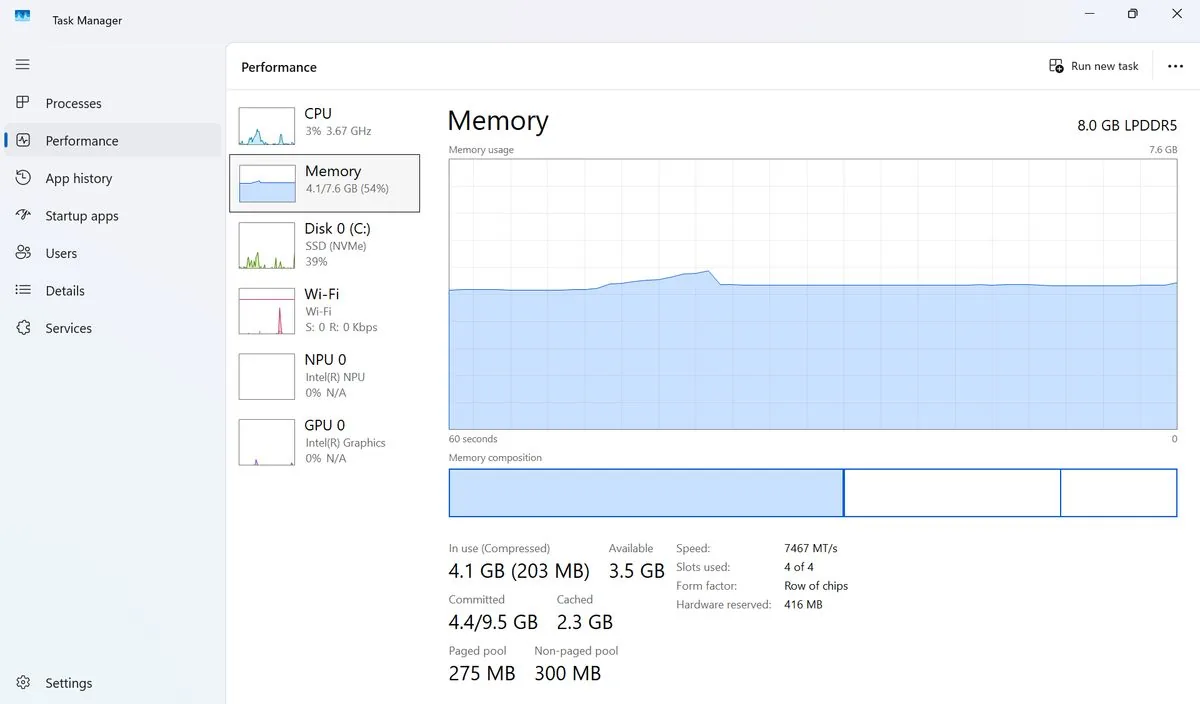
Upgrading the laptop to Windows 11 26H2 cut idle memory usage down to 4.1GB, which left 3.5GB of available RAM. In Windows 11 Task Manager, the paged pool shrank from 351MB to 275MB, non-paged memory shifted from 257MB to 300MB, and cached memory grew slightly from 2.2GB to 2.3GB. Cale Hunt said that lower baseline consumption gives low-memory systems more room to absorb everyday applications without immediate memory bottlenecks [3]. System optimization follows broader stability work for the platform, including when Microsoft issued an emergency patch to stabilize Windows 11 for desktop computers encountering unexpected driver conflicts.
Memory Usage Under Heavy Workloads
To see how real software behaves on 8GB systems, Cale Hunt placed both operating system versions under an everyday workload at Windows Central. Hunt launched ten tabs in Microsoft Edge covering YouTube, Reddit, Gmail, Amazon, X, and Windows Central, while also running Microsoft Word, Slack messenger, and Spotify. Under that workload, Windows 11 25H2 consumed 7.0GB of RAM with 563MB free, allocating 11.5GB of committed memory out of a 12.2GB ceiling. By contrast, Windows 11 26H2 consumed 6.6GB of RAM, preserved 1018MB of free memory, and kept committed memory down to 9.1GB of a 10.4GB limit [3].
To stress the Acer Swift Air 14 further, Hunt opened twenty tabs in Microsoft Edge, Microsoft Excel, Microsoft Word, Spotify, Slack, Microsoft Store, Windows Photos, File Explorer, and GIMP simultaneously. The 25H2 commit reached 14.7GB. Windows 11 25H2 climbed to 7.3GB of RAM usage with 352MB free, committing 14.7GB of virtual memory [3].
Windows 11 26H2 held memory usage to 6.8GB with 764MB available, keeping committed memory down to 9.8GB. Disk paging spikes were far smaller [3]. Graphics efficiency also helps constrained laptops, where Microsoft cut DirectX ray tracing memory use to reduce hardware overhead on budget PCs.
Data Center Demand on 8GB Laptops
These system memory savings arrive as the global computer hardware market deals with heavy supply pressures on memory chips. Data center expansion consumed chip supplies. Cale Hunt at Windows Central pointed out that surging demand from artificial intelligence data centers has absorbed high-bandwidth memory production, leaving fewer components for personal computer manufacturers such as Acer, Dell, and HP. Component price hikes forced manufacturers to adapt. To keep entry prices down, PC brands reintroduced 8GB RAM models for their mainstream consumer laptop lineups [3].
The reappearance of 8GB laptops sparked debate among buyers over whether newer builds of Windows 11 can run smoothly on entry-level hardware. Hunt said that Microsoft listened to consumers who asked for a less bloated system. By trimming baseline memory overhead, Microsoft makes it easier for computer makers like Acer and Dell to sell affordable 8GB laptops [3].
NTDEV’s demonstration with 128MB of RAM represents a technical exercise rather than a configuration intended for everyday office work. The test ran 32 times below minimum specs [1]. While NTDEV pushed Windows 11 26H2 to 3.125% of its minimum memory floor, Microsoft’s official optimizations help retail 8GB PCs handle daily multitasking with less paging [3]. Both community experiments and official updates demonstrate that Windows 11 still has room to operate on tighter hardware budgets [2].
- ONLINE NEWS Khullar, K. (2026, November 3). Developer manages to run Windows 11 26H2 with just 128MB of RAM, just 3.1% of recommended minimum. Tom’s Hardware. [Article Link]
- ONLINE NEWS Castellanos, S. (2026, November 3). Windows 11 26H2 runs on just 128MB of RAM, 32 times below Microsoft’s official minimum. Wccftech. [Article Link]
- ONLINE NEWS Hunt, C. (2026, November 3). Is 8GB of RAM finally enough for Windows 11? I ran tests on an old version to compare. Windows Central. [Article Link]


