





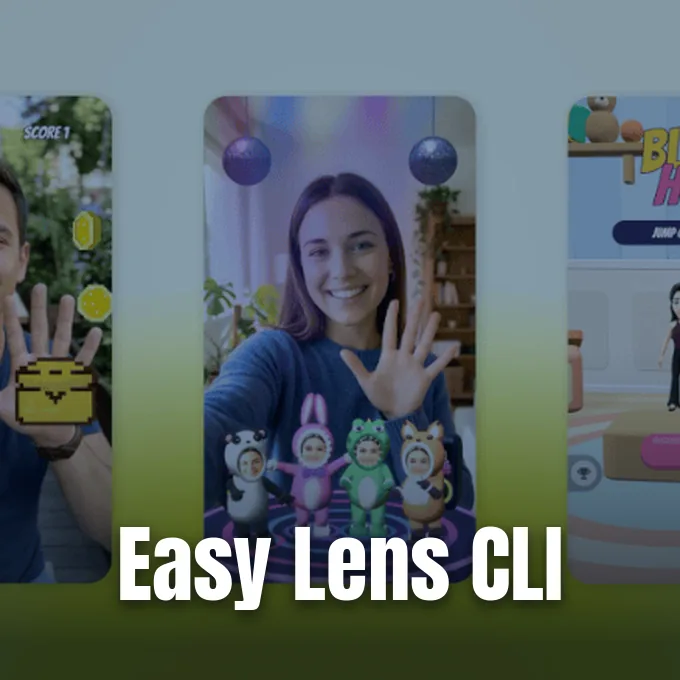
Snapchat announced on Wednesday that creators can now build augmented reality lenses using AI coding assistants like Claude Code and Cursor [1]. The company launched Easy Lens CLI, bringing automated lens building into everyday developer workflows [2]. Creators can describe an effect in plain language, letting the assistant handle the technical work [1]. It’s a new path for software engineers to publish camera experiences.
How Easy Lens CLI Works
The release of Easy Lens CLI expands Snap’s existing creative tools by connecting AI generation directly to local desktop terminals [1]. Snap already offers a web and mobile Easy Lens tool that creates effects from a single text prompt [2]. This new command line interface brings that same creation flow to programmers, so they don’t need to leave their favorite coding environment [1].
In a blog post explaining the tool, Snap described how the interface bridges development and design [2]. The company said: “Easy Lens CLI brings that same creation flow into the tools developers use every day, so their AI assistant can take on the technical work while they focus on the creative vision.” The assistant handles code generation and file structuring automatically, which lowers the barrier for programmers who haven’t worked with AR before [1]. Developers can set up the software, log in with Snapchat, and link their assistant in minutes [2].
Augmented reality lenses remain central to Snapchat, letting users alter their appearance, add digital objects to their surroundings, and play interactive camera games [1]. Building these filters used to demand separate 3D design software and specialized scripting skills [2]. With this tool, programmers can build interactive camera effects using the same terminal commands they use for ordinary software [1].

Supported AI Coding Assistants
The software integrates with the AI programming tools that engineers already run during their normal workdays [1]. Snap confirmed that the command line tool connects with Claude Code, Cursor, and Codex [2]. Developers running a Claude Code CLI setup can stay inside their existing terminal window. They can prompt their assistant to generate camera scripts without switching between separate graphical applications [1].
By meeting developers inside their existing coding environments, Snap avoids forcing creators to master a completely separate development suite [1]. If a developer already works in Cursor or Codex, their assistant handles project files, updates dependencies, and configures assets behind the scenes [2]. This approach helps programmers apply their established habits to augmented reality without spending weeks learning unfamiliar interface layouts or navigating complex proprietary file systems [1]. The assistant acts as a translator between plain language instructions and platform code, keeping the creator focused on gameplay ideas and visual style rather than technical setup details [2].
Creators describe what they want using everyday language, and the assistant turns those instructions into working logic [1]. A developer might ask for a retro color filter or a touch-based game mechanic, and the model writes the necessary code [2]. Because the assistant connects directly to the underlying engine, it catches syntax mistakes early so programmers don’t spend hours debugging minor errors [1].


Lens Creation Steps
The development process follows three clear stages: Build, Test, and Publish [2]. In the build stage, the assistant pulls from more than 100 AR building blocks and 50 AI asset generators. These prebuilt pieces include face-tracking filters, 3D objects, and interactive triggers, allowing creators to assemble camera effects quickly without having to write raw shaders from scratch [1].
Testing happens on real hardware without asking creators to export files manually or configure complicated mobile staging setups [1]. During the test phase, Easy Lens CLI renders preview videos on the computer and sends live test builds directly to the developer’s connected phone in minutes [2]. If a glitch occurs or a layout looks misaligned on the mobile display, the AI assistant can analyze error logs, fix the broken code, and deliver an updated version straight to the device [1]. This automated repair loop lets developers iterate on gameplay logic, refine touch interactions, and polish animations without leaving their active terminal session or restarting their local environment [2]. According to Snap, this streamlined workflow enables a developer to take a full interactive game from an initial napkin sketch to a finished, published lens in a single day [1].

After testing wraps up, the developer can publish the lens to Snapchat within the same terminal session [2]. The tool packages the project assets and sends them through Snap’s standard review pipeline [1]. Creators don’t have to fill out separate web forms or manage manual uploads [2]. This simple flow makes releasing a lens feel like shipping code to a web server [1].
Monetization Through Lens+ Payouts
Developers who publish lenses with the command line tool can earn money through Snapchat’s creator programs [1]. Snap confirmed that lenses built with Easy Lens CLI qualify for the Lens+ Payouts program [2]. This program rewards community creators based on how widely Snapchat users share and interact with their lenses [1]. It gives programmers a clear reason to build engaging effects and mini-games [2].
The earnings available through the community program can be significant for independent creators [1]. Snap reported that it paid out USD $1.8 million to Lens+ community creators last month alone [2]. By opening this payout pool to developers who build with AI assistants, Snap wants to draw in indie game developers and software engineers who might otherwise build solely for mobile app stores or desktop platforms [1]. An engaging mini-game or creative face effect can reach millions of users quickly, turning a weekend project into a steady revenue stream without requiring an upfront financial investment [2].

Even though automated tools speed up production, Snap keeps its standard quality and safety checks in place. Lenses created with Easy Lens CLI must pass the same review process as effects built with traditional tools [2]. Once approved, lenses go live on Snapchat immediately so users around the world can try them out [1]. That maintains safety without slowing down publishing [2].
Platform Availability for Easy Lens CLI
Snap released Easy Lens CLI as a free download for Mac, Windows, and Linux. Developers only need a Snapchat account to sign in and begin building lenses [2]. Providing cross-platform support on day one ensures that engineers can work on their preferred operating system without running compatibility layers or virtual machines [1].
The tool is designed for several types of creators, including game makers, AI artists, and commercial marketing teams [1]. Independent game developers can convert existing browser games into Snapchat Web Lenses, bringing their titles to a large daily audience with social sharing and leaderboards built in [2]. Meanwhile, AI creators can import generated assets from their favorite tools to create lenses that match their personal style. Commercial agencies and brands can also turn existing campaign videos, images, and brand assets into interactive camera experiences with shorter production timelines and fewer technical staff [1].
Auganix Founder and Managing Editor Sam Sprigg said linking AR platforms to AI coding assistants could turn lens creation into a regular part of software development. Instead of keeping augmented reality isolated inside specialized studios, tools like this make camera effects accessible to everyday coders [2]. As AI coding assistants grow more capable, building interactive camera lenses may become as routine as writing a web script [1].
- ONLINE NEWS Malik, A. (2026, November 18). Snapchat now lets developers build AR Lenses with AI assistants like Claude Code and Cursor. TechCrunch. [Article Link]
- ONLINE NEWS Sprigg, S. (2026, November 18). Snap Easy Lens CLI Brings AI Coding Assistants to Lens Building. Auganix.org. [Article Link]


