





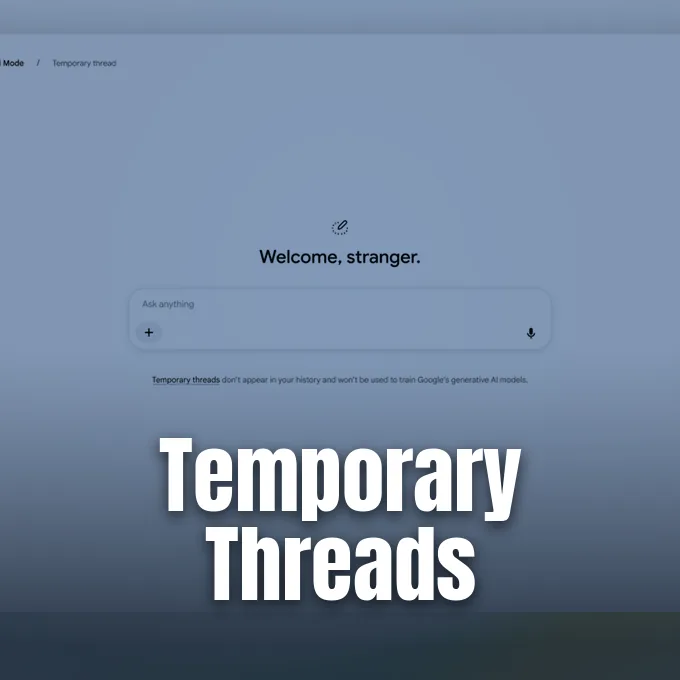
Google launched temporary threads in AI Mode on November 17, 2026, giving searchers an easy way to run web queries without logging conversations to their personal accounts. The privacy tool lets people explore sensitive topics or look up personal ideas without having those inquiries influence future search recommendations or show up in past logs. According to Google representative Craig Ewer, the feature functions without requiring any changes to account settings and operates globally on desktop and mobile browsers [1]. Searchers can explore unfamiliar subjects freely without leaving traces on their profiles.
How Temporary Threads Work in AI Mode
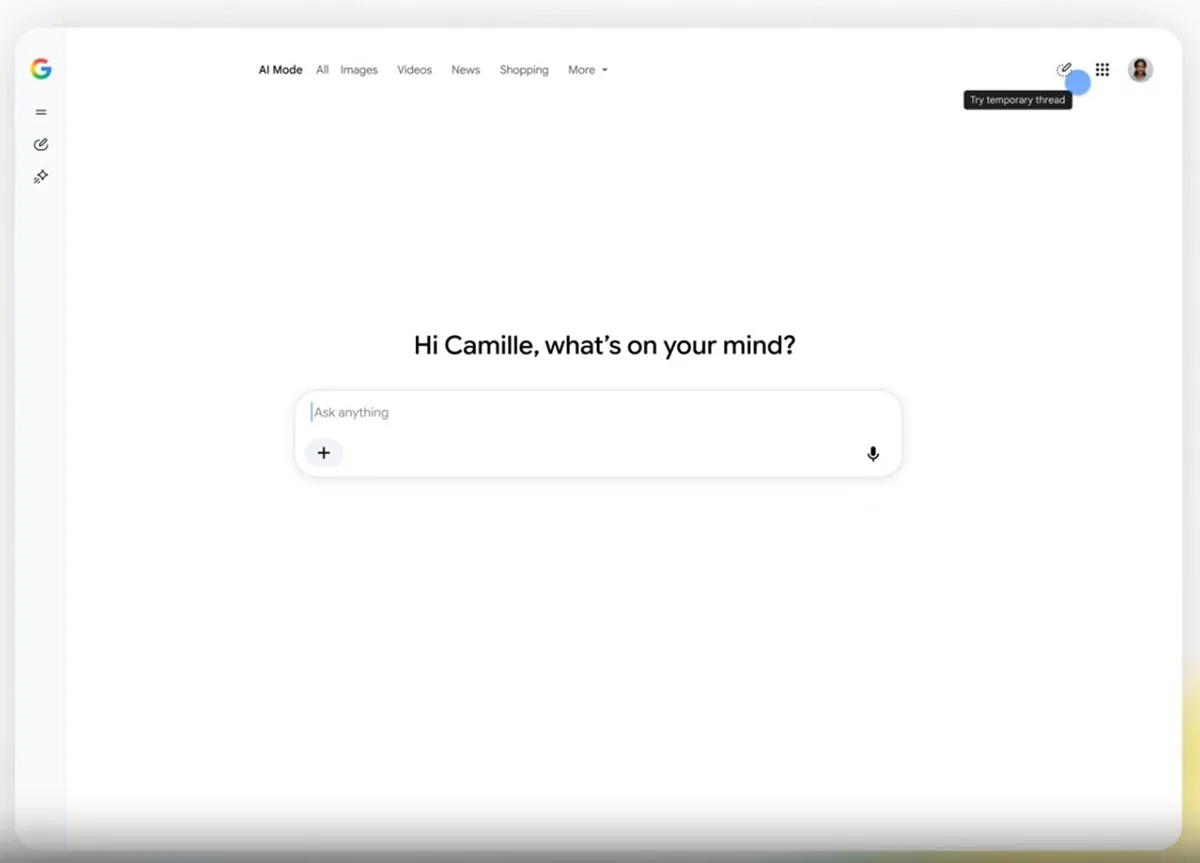
Starting a private search session takes only a single tap. Users select the new pen button with a dotted outline in the top-right corner of the screen to open an ephemeral thread. The prompt box loads right away, and searchers can ask questions without adjusting any account privacy controls beforehand [1].
Because the conversation remains isolated from the account, earlier preferences never shape the AI answers. This separation helps when someone wants to brainstorm ideas for a surprise gift or research private topics that shouldn’t appear in subsequent recommendations. Once a person closes the active window, the entire exchange disappears for good. There’s no archive left behind, and nobody can reopen that thread later [1].
Writing for 9to5Google, reporter Abner Li explained that temporary threads serve as a handy alternative to loading google.com inside an Incognito browser window. Opening an Incognito tab also shields search queries from account history, but it strips away access to several interface features and saved preferences that users might still want during their sessions. In contrast, temporary threads keep the standard model picker active while still preventing the exchange from being saved to the user’s Google history [2]. Searchers can switch models to test different reasoning styles on the fly, enjoying the full computational depth of the search engine while retaining complete confidence that their data will not linger in cloud archives.
Interface Changes and Stranger Greeting
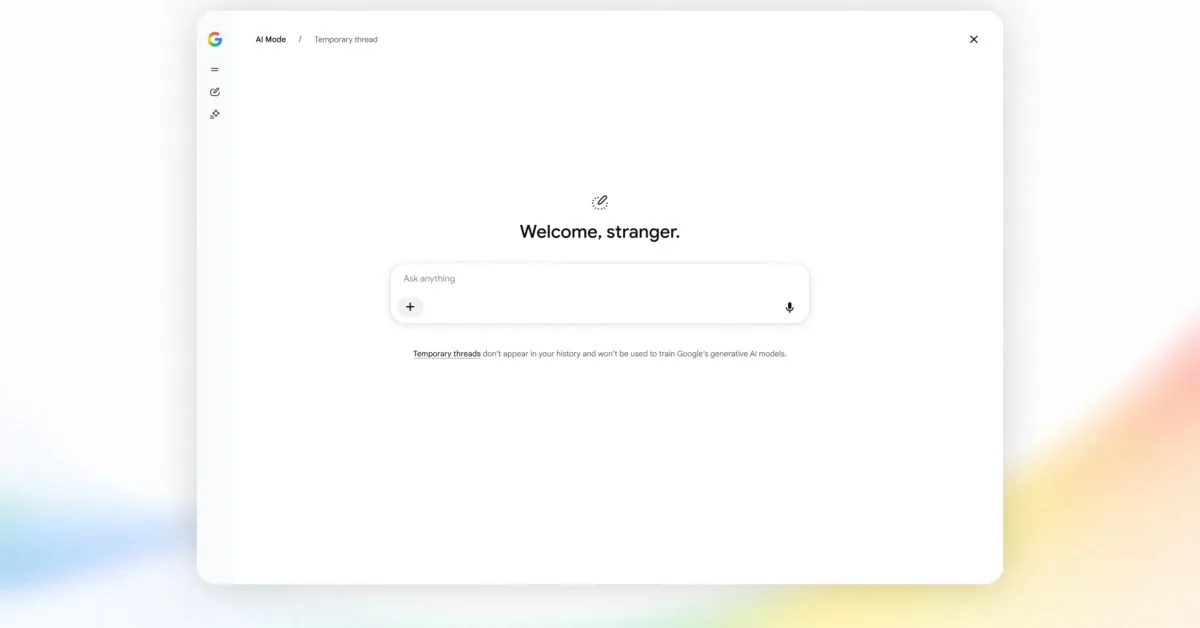
Entering a temporary thread alters the appearance of the search interface to reassure users that their identity is masked. The regular greeting message at the top of the input area disappears, replaced by the phrase “Welcome, stranger” to signal an untracked session. The setting leaves no permanent log [2].
Google also made a deliberate vocabulary choice by labeling these AI Mode sessions as “threads” rather than copying the “chats” label found in the Gemini app. Even though the names differ, the underlying design shares identical visual cues across both products. The pen icon with a dotted border matches the button Google rolled out to the Gemini app last year, helping people recognize the privacy toggle in different Google tools [2, 3]. That continuity prevents confusion for users who move between search and dedicated chatbot interfaces.
The update arrives shortly after Google introduced Gemini 4 Hydrogen during the previous week. While the core AI engines continue to evolve under the Gemini banner, Google’s search team is adapting those models to fit everyday browsing habits. Providing temporary sessions reflects an effort to make AI Mode feel familiar without forcing people to learn a new layout [2].



Account History and Personal Intelligence
Google spent much of 2026 teaching AI Mode to deliver answers tailored to individual users. As Hillary Keverenge reported for Android Authority, the company rolled out Personal Intelligence earlier in the year to let Search pull relevant details from Gmail and Google Photos [3]. The tool interprets personal context quickly.
That growing web of personalization creates an obvious dilemma whenever someone searches for confidential matters that shouldn’t be remembered. People need quick boundaries so that a one-off query doesn’t alter their news feed or trigger unwanted product suggestions for weeks afterward. This tension between automated customization and user autonomy mirrors wider technology discussions; for instance, PerEXP Teamworks recently covered how Google and Microsoft back a new AI training opt-out standard to help people protect their online content from machine learning scrapers. Temporary threads offer a similar privacy guardrail on a personal scale, giving searchers a fast toggle to pause data retention whenever they want to keep their inquiries private. Searchers can handle sensitive inquiries without dismantling their wider Google profile settings or losing the convenience of personalized assistance for regular tasks.
At the same time, Google is developing features that work in the opposite direction. Android Authority recently uncovered evidence showing that Google engineers are working on a system to let users pin important AI Mode conversations for future reference. While pinning aims to preserve valuable answers so they stay easily accessible, temporary threads do the exact reverse by ensuring that sensitive searches vanish without a trace the moment a session ends [3]. Both features give users distinct options.
New File Tools in Android Testing
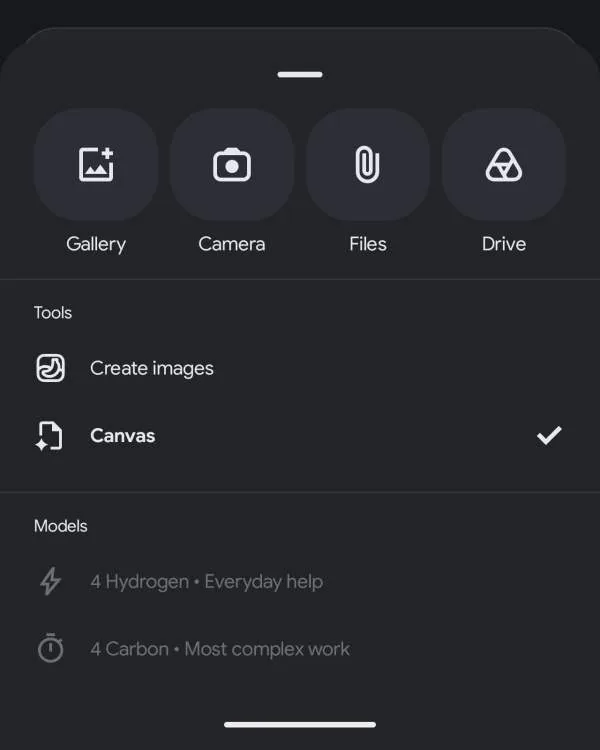
Beyond privacy tools, Google is testing several functional upgrades for AI Mode in the latest Google app beta on Android. Android testers can now upload files straight from Google Drive into their search conversations. This addition lets people attach cloud documents directly into the prompt box [2].
The Google Drive shortcut joins a growing list of attachment options inside the Android app. Testers already have access to Gallery, Camera, and local Files buttons when composing a query. Adding cloud drive integration streamlines workflows for people who rely on Google Workspace to organize their documents, allowing the AI model to analyze remote files with standard text prompts [2]. Searchers can inspect spreadsheets or draft reports without having to save duplicates on their handheld hardware.
Google is also bringing its Canvas workspace to Android testers within AI Mode. Canvas provides an interactive side-by-side editing pane where searchers can draft documents, refine computer code, and adjust complex notes with assistance from the AI model. The workspace turns AI Mode into an active workspace for longer writing tasks [2].
Global Rollout of Temporary Threads
Google confirmed that temporary threads began rolling out globally on November 17, 2026. The new feature is available on all desktop and mobile web browsers that support AI Mode, with support extended to every language currently offered in the search experience. Users don’t need to sign up for special test programs or wait for regional permissions to try the feature [1, 2]. The worldwide release ensures that anyone accessing the search engine can immediately activate private sessions on any supported operating system without having to install secondary software or create new user profiles.
The rollout gives casual searchers an immediate safety net whenever they research sensitive questions online. People can jump into an ephemeral thread for a quick inquiry, close the tab when they finish, and return to regular personalized browsing without leaving behind a digital paper trail. Close the window, and it vanishes [1, 3].
By launching temporary threads together with ongoing tests for Drive uploads, Canvas editing, and conversation pinning, Google is balancing personalization against individual privacy. The search engine is becoming more capable of learning personal habits, but it’s also giving users straightforward tools to turn off that memory whenever privacy matters most [1, 2, 3]. The balance helps keep AI search useful and respectful of user boundaries.
- PRESS RELEASE Ewer, C. (2026, November 17). Temporary threads are now available in AI Mode in Search. Google Blog. [Article Link]
- ONLINE NEWS Li, A. (2026, November 17). Google AI Mode rolling out temporary threads. 9to5Google. [Article Link]
- ONLINE NEWS Keverenge, H. (2026, November 17). Google AI Mode gets temporary threads for searches you don’t want saved. Android Authority. [Article Link]


