





Google has officially opened generative media production inside Google Vids AI, delivering high-definition rendering capabilities powered by Gemini Omni 1.1 Flash to personal Google and Google Workspace accounts. The deployment eliminates earlier subscription barriers that restricted AI-powered video features to corporate business tiers. Users can assemble ten-eighty-p resolution video clips without licensing charges or specialized editing skills, using straightforward web controls directly on desktop machines. Access begins immediately at the vids.new desktop portal for registered account holders [1, 2].
Google Vids AI Expands Free 1080p Generation
The service launched in 2024. When Google initially rolled out the Vids platform, the company framed the environment primarily as an enterprise assistant for commercial workplace teams. Even after Google expanded general workspace access beyond dedicated Gemini enterprise subscribers, the built-in video generator remained locked behind paid recurring membership tiers for nearly two years. Publishers at Android Authority noted that free users received only an initial taste of experimental functionality earlier in 2026 [1].
Google Workspace product manager Justin Luk announced that anyone possessing a personal Google account or an active Google Workspace seat can now generate full high-definition video scenes without incurring subscription charges. The update integrates the Gemini Omni 1.1 Flash multimodal model directly into Google Vids AI, allowing account holders to compose scenes across diverse personal and professional projects. Every account holder gains access to full ten-eighty-p scene generation through modern desktop web browsers [2].
Ryan McNeal highlighted the change. Writing for Android Authority, McNeal explained that while the video generator is free to test, Google has not disclosed explicit generation quotas or rendering limits for personal account holders. The company documentation instead advises heavy creators to inspect commercial Google AI subscription plans if their workflow demands expanded daily generation volume or advanced administrative management capabilities [1].
Scene Controls for Story Direction
Google emphasized that the software gives creators editorial command from initial concept formulation through to final export rather than relying solely on text prompts. Justin Luk framed this editorial focus with the direct guidance to “Direct your story, don’t just prompt it” while navigating the creation interface. The interface provides structured visual controls that allow video makers to guide each individual narrative beat [2].
A central technical capability allows creators to extend existing scenes while preserving strict visual continuity across consecutive cuts and background transitions. The generative model actively maintains visual context, subject lighting, character appearance, and environmental details, preventing the abrupt visual shifts that frequently disrupt automated sequential video rendering. Scenes flow naturally into extended timelines without requiring external compositing or separate frame editing [2].
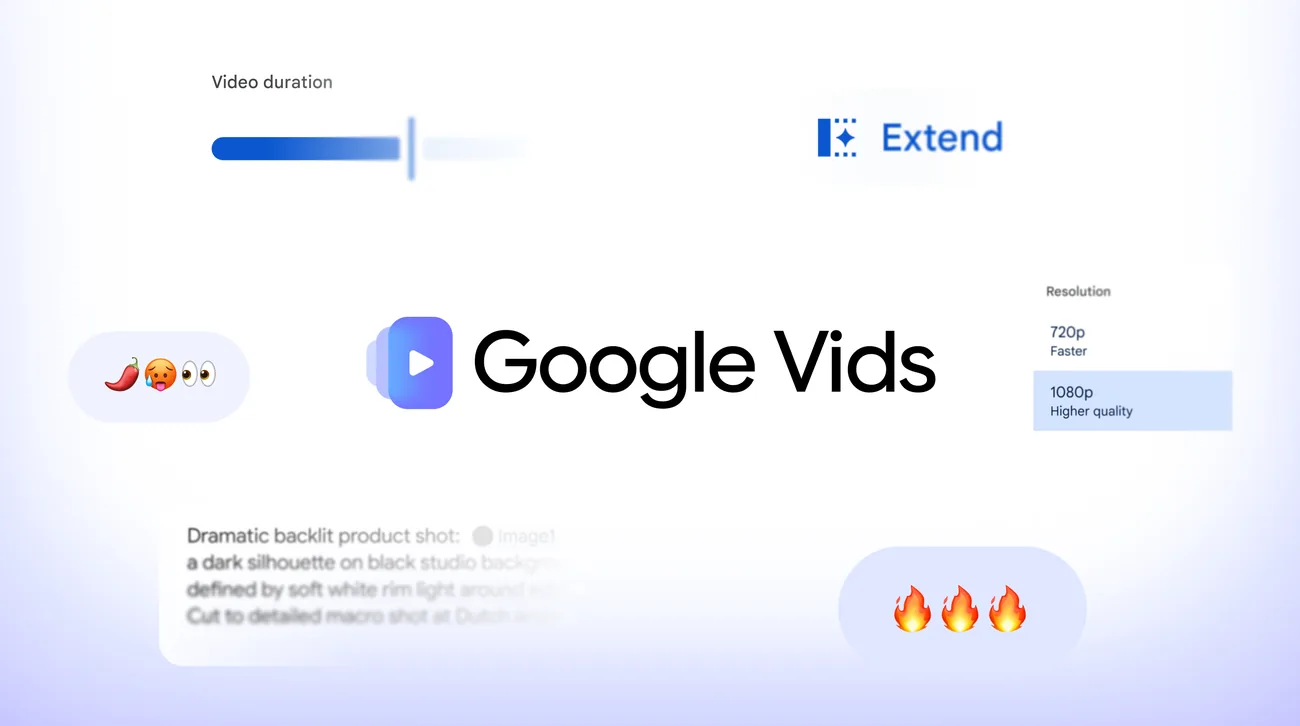
Creators can configure specific duration parameters, establishing exact clip runtimes so visual sequences synchronize precisely with planned voiceovers and pacing cues. In addition to rendering new ten-eighty-p scenes, the platform upscales earlier clips to ensure consistent resolution across the timeline. Desktop users access these controls directly through the vids.new web address without downloading desktop software or installing external browser extensions [1, 2].


Google Vids Video Generator for Diverse Workflows
Google designed the updated creation tools to accommodate a broad spectrum of production needs, spanning independent commercial operators, community organizers, enterprise marketing divisions, and local retail shopkeepers. Solo entrepreneurs launching fresh ventures can utilize ready-to-use video templates to construct finished product showcases without possessing manual editing experience or allocating substantial marketing budgets. Neighborhood business owners can photograph newly arrived retail stock and instantly transform those pictures into promotional video reels. Corporate marketing teams can produce branded visual assets for public landing pages, social media announcements, and digital event signage, while civic organizers assemble promotional videos for charity fundraisers and community clubs [2].
This automated approach to media assembly mirrors broader transformations across the software industry, where artificial intelligence increasingly streamlines complex technical workflows previously reserved for specialized production teams. Parallel trends exist across computing sectors, including developer vibe coding workflows on RTX 50 hardware that enable developers to build functional software components rapidly through natural language instructions without tedious configuration. Google Vids AI applies comparable workflow acceleration directly to corporate storytelling and visual media production [1, 2].
SynthID Watermarks and Gemini 3.8 Voiceovers
Every clip generated through the service incorporates an imperceptible SynthID digital watermark embedded directly into the individual video frames [1, 2].
Watermarks remain imperceptible across frames. The embedded SynthID signature provides provenance verification, allowing viewers and inspection systems to confirm that video scenes originated from artificial intelligence. Justin Luk emphasized that expanding creative generative technology requires transparent accountability mechanisms to ensure audiences can evaluate media origin without compromising picture quality or viewing experiences. Android Authority verified that the watermarking protocol applies automatically across all output files without requiring manual activation by the creator [1, 2].
Alongside visual generation tools, Google announced the upcoming integration of Gemini 3.8 Flash-Lite text-to-speech to provide automated narration for Google Vids AI projects. The speech model converts typed text scripts into natural-sounding spoken audio tracks without demanding external recording equipment or voice talent hire. The model supports 100 languages. Ryan McNeal observed that integrating multilingual speech directly into the video timeline allows international creators and regional businesses to localize promotional messages across global audiences with minimal effort. Creators simply type their project narration directly into the interface to produce synchronized vocal tracks [1, 2].
How Can Users Access Gemini Omni in Vids?
Access starts at vids.new. Desktop users sign into their Google profile and select Create AI videos inside the central creation menu. The interface immediately opens prompt inputs and scene duration controls, allowing account holders to generate scenes with Omni 1.1 Flash at zero cost. No specialized hardware or local graphic acceleration is necessary to render the ten-eighty-p clips [1, 2].
Subscriptions govern higher generation volumes. While personal users can explore Google AI subscription plans for larger workloads, corporate teams operate under managed enterprise controls. Subscriptions under Workspace Business and Enterprise tiers provide expanded video generation capacity pools, centralized administration panels, and organization-wide governance features documented on the Google Workspace Learning Center. IT administrators manage team access permissions through existing Google Workspace domain control consoles [1, 2].
Justin Luk confirmed the release. The deployment positions Google Vids AI as an accessible production hub for individual creators and business teams seeking professional video generation without traditional production friction. With scene continuity controls already active and multilingual text-to-speech scheduled for imminent rollout, the platform broadens browser-based multimedia creation for personal and commercial Google account holders worldwide [1, 2].
- ONLINE NEWS McNeal, R. (2026, September 23). Google’s Omni video generator is now free to try in Vids. Android Authority. [Article Link]
- PRESS RELEASE Luk, J. (2026, September 23). Anyone can make stunning HD videos with Gemini Omni in Google Vids. Google. [Article Link]


1 comment