






Passkey authentication provides a passwordless sign-in method that replaces typed secrets with cryptographic key pairs tied to user hardware. When an online service requests an identity check, the device solves a mathematical challenge using a private key stored in local secure memory, while the server verifies the response against a recorded public key. This architecture prevents remote attackers from harvesting login data through fake websites because the browser checks the authentic domain before signing any request. Major operating systems now build the standard into consumer devices to eliminate password theft [1].
What Passkey Authentication Actually Is
Traditional online security forces people to memorize dozens of complicated passwords or wait for six-digit verification codes sent through text messages. Passkey authentication replaces that vulnerable model by letting users log in with the exact same screen locks they already use every day on personal phones and computers. The FIDO Alliance, an open industry association formed in 2011 to reduce dependence on shared secrets, developed the underlying technical foundation with the World Wide Web Consortium to standardize secure consumer logins. Instead of sending a secret password to an internet server where thieves could steal it during a data breach, the user keeps the master credential safely stored on their personal device [8].
The underlying software architecture connects smoothly with existing enterprise directories and complements identity management standards like SAML authentication for enterprise single sign-on. A person presents something they own, such as a smartphone or security token, and confirms identity with a quick biometric reading [6]. Hardware handles the math.
Apple introduced the name to consumers during its 2022 developer conference, and engineering manager Ricky Mondello said on social media that the term represents a shared industry standard rather than a proprietary ecosystem. Microsoft identity executive Alex Simons confirmed that other major technology companies would adopt the exact same common noun so people would treat passkeys just like passwords. By 2026, Google recorded more than one billion passkey registrations on its consumer accounts. The entire verification step takes two to three seconds [3].

Cryptographic Key Pairs
At the center of passkey technology sits asymmetric cryptography, a mathematical system that generates two linked digital keys instead of a single shared password. The private key stays inside an authenticator, which is usually a phone, computer, or USB token, while the corresponding public key is sent to the web server during account setup. When a user creates an account on an online service, the local authenticator generates this unique pair and transmits only the public component. Anyone can see a public key without compromising account safety because mathematical algorithms make it impossible to deduce the private key from public data [7].
Modern operating systems isolate key material within protected hardware environments like Apple’s Secure Enclave, Android’s Trusted Execution Environment, or a Trusted Platform Module on Windows computers. In a comparative analysis published in Electronics, researchers Carroll and Latifi observed that this match-on-device architecture keeps personal biometric templates inside local chips [12].
Because each key pair is created specifically for a single web domain, people never share keys across different websites. If an attacker breaches the customer records of an online shop, the stolen database contains only public keys and arbitrary credential identifiers that cannot unlock accounts on other services. Password reuse, which remains one of the most common causes of account compromise on the internet, stops working under this model. Users get distinct cryptographic protections on every service without having to create, update, or memorize unique passwords for each account [8].
How Browsers Handle Registration
The web browser acts as a bridge between remote websites and local device hardware through a standardized programming interface called the Web Authentication API (commonly known as WebAuthn). When a visitor decides to set up a passkey, the website, referred to in official specifications as a Relying Party, generates a random challenge on its server and passes that value to the client. The browser then calls the standardized method navigator.credentials.create with specific parameters that describe user account details and acceptable authenticator types. This request directs the operating system to initiate key generation inside local hardware rather than handling cryptography in plain JavaScript code [9].
Operating systems prompt the user for authorization before generating any keys. A person scans a finger, looks at a camera, or enters a device PIN to verify physical possession. Communication between the host computer and separate hardware tokens relies on the Client-to-Authenticator Protocol [10].
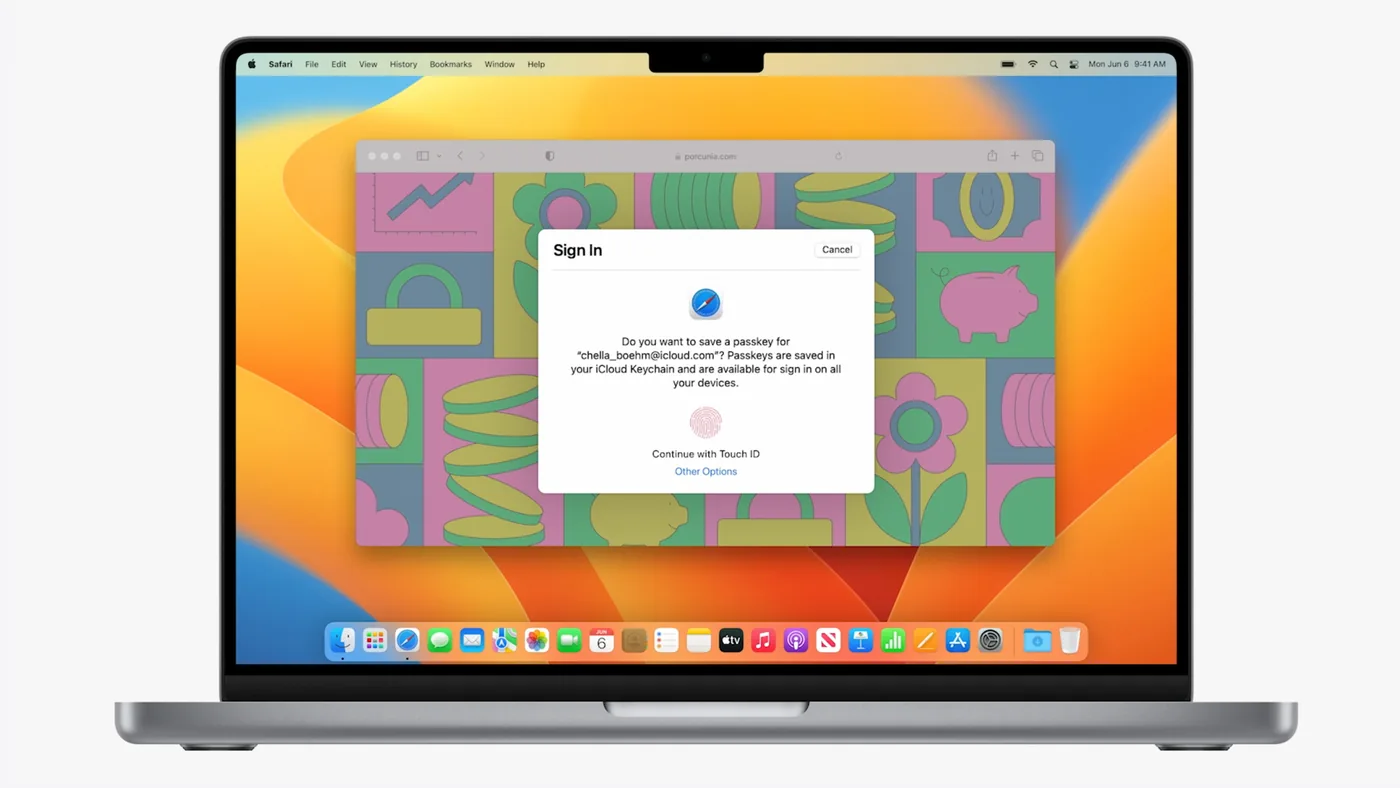
Detailed technical tutorials explaining how passkeys work in modern web browsers and operating systems describe how the authenticator bundles the newly generated public key and signed challenge into an attestation object. The browser sends this structured response back to the web server for verification. The server checks that the digital signature matches the challenge it issued earlier and links the public key to the user profile. Once confirmed, the account setup finishes completely without the user ever inventing a password or selecting security questions [7].
FIDO2 Credentials and the Challenge Flow
Logging in with an existing passkey follows a challenge-response ceremony that verifies user identity without sending sensitive passwords over the internet. When a returning user clicks the passkey button, the web server creates a random cryptographic string called a nonce and transmits it to the browser as a fresh challenge. The browser invokes the standardized method navigator.credentials.get, which prompts the operating system to ask the user for biometric approval or a device PIN. The authenticator signs the challenge using the stored private key. This challenge value changes with every single login attempt to stop network eavesdroppers from capturing and replaying previous authentication traffic [9].
After local verification succeeds, the browser packages the signed response into an assertion and returns it to the server. The server uses the stored public key to confirm that the mathematical signature came from the matching private key. Identity is confirmed in seconds [8].
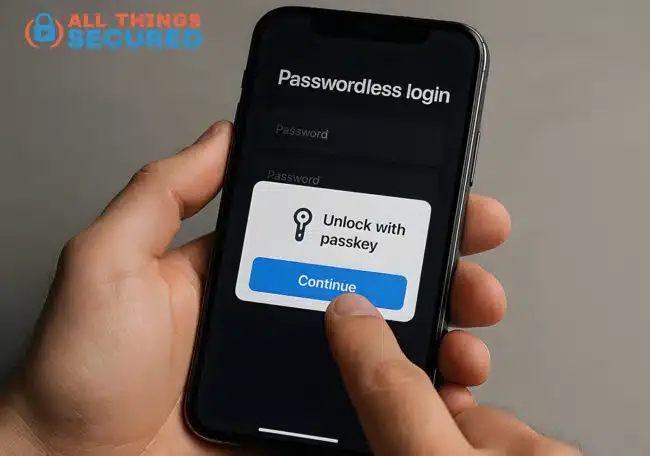
Most modern implementations rely on discoverable credentials, meaning the passkey stores the user identifier directly inside the local authenticator. Users do not even need to type their username or email address before signing in to an account. Instead, clicking the login input field brings up an autofill prompt showing saved credentials for that site, enabling people to sign in with a single tap. Software creator Troy Hunt noted that this experience feels fast because clicking a confirmation button grants immediate account access [11].


Built-In Protection Against Phishing
Phishing remains the primary method cybercriminals use to compromise online accounts, often by creating deceptive replicas of well-known login pages. Traditional two-factor authentication methods like SMS text codes and mobile authenticator app prompts fail against modern reverse-proxy toolkits that intercept codes in real time. Security educator Troy Hunt experienced this exact trap firsthand when a deceptive message led him to a fake portal that mimicked his email service and captured both his password and his one-time code to access his account. Passkeys solve this systemic vulnerability because the underlying cryptographic protocol binds every credential directly to the authentic domain name of the website [7].
During both registration and sign-in, the browser checks the exact web address in the URL bar and feeds that origin into the authenticator through strict domain binding. If someone visits a fake domain like “g00gle.com,” the authenticator searches its storage, finds no matching keys, and refuses to respond [7]. Fake websites receive nothing.
Stolen credentials cause heavy damage in business environments, as demonstrated when hackers compromised cloud tenants during the Microsoft 365 cloud backup breach to disrupt managed services. Passkey infrastructure neutralizes credential stuffing because databases leaked from third-party sites contain no reusable passwords. Even if an attacker steals an organization’s entire server database of stored public keys, those mathematical records cannot authenticate anyone without the matching private keys. Public keys are safe to expose because they only verify signatures [1].

Syncing Keys and Hardware Authenticators
The security community divides passkeys into two broad categories based on how devices manage private key storage. Synced passkeys (often described as multi-device credentials) synchronize across personal hardware through end-to-end encrypted cloud keychains maintained by Apple, Google, or Microsoft. When someone creates a passkey on an iPhone, the credential automatically copies to their iPad and Mac through iCloud Keychain, enabling quick logins on all three devices. Independent password managers like 1Password, Bitwarden, and Dashlane offer cross-platform synchronization so users can access their credentials on Windows, Android, and Linux computers without getting locked into a single operating system [7].
In contrast, device-bound passkeys store private keys permanently on a single physical microchip that never permits export or cloud duplication. Hardware security tokens such as YubiKeys represent this high-assurance model. Administrators configure Microsoft Entra ID policies to require device-bound credentials for sensitive enterprise roles [2].
When a person needs to sign in on a borrowed or public workstation, the WebAuthn standard provides a convenient cross-device authentication flow using QR codes and local Bluetooth communication. The desktop browser displays a dynamic QR code containing connection parameters that the user scans using their smartphone camera. The two devices establish an encrypted Bluetooth link to confirm physical proximity before passing data over the internet. This proximity check confirms that remote attackers located thousands of miles away cannot trick people into approving fraudulent authentication prompts on remote machines [7].
Usability Friction and Implementation Gaps
Despite clear cryptographic benefits, the real-world rollout of passkeys reveals notable friction in interface consistency and consumer comprehension. Networking author Bruce Davie documented his attempt to add a passkey on an Apple Mac, where three different software interfaces competed for attention at the exact same moment. The password manager, the macOS operating system, and the web browser each opened competing windows offering to save credentials under different labels. Davie said that when multiple programs fight to become the default authenticator, everyday users become confused by inconsistent terminology and redundant prompts [4]. Technology journalist Dan Goodin said that while the underlying math is elegant, usable consumer security remains difficult to achieve [12].
Another gap involves account recovery on consumer websites. Many online platforms keep old password logins and SMS codes active as fallback options to prevent user lockouts. In an academic literature review, researcher Sakhtipriyanka observed that while the cryptographic core holds up (which held up against all cryptographic attacks), security weaknesses consistently persist at the edges through account recovery mechanisms [14].

In research published in IEEE Access, computer scientists led by Dongkwan Kim demonstrated that Client-to-Authenticator Protocol interactions over Bluetooth can be vulnerable to session hijacking if an attacker links a victim’s authenticator to a nearby computer. Other evaluations by Bilal Shannaq indicate that password pattern analysis still plays a role where passkey adoption remains incomplete. These security studies show that identity systems require careful endpoint configuration to ensure that local hardware authenticators perform as expected [13].
The Future of Passkey Authentication
Industry adoption of passkey authentication continues to gain momentum as platform vendors refine their software interfaces and simplify the sign-in experience for everyday users. Online retailers and payment platforms report measurable business gains after introducing passwordless login buttons. According to performance data published on passkeys.io, passkey logins are roughly two hundred percent faster than typing traditional passwords, while checkout conversion rates increase by four hundred percent because shoppers no longer abandon purchases due to forgotten credentials. These commercial gains encourage consumer websites to accelerate passkey deployment across web and mobile applications [5].
Standardization groups are actively working to eliminate ecosystem barriers by developing secure credential exchange protocols for consumers. The FIDO Alliance is finalizing specifications that will let people export passkeys safely between competing password managers without compromising encryption keys [7]. Cross-platform mobility prevents platform lock-in.
Passwords will not disappear overnight, but their role is shifting toward legacy fallback status for older applications and unmanaged systems. Organizations that adopt passkeys establish durable defenses against credential stuffing, phishing schemes, and server database breaches that compromise millions of identities every year. By replacing guessable character strings with hardware-backed cryptographic key pairs, modern computing creates an identity framework where security and daily convenience reinforce each other [8].
- WEBSITE Microsoft Security. (2026). What is a Passkey? Secure Signins. [Article Link]
- WEBSITE Microsoft Learn. (2026). Enable and support passkeys in Authenticator for Microsoft Entra ID. [Article Link]
- ONLINE NEWS Shakir, U. (2022). Reminder: passkeys are not just from Apple. The Verge. [Article Link]
- ONLINE NEWS Davie, B. (2024). Will passkeys ever replace passwords? Can they? The Register. [Article Link]
- WEBSITE Passkeys.io. (2024). Passkeys: How Do They Work? [Article Link]
- WEBSITE Yubico Developers. (2026). How passkeys work. [Article Link]
- WEBSITE Josh. (2026). How Do Passkeys Work? (full explanation). All Things Secured. [Article Link]
- WEBSITE One Identity. (2026). What is Passkey authentication? One Identity Blog. [Article Link]
- WEBSITE MDN Web Docs. (2026). Passkeys. Mozilla Developer Network. [Article Link]
- WEBSITE Yubico Developers. (2026). Quick overview of WebAuthn FIDO2 and CTAP. [Article Link]
- WEBSITE Hunt, T. (2025). Passkeys for Normal People. [Article Link]
- WEBSITE Wikipedia contributors. (2026). Passkey. Wikipedia, The Free Encyclopedia. [Article Link]
- ACADEMIC JOURNAL Kim, D., Shin, J., Ryu, G., & Choi, D. (2025). HiPass: Hijacking CTAP in Passkey Authentication. IEEE Access, 13, 92086–92101. [Article Link]
- ACADEMIC JOURNAL Sakhtipriyanka, V. (2026). Passkeys and Fido2: Security, Usability and Deployment of Passwordless Authentication. International Journal of Information Technology Research Studies, 2(4), 35. [Article Link]


