



Asus launched the new ProArt P16 laptop built around Nvidia’s RTX Spark system-on-chip, bringing twenty ARM processor cores and Blackwell graphics to mobile creators who need workstation power on the go [1]. Hardware reviewers Josh Russell at TechRadar and Cale Hunt at Windows Central tested how the new machine handles PugetBench software suites, PC gaming, and local artificial intelligence models [2]. The laptop features a 16-inch Lumina Pro OLED panel, up to 128GB of unified memory, and a 99.9Wh battery pack inside an aluminum frame. While its fast performance rivals top portable workstations, its steep $4,399.99 base price tags it as a heavy investment for creators. The base Asus model pairs 64GB of RAM with a 1TB SSD, but the top configuration doubles both capacities for demanding studio tasks [1].
Core Hardware in the ProArt P16 RTX Spark
The laptop runs on Nvidia’s RTX Spark N1X silicon, an integrated system-on-chip that pairs twenty ARM CPU cores with a 6144-core Blackwell graphics unit to handle demanding visual workloads [1]. Windows Central confirmed an entry option with an 18-core CPU and a 5120-core GPU [2]. Buyers can choose 64GB or 128GB of unified LPDDR5X memory with 1TB or 2TB M.2 PCIe 4.0 storage. That shared memory architecture lets both the central processor and graphics cores access assets without routing data over slower buses [1]. Upgradable slots accept standard M.2 drives [2]. Asus designed this hardware to give mobile creators desktop-grade bandwidth in a portable package. The 128GB tier targets users training machine learning models or editing multiple 8K video streams at once [1].
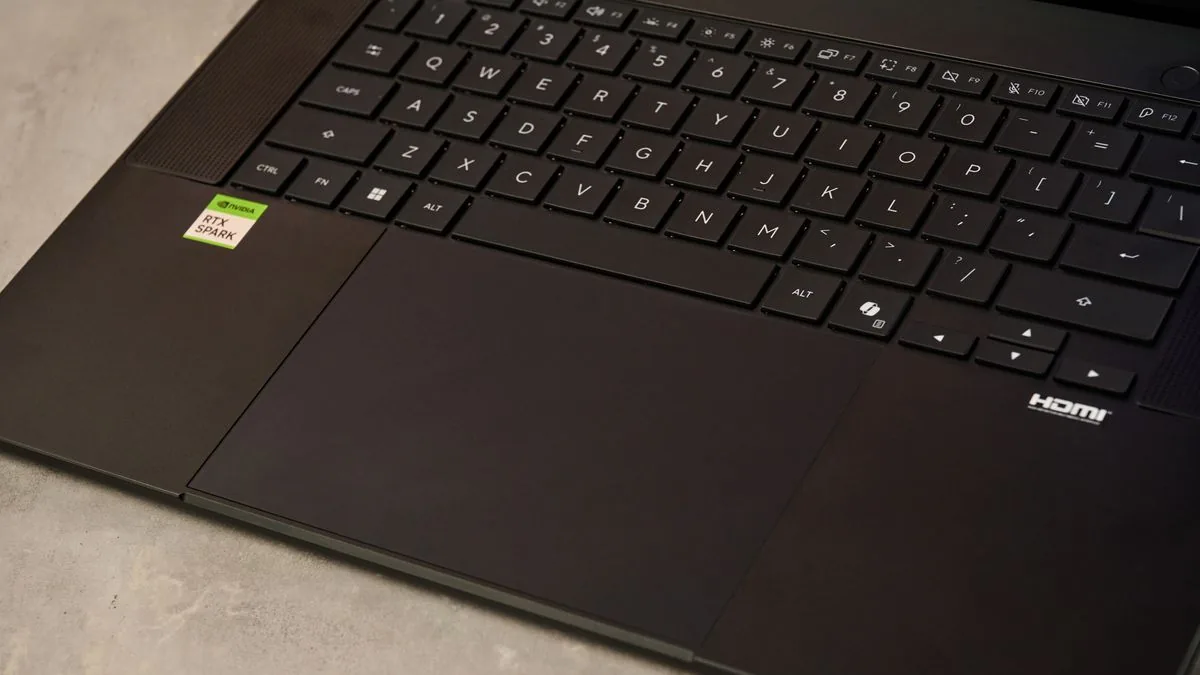
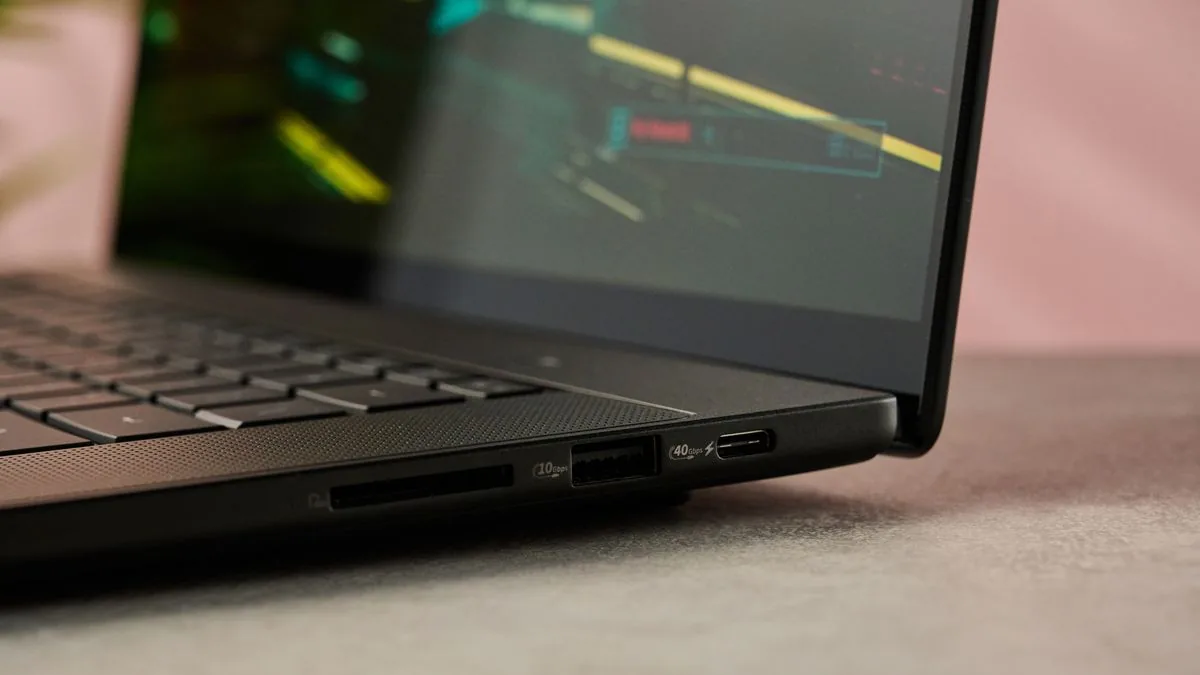
Connectivity spans both edges of the 1.77-kilogram metal chassis. Asus fitted three USB4 ports, one USB-A 3.2 port, an HDMI 2.1 connection, a 3.5mm audio jack, and an SD Express 7.0 card reader that transfers raw camera footage quickly [1]. The Asus machine weighs less than Microsoft’s competing 2-kilogram Surface Laptop Ultra. Asus chose standard USB-C charging cables without magnetic breakaway protection [2].
Input hardware features an oversized haptic trackpad and an edge-to-edge keyboard. Cale Hunt at Windows Central found that the keys provide 1.7mm of key travel, giving typists a deeper feel than the 1.4mm travel on Microsoft’s device. Senior Editor Zac Bowden called the typing feel “incredibly satisfying and not at all fatiguing” during his tests. Four Dolby Atmos speakers deliver audio [2].
Testing ProArt P16 RTX Spark in Daily Workloads
Engineers evaluating machine learning on the ProArt P16 RTX Spark saw snappy response times when handling open-source AI models. The Qwen 3 8B local model finished a standard data analysis job in about 12 minutes. Larger tasks took longer to configure. Benchmark automation runs in 3DMark required multiple 75-minute sessions before processing times dropped down to faster levels. The laptop splits tasks between local cores and cloud services, letting software developers run autonomous AI agents and complex data pipelines without relying on remote servers. Future’s test suite showed that the Hermes agentic app ran smoothly during local passes. Developers can prompt assistant bots and run data pipelines on battery power [1].
Creative benchmarks in PugetBench showed strong results across Adobe Photoshop and Premiere Pro. The Asus workstation finished slightly behind Apple’s M5 silicon on still image tests, but it edged ahead of the M5 when processing video renders. Russell tested a heavy 4K Photoshop file with clipping masks and downscaled the 2GB project in five seconds [1].
Gaming performance showed what the Blackwell GPU architecture can accomplish inside a slim chassis. The system achieved a smooth 60fps in Cyberpunk 2077 using Medium ray tracing settings, and it maintained over 110fps during battles in Gears of War: E-day [1]. In benchmark tests, the machine traded blows with the Surface Laptop Ultra, which also houses Nvidia’s new system-on-chip [2]. The graphics unit doesn’t match a desktop RTX 5080, but it outpaces conventional laptop integrated graphics by a wide margin. Gamers get desktop-level fidelity on an easy-to-carry machine [1].


Display Quality and Screen Finish
The 16-inch Lumina Pro OLED screen features a 16:10 aspect ratio and refreshes up to 120Hz. The standard model delivers a 2880×1800 resolution with 1,100 nits of peak HDR brightness, while the top configuration brings a 3840×2400 panel reaching 1,600 nits on bright scenes. Both options cover 100% of the DCI-P3 color gamut, providing deep contrast for video grading [1].
Display testing revealed clear benefits over mini-LED panels. Reviewers at Windows Central observed that the OLED panel avoids the blooming halos and dark-mode backlight ghosting seen on the Surface Laptop Ultra during dark room testing. The glass includes an anti-glare finish and an oleophobic coating that repels oily finger smudges. Asus also built in pen support for active styluses, giving artists inking tools that Microsoft omitted from the Surface [2].
The body measures 15.9 millimeters thick at its base, giving the device a slim profile despite its large screen. Josh Russell at TechRadar wrote that the smooth metal casing felt “wonderfully tactile” during typing sessions. However, he found that the display lid wobbled when touched. He stated that an Asus laptop at this premium price needs a stiffer hinge to keep the display steady [1].

Thermal Output and Fan Acoustics
Thermal imaging tracked how the cooling hardware dissipates heat. Windows Central recorded an exterior reading of 105 degrees Fahrenheit directly above the keyboard with a FLIR camera under load, staying much cooler than Microsoft’s Surface Laptop Ultra at 123 degrees. Fans ran louder. The internal fans climbed closer to 50 decibels during intense computation, whereas Zac Bowden measured fan noise at 42 decibels on the competing Surface Laptop Ultra. Daniel Rubino noted that the cooler deck prevents uncomfortable warm spots during long rendering sessions [2].
Asus fitted a 99.9Wh battery inside the chassis, which matches the legal capacity limit allowed on commercial airline flights while providing creators with extended untethered runtimes during standard day-to-day office productivity tasks. TechRadar clocked 14 hours of work. Continuous video playback drained the cell faster, dropping total battery runtimes down to 11 hours [1]. When Cale Hunt tested the machine under heavy graphics tasks with local AI loops, the battery lasted around 10 hours before requiring an AC power charger from Asus [2].
Security hardware includes an infrared sensor. Asus installed a 1080p front-facing webcam paired with human presence detection that locks Windows automatically when someone walks away from the desk, a security feature that Microsoft omitted from the Surface Laptop Ultra. Windows Central Editor-in-Chief Daniel Rubino pointed out that HP’s OmniBook Ultra carries a superior 5MP webcam, but the Asus camera still delivers dependable video quality for everyday calls. Microphones capture clean speech [2].

Retail Pricing by Configuration
Retail pricing for the ProArt P16 RTX Spark starts at $4,399.99 in the United States, £3,899.99 in the United Kingdom, and AU$7,999 in Australia for the 64GB configuration with a 3K screen. Upgrading to 128GB of RAM, a 4K display, and a 2TB SSD raises the price to $6,999.99 or £5,999.99 [1]. Windows Central also documented an entry Asus model priced at $2,799.99 with an 18-core CPU and 24GB of RAM [2].
Those price tags position the laptop against top workstation rivals. A 16-inch Apple MacBook Pro M5 Pro with 64GB of RAM sells for $2,999, while Samsung’s Galaxy Book6 Ultra with an Nvidia GeForce RTX 5070 graphics card costs $3,799.99. The MacBook provides longer battery runtimes exceeding 21 hours in lab tests, but it can’t match the broad gaming library supported by Nvidia hardware. Asus offers a single machine for creators who need both workstation software and current PC gaming titles without buying two separate computers. Buyers must decide whether unified mobile silicon justifies paying more than dedicated portable alternatives [1].
Can this high-priced machine justify its cost for mobile power users? The laptop delivers strong speed across video exports, creative suites, and local AI tools while running games smoothly on a sharp OLED screen. The hardware isn’t cheap, and the hinge has some play, but it combines tasks that previously required separate gaming rigs and creative workstations. For professionals with the budget to afford it, the laptop proves that Nvidia’s unified SoC vision can deliver real performance in the field. It sets a fresh benchmark for Windows creative portables [1].
- ONLINE NEWS Russell, J. (2026, October 28). Asus ProArt P16 RTX Spark review: Nvidia’s next-gen SoC yields stellar gaming, creative and AI power. TechRadar. [Article Link]
- ONLINE NEWS Hunt, C. (2026, October 27). I spent hours comparing Surface Laptop Ultra and ASUS ProArt P16. Here’s which RTX Spark laptop deserves your money. Windows Central. [Article Link]


