




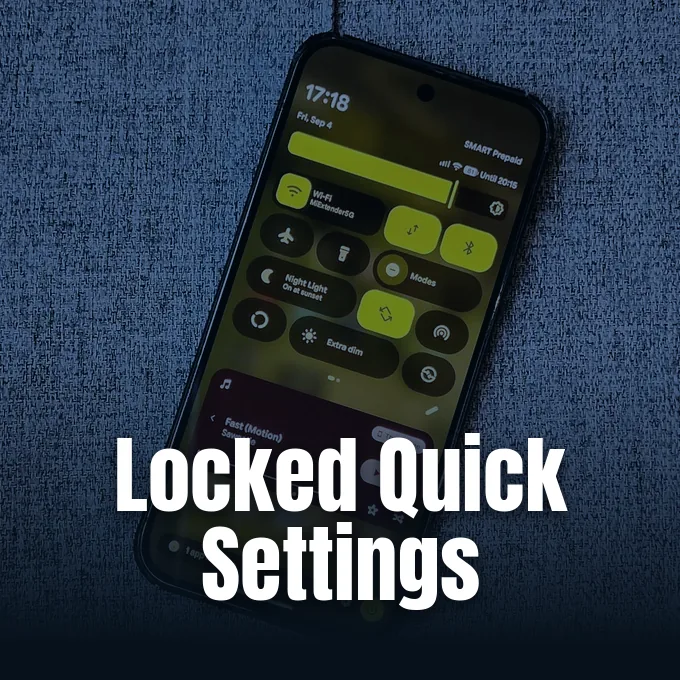
A stranger picks up an unattended smartphone and swipes downward from the top edge. With a single gesture, the pull-down shade opens to expose high-level system controls before anyone enters a security passcode. Google is now intervening in that routine theft vulnerability. The company rolled out Android Canary 2609 for eligible Google Pixel hardware, introducing a lock screen verification setting for sensitive radios. This experimental Android Canary build, carrying build number ZP11.260821.010 with the September 2026 security patch, requires biometric or PIN authentication before anyone can alter critical connectivity toggles. [1]
Android Canary 2609 Secures the Quick Settings Panel
For years, stock Android left critical connection toggles exposed on locked handsets. Anyone handling a locked Google Pixel could swipe down to inspect the Quick Settings shade and modify connection radios without verifying their identity. Google addressed lock screen exposure only after an initial device reboot, leaving handsets vulnerable throughout ordinary daily use. Rajesh Pandey of Android Police described the accessible status shade as a major security oversight that compromised hardware protection. Exposure creates immediate risk. [2]
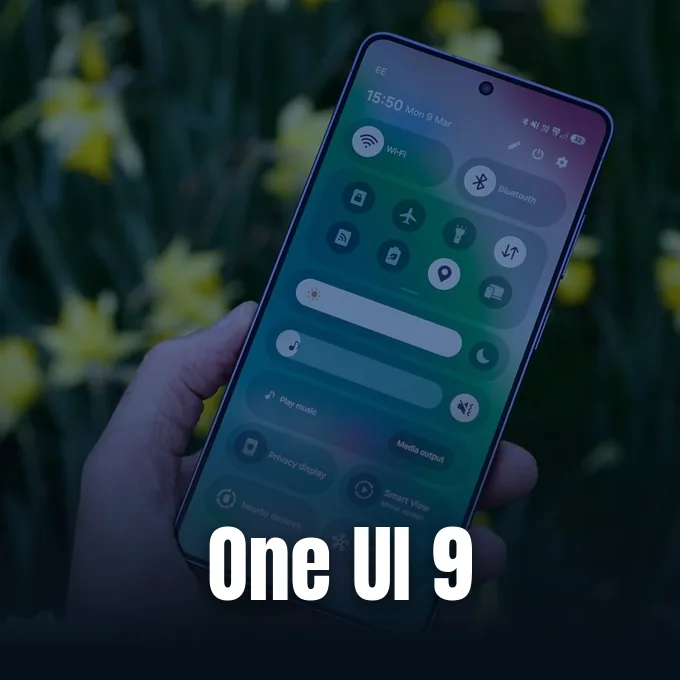
Third-party manufacturers approached this problem years earlier by locking down the entire drop-down interface. While custom skins such as Samsung One UI on Galaxy hardware have long restricted access to the Quick Settings shade from locked screens, Google takes a more selective path. Android Canary 2609 keeps the pull-down shade accessible to users while placing authentication gates around high-impact switches. Abner Li at 9To5Google observed that the shade itself opens normally on locked screens. Identity verification triggers only when someone taps an individual network tile. [1]
The operating system enforces authentication for four specific controls: Wi-Fi, Bluetooth, Mobile Data, and Airplane Mode. In contrast, low-risk tools remain readily available without a passcode (the flashlight, dark theme, and display auto-rotate controls continue to operate on the lock screen). That separation preserves quick utility for non-sensitive tasks. Convenience remains intact. [1]

Why Lock Screen Network Toggles Invite Phone Theft
When a phone disappears in a crowded public transit station or coffee shop, the first few minutes determine whether recovery remains possible. Thieves act fast. Opportunistic bad actors immediately swipe open the notification shade to activate Airplane Mode or shut down Mobile Data, isolating the handset from cellular towers. That quick evasion severs the phone from remote tracking. [3]
Why does quick shade access represent such an acute hazard for lost smartphones? As Nisha reported for NPowerUser, standard lock screen protections secure private photos and banking applications, but exposed toggles leave an open loophole that compromises Google’s Find My Device network. On September 16, 2026, Android researcher Mishaal Rahman highlighted that Android Canary 2609 delivers a global lock for Quick Settings to eliminate tracking interference. Cutting off Bluetooth proves particularly destructive because Google’s Find Hub offline finding architecture depends on nearby beacon signals to locate misplaced hardware. When a thief switches off Bluetooth and cellular connectivity, the handset turns dark before the owner can broadcast an emergency acoustic ring or issue a remote erasure command. [3]
Tobias of NetGuide – News pointed out that keeping network toggles behind biometric protection forces a stolen handset to remain connected to cellular towers as long as its battery holds charge or until a thief physically extracts the SIM card. Stricter Bluetooth management also blocks unauthorized actors from pairing rogue accessories to extract diagnostic information. By shutting down casual lock screen manipulations, Google eliminates the fastest method criminals use to hide stolen hardware. [5]
Configuring Biometric Checks for Protected Connectivity
The new protection does not activate automatically upon installation. Google ships the toggle disabled by default, requiring device owners to navigate system menus to turn on the safeguard. Protection requires manual activation. Pixel owners must open the Settings application and navigate to Display & touch followed by Lock screen. Alternatively, system menus on certain builds place the option under Security & privacy > Device unlock. There, users encounter the new “Require unlock for Quick Settings” toggle switch. [2]
Once switched on, the system enforces strict authentication boundaries across the status bar. Tapping Wi-Fi, Bluetooth, Mobile Data, or Airplane Mode produces an immediate credential challenge requesting a fingerprint scan, PIN, or pattern before executing the command. Non-sensitive tools such as Do Not Disturb or screen rotation respond instantly without prompting for identity. Handset security tightens immediately. [3]
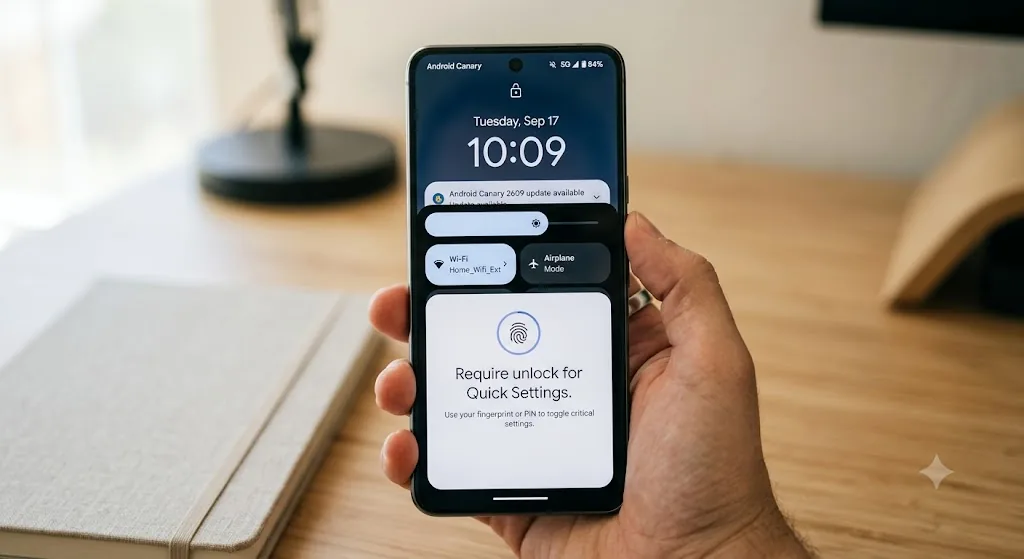
Activating the toggle creates a necessary barrier against unauthorized interference while preserving routine utility. Owners gain peace of mind without losing convenience. [3]
Supported Pixel Hardware and Canary Channel Limits
Google makes Android Canary 2609 available to an extensive selection of modern Google Pixel hardware. Eligible devices include the Pixel 10a, Pixel 10, Pixel 10 Pro, Pixel 10 Pro XL, Pixel 10 Pro Fold, together with previous generations spanning the Pixel 9 series, Pixel 8 family, Pixel 7 lineup, and Pixel 6a. Handset owners can also install the release on the original Pixel Fold and Pixel Tablet. However, Google officially dropped Canary channel support for the older Pixel 6 and Pixel 6 Pro. Two notable exceptions remain on the schedule: the Pixel 9a over-the-air update will arrive later, while support for Pixel 11 hardware will roll out with the next Canary release. [1]
Should everyday Pixel owners flash this build onto their primary smartphones? The answer is no. Canary releases represent raw, bleeding-edge development builds designed primarily for platform developers and early software testers. The code contains unresolved performance bugs, battery drains, and unexpected application crashes. Both 9To5Google and Android Police warn that Canary builds are not stable enough for daily use. Users should keep experimental builds confined to secondary testing handsets. [2]

The rapid rollout of experimental testing highlights Google’s ongoing focus on mobile security architecture. Earlier in the year, Google Pixel phones patched a zero-click modem flaw (a critical baseband vulnerability allowing remote payload delivery) to harden underlying communication radios. This Canary preview continues that protective effort at the lock screen level. Hardware defenses advance step by step. [2]
Future Feature Drops and Notification Intelligence
Beyond lock screen security, Android Canary 2609 incorporates several functional adjustments discovered in development branches. Abubakar Mohammed of Beebom Gadgets reported that the release integrates features originally developed in Android 17 QPR2 Beta 5. The build adds an Audio Streams tile directly into the Quick Settings grid while moving the existing Voice broadcast tile from system applications into the dedicated Connectivity section. On older hardware such as the Pixel 8, Google is also testing Notification Intelligence (a consolidated interface housing incoming alerts and the existing Notification Cooldown tool). [4]
The arrival of these features follows a structured transition across Google’s release branches. Google recently concluded Android 17 QPR1 testing and delivered the official September 2026 Pixel Feature Drop to consumers. With those stable deliverables complete, engineering attention shifted toward forward-looking experiments. Abubakar Mohammed noted that given the significance of the Require Unlock toggle, the protective safeguard could roll out in upcoming Android 17 QPR2 Beta releases fairly soon. If testing reveals no critical stability bugs during beta evaluation, Google could distribute the feature broadly across eligible hardware in the December 2026 Pixel Feature Drop. [4]
Until Google delivers those stable updates, the lockable Quick Settings toggle remains restricted to participants in the experimental Canary channel. Waiting is required. Pixel owners who rely on their devices for daily business must wait for subsequent public beta releases or the formal quarterly platform drops scheduled for consumer rollout. Build ZP11.260821.010 confirms that Google has finally recognized the acute risks of exposed status toggles, setting up a significantly safer default experience for future Android updates across the hardware ecosystem. [4]
- ONLINE NEWS Li, A. (2026, September 16). Android Canary 2609 adds ‘Require unlock for Quick Settings’ on Pixel. 9To5Google. [Article Link]
- ONLINE NEWS Pandey, R. (2026, September 17). Your Pixel’s biggest lock screen security hole is getting patched. Android Police. [Article Link]
- ONLINE NEWS Nisha. (2026, September 17). Android Canary 2609 adds huge security upgrade: Lock screen Quick Settings switch is here. NPowerUser. [Article Link]
- ONLINE NEWS Mohammed, A. (2026, September 17). Android Canary 2609 update arrives with this most awaited Android security feature for Pixel phones. Beebom Gadgets. [Article Link]
- ONLINE NEWS Tobias. (2026, September 16). Android to require unlock for Quick Settings. NetGuide – News. [Article Link]


