





Computer storage setups join several disk drives into one logical unit through redundant arrays of independent disks. In this guide with raid levels explained, storage pools distribute files over member drives using striping, mirroring, and parity to balance speed, raw space, and hardware safety. A host system sees these grouped drives as a single drive. Users read and write data in parallel or keep spare copies on hand. Because mechanical drives can fail during everyday server operations, choosing the right configuration depends on whether an application needs fast data transfer rates or dependable protection against sudden disk breakdown [9].
What Are RAID Levels?
The idea of binding multiple hard drives into arrays began at the University of California, Berkeley in 1987. David Patterson, Garth Gibson, and Randy Katz introduced the method in their June 1988 paper at the SIGMOD Conference. Mainframe installations had long relied on single, large, expensive disks known as SLEDs. Mainframe disks cost huge sums and failed without warning. Patterson and his colleagues argued that coordinated arrays of cheap personal computer disks could easily outperform large mainframe drives while keeping hardware replacement costs significantly lower for growing commercial data centers. Because drive failure rates grow when more disks run together, the Berkeley team added mathematical redundancy to protect stored files, fixing read errors automatically and keeping enterprise servers online during unforeseen hardware faults [9].
Early storage hardware from IBM, DEC, and Tandem NonStop Systems used mirroring and parity long before the Berkeley classifications. Tandem NonStop Systems deployed mirrored storage in the 1970s, while Norman Ken Ouchi at IBM patented block-level parity disk arrays in 1977. In 1988, Unisys Corporation patented an array of 39 disks using Hamming code ECC for RAID 2. Later, the RAID Advisory Board in 1992 changed the acronym to independent disks [9].
Storage hardware today complies with rules set by the Storage Networking Industry Association under the Common RAID Disk Drive Format standard. Numerical levels indicate layout patterns rather than quality ranks. RAID 6 is not simply better than RAID 1. Each standard level establishes distinct tradeoffs between raw storage capacity, drive count, rebuild speeds, and overall fault tolerance, ensuring system administrators can match disk arrangements to specific operational workloads [10].

Three Core Storage Methods
Every array setup relies on striping, mirroring, or parity. Striping chops files into sequential chunks and spreads them across separate disks so that multiple drive heads read and write data simultaneously, speeding up large file transfers. But pure striping holds no redundant blocks, so one dead disk ruins the whole volume [4].
Mirroring duplicates data by writing identical copies to two or more disks at once. When a system writes a block to a mirror, the drive controller writes the exact same bits to the partner disk. Mirrored disks deliver strong read speeds because the system can read different data blocks from either drive at the same time. Write speed does not gain any boost and matches the pace of the slowest drive in the group. The main cost is lost capacity, since half of all disk space holds duplicates. If a server has two 10TB drives in a mirror, usable space is 10TB, but files stay safe if one drive breaks. Database administrators configuring Synology or QNAP NAS units frequently choose mirrored disks when continuous uptime and immediate read access outweigh raw storage efficiency [4].
Parity uses simple math to guard data without losing half the array space. The system calculates parity by running exclusive-OR operations on data bits from member disks. If one drive fails, the controller recalculates the missing bits from the remaining disks and the parity data. Controllers run a read-modify-write cycle during small updates, reading old data and old parity before writing new values back to the platters [1].
Standard RAID Levels: Striping Versus Mirroring
RAID 0 uses block-level striping across two or more disks for peak speed. Because the array keeps no parity blocks and makes no duplicate copies, all raw disk space remains completely usable for files, meaning two 10TB drives provide 20TB of space and double the sequential throughput of a single drive. Zero fault tolerance makes this dangerous. If a single disk stops working in a stripe set, files spread in fragments across the drives become corrupt and cannot be saved without an external backup copy [7].
Failure risks grow quickly as more drives join a stripe set. If one disk has an annual failure rate of 3%, a two-drive stripe set faces an annual failure risk of about 5.91%. That makes RAID 0 fit only for temp render scratch space, game caches, or test benches [4].

RAID 1 relies on mirroring to keep data safe on two or more disks. If one drive fails completely, the array stays up and serves files from the surviving disk without a pause. Read tasks can run in parallel from either disk, but write speed stays bound to the pace of a single disk. Usable capacity is exactly 50% of raw disk space. For small business servers, accounting records, and boot drives, administrators pick RAID 1 because it provides dependable protection without requiring complex mathematical parity calculations during hardware recovery [7].
How Parity Works in RAID 5
RAID 5 shares data blocks and parity across at least three drives. Rather than using a dedicated parity disk, it rotates parity blocks using a left-symmetric parity distribution. Left-symmetric rotation removes the write bottleneck that slowed down older RAID 4 systems, allowing concurrent reads across all installed disk drives [1].
Usable space in RAID 5 follows the formula (n-1)/n, where n is the count of drives in the array. Four 10TB drives give 30TB of usable space, keeping 75% of raw capacity while surviving the loss of one drive. But small random writes face a steep speed penalty. To update a single block, the drive controller must read the old data and the old parity, compute the new parity, and then write both blocks back to disk. This read-modify-write cycle creates four disk reads and writes for every small update. Replacing a failed drive forces the system to read every sector on the surviving disks to rebuild the missing data, which can strain server disks for many hours [5].
RAID 6 adds a second parity block across at least four drives, allowing the array to survive two dead disks at the same time. It uses two separate math algorithms, combining XOR with Reed-Solomon codes. Usable space follows (n-2)/n. Small writes need six disk operations to update both parity blocks, which slows write speed but gives much stronger protection during drive rebuilds [1].


Nested RAID Levels Explained: Stripe Layouts
Nested storage arrays combine two basic setups to get speed and strong fault tolerance. In this overview of raid levels explained, RAID 10 stands out as the most common nested setup in production servers. It builds a stripe of RAID 0 across multiple RAID 1 mirrored pairs. A basic RAID 10 array needs at least four disks and provides 50% usable capacity. Because data writes go to mirrored pairs without calculating parity, the array forms a stripe of mirrored pairs that reads and writes data at high speed. Rebuilding a failed disk is fast because the controller only copies data from the surviving mirror mate, avoiding the heavy mathematical workload required by parity recalculation [11].
Disk layout differences between RAID 10 and RAID 01 change how arrays handle multi-drive faults. RAID 01 creates a stripe of mirrors where losing one disk breaks a whole stripe set. In an eight-disk array, losing a second drive kills RAID 01 in 4 out of 7 cases, but kills RAID 10 in only 1 out of 7 cases [11].
RAID 50 combines block striping with distributed parity across at least six disks. For example, three three-disk RAID 5 sets can be striped together into one large pool. The array can survive three dead disks as long as each failure hits a different RAID 5 group. Database administrators running virtual machines on TerraMaster or Asustor hardware often deploy RAID 50 arrays because they deliver high capacity with resilient write performance [11].

Hardware Versus Software Implementations
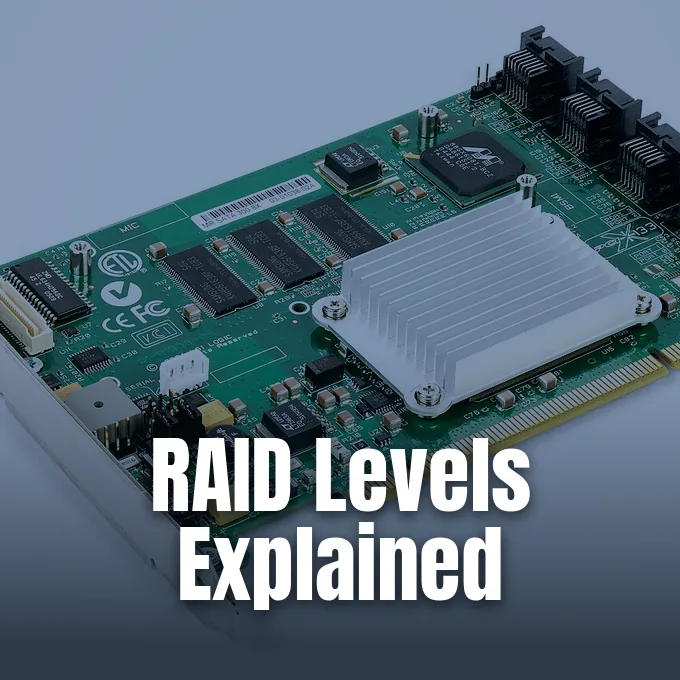
Storage arrays run on hardware cards or software. A hardware RAID card plugs into a PCIe slot on the motherboard, using its own processor and RAM to calculate parity math independently so that the host CPU remains free from storage overhead. Cache memory has battery backup. Server controllers also handle hot-swap drive bays smoothly in enterprise chassis, letting system technicians replace dead disks without turning off server power [4].
Software RAID runs on host CPUs through kernel tools like Linux mdadm or FreeBSD GEOM. Patrick Schmid, who edited Tom’s Hardware from 2005 to 2006, tested software RAID 5 in Windows XP, writing that users recovered damaged volumes by importing member drives into Windows Server 2003 [2].
Firmware arrays, often called fake RAID, sit on consumer motherboards from Intel, AMD, and Nvidia. They use BIOS or UEFI menus to configure disk pools, but the host CPU still runs the RAID math through vendor drivers. Firmware arrays often break during operating system updates and offer weak repair tools compared to mature software packages. Business deployments avoid firmware RAID in favor of true hardware cards or native software pools [4].
Rebuild Risks on Large Disks
In the early days of RAID, small disk capacities kept array rebuild times short. In 1994, a typical 4GB server hard drive ran at 9 MB/s, letting a parity rebuild finish in just a few hours. Storage expert Henry Newman pointed out at Enterprise Storage Forum that hard disk storage density grew by more than 300 times over the next 15 years, while drive transfer speeds improved by only about 20% each generation. Growing density gaps between platters and transfer channels mean high-capacity arrays take days rather than hours to finish a rebuild [8].
Large drives face serious risks during long rebuild windows. For example, rebuilding a Seagate Exos M 30TB drive running at 275MB/s takes over a full day under ideal conditions. Consumer SATA drives report an unrecoverable read error rate of one bit in 10^14, which hits every 12.5 TB read [3].

If a second drive hits an unreadable sector during a RAID 5 rebuild, the whole array crashes. High rebuild danger prompted storage engineers to build stronger codes. In 2012, researchers extended Row-Diagonal Parity to create triple parity schemes that guard against three drive failures using XOR math across three parity disks. In distributed cloud environments, Dhruba Borthakur helped develop HDFS-RAID with erasure coding, saving 25% to 30% storage space while preserving fault tolerance [13].
Why RAID Levels Explained Exclude Backup Protection
Many computer users mistakenly believe that running a RAID array replaces backups. Disk redundancy in standard arrays guards only against drive hardware failure. It cannot stop file deletion, ransomware, or bugs from wiping out data across all disks [7].
Physical accidents and electrical problems can also wreck an entire array in seconds. A bad power supply can send high voltage to every drive bay at once, destroying all disks simultaneously. Fire, flood, or theft can steal or destroy the whole server enclosure without warning. A complete defense requires a 3-2-1 backup strategy, keeping three copies of data on two different storage media, with at least one copy stored offsite in cloud storage. RAID keeps systems running through hardware faults, but independent backups ensure data recovery after disaster strikes [7].
Storage choices match tasks. RAID 1 and RAID 10 deliver fast read access and straightforward recovery for critical transactional databases, while large storage pools built on high-capacity spinning disks rely on RAID 6 dual parity to survive prolonged drive rebuilds without losing data. Layered with regular offsite backups, properly chosen array designs keep systems online and protect files against catastrophic hardware breakdown [5].
- WEBSITE Koren, I. Basic RAID Organizations. University of Massachusetts Amherst. [Article Link]
- ONLINE NEWS Schmid, P. (2004, November 19). Using WindowsXP to Make RAID 5 Happen. Tom’s Hardware. [Article Link]
- ONLINE NEWS StorageReview.com. (2026, August 10). What is RAID? StorageReview.com. [Article Link]
- WEBSITE Dancuk, M. (2025, May 15). RAID Storage: Definition, Types, Levels Explained. Knowledge Base by phoenixNAP. [Article Link]
- WEBSITE Server Configurator. (2026, August 6). RAID Levels Explained: 0, 1, 5, 6, 10 for Servers (2026). Server Configurator. [Article Link]
- WEBSITE Nizam Ud Deen. (2026, June 6). RAID Levels Explained: 0, 1, 5, 6, 10 Compared. TheCoreiTech. [Article Link]
- WEBSITE Prime Tech Support. (2026, July 29). RAID Levels Explained: RAID 0 vs RAID 1 vs RAID 5 vs RAID 6 vs RAID 10. Prime Tech Support. [Article Link]
- ONLINE NEWS Newman, H. (2009, September 17). RAID’s Days May Be Numbered. Enterprise Storage Forum. [Article Link]
- WEBSITE Wikipedia. RAID. Wikimedia Foundation. [Article Link]
- WEBSITE Wikipedia. Standard RAID levels. Wikimedia Foundation. [Article Link]
- WEBSITE Wikipedia. Nested RAID levels. Wikimedia Foundation. [Article Link]
- ACADEMIC JOURNAL Blaum, M., Hafner, J. L., & Hetzler, S. R. (2013). Partial-MDS Codes and Their Application to RAID Type of Architectures. IEEE Transactions on Information Theory, 59(7), 4510-4519. [Article Link]
- ACADEMIC JOURNAL Goel, A., & Corbett, P. F. (2012). RAID triple parity. ACM SIGOPS Operating Systems Review, 46(3), 41-49. [Article Link]
- WEBSITE Borthakur, D. (2009, August 28). HDFS and Erasure Codes (HDFS-RAID). Hadoop Blog. [Article Link]
- WEBSITE FreeBSD Documentation Portal. (2022, March 1). Chapter 22. GEOM: Modular Disk Transformation Framework. FreeBSD Documentation Portal. [Article Link]
Cover image: Dmitry Nosachev / Wikimedia Commons, CC BY-SA 4.0


