



Google added native support for Markdown (.md) files in Google Docs and Google Drive on October 5, 2026, letting users open, edit, and preview formatted documents without converting them into standard office formats [1]. The update brings built-in compatibility for plain text files that previously opened as raw syntax or asked for manual file conversions inside Google Workspace [3]. Now, Google Docs Markdown editing lets people collaborate in real time while preserving headings, links, and structured tables [2].
Native Google Docs Markdown Editing Arrives
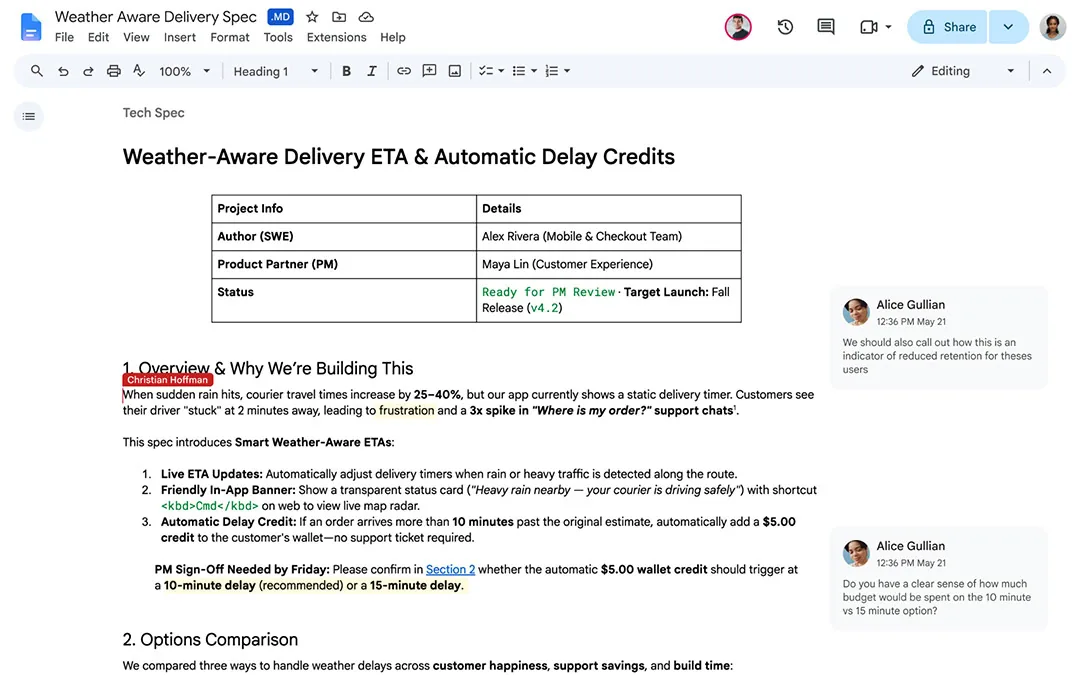
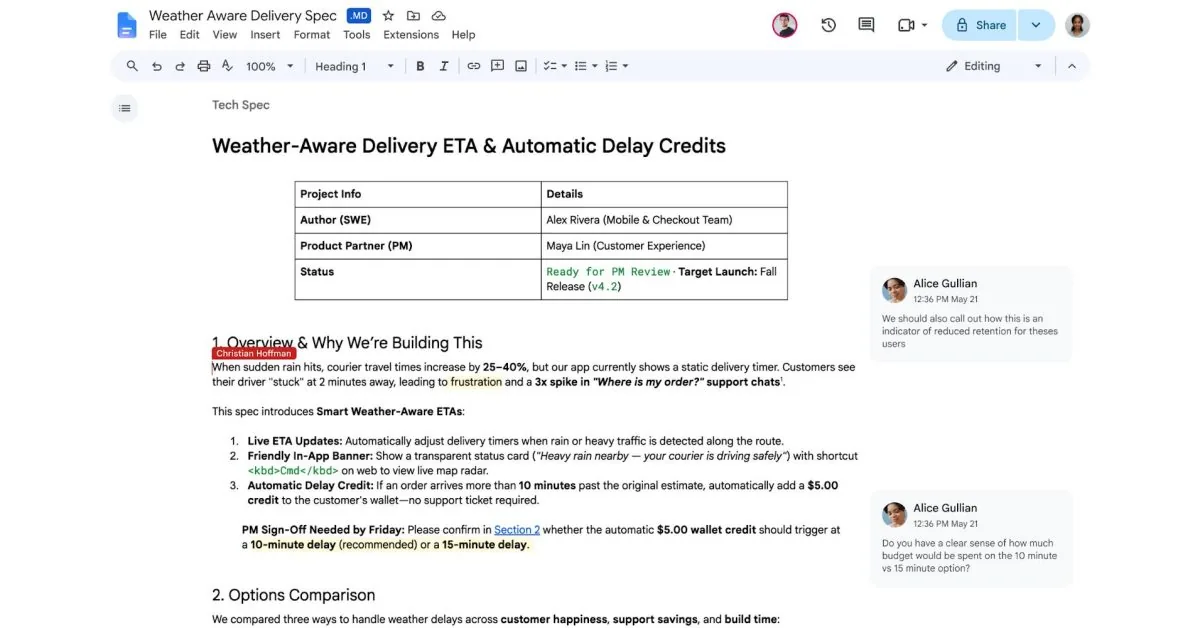
For years, people who drafted text in lightweight markup tools had to convert their files into standard Google Docs formats before sharing them with colleagues. That extra step often broke simple layouts or created duplicate files inside cloud storage folders [3]. With this update, users can open .md files straight inside Google Docs and edit them using standard keyboard shortcuts or menu options, making it easy to draft clean text while keeping team feedback in one shared location [1]. That saves cloud storage [3].
Google said that “Editing Markdown files in Docs also enables both users and agents to collaborate without forcing anyone to write raw syntax, handle manual file conversions, or give up Docs’ real-time editing and commenting tools” [1]. That statement points to a clear design choice behind the change. Instead of treating Markdown as an export choice, Google Docs handles the syntax natively and keeps document history intact during joint editing sessions. The software lets team members collaborate in real time side by side without losing track of changes. Real-time co-authoring works smoothly [3].
Writing in Markdown relies mostly on plain keyboard input, which helps writers stay focused without clicking through deep formatting menus [2]. The editor renders syntax elements on the fly, showing styled text while preserving underlying document structure. For teams working in mixed environments, Google Docs Markdown compatibility cuts down the friction of passing notes back and forth between different editors [3]. Craig Hale of TechRadar Pro reported that the change helps both technical and non-technical staff. Craig Hale confirmed the rollout [1].
Previewing Rendered Files in Google Drive
How do these rendered files look inside shared folders? Habits inside Google Drive change. Previously, clicking a .md file in Google Drive opened a basic text view that stripped away visual hierarchy and hid styling. Under the new update, Google Drive displays rendered Markdown files as clean previews complete with clickable links, headings, subheadings, and tables, letting readers review full documents without having to download separate viewing utilities or switch between third-party office viewers [2].
The preview viewer processes structured tables and bulleted lists without needing third-party add-ons or browser plug-ins [2]. This change means people browsing shared folders can read documentation, project notes, or readmes just like standard documents. If someone needs to make quick adjustments, they can jump straight from the Google Drive preview into Google Docs with a single click [3]. The transition feels fast because it doesn’t force a file conversion in the background.
Rendering files visually while keeping their syntax intact helps prevent clutter in team storage folders. Users won’t need to save one copy as a .docx file and another as a .md file just to read formatted tables. Google Drive Markdown viewing keeps the original file extension while giving readers a formatted layout [1]. It simply presents the file as it was intended to be seen [2].

Bridging Human Writing and AI Agents
The rise of automated tools played a big role in Google’s decision to support .md files in its productivity software, especially as more teams rely on language models to generate outlines, code explanations, and documentation drafts during their daily work [1]. Large language models (LLMs) and automated coding helpers work naturally with Markdown because the syntax is compact, easy to parse, and light on token counts [2]. Engineering VP Chandu Thota said in an X post that “Markdown has become the common language between humans and AI agents” following the announcement [1]. By treating Markdown as a first-class citizen, Google lets automated agents generate formatted content that human editors can review and adjust right away without wrestling with conversion errors, broken tags, or mismatched layout rules [3]. Akshay Gangwar of Android Authority reported that AI users benefit immediately from this shared syntax. Android Authority confirmed the shift [2].
Because AI assistants often draft text and generate code summaries in Markdown, handling the format natively removes a persistent translation step [1]. People who rely on Gemini or other assistant tools in Google Docs can now generate documents without manually fixing broken formatting, stripping out unwanted syntax tags, or correcting spacing issues during review sessions [2]. Chandu Thota shared the news [1].
When an automated agent drafts a project proposal or updates an engineering log, team members can review the draft and refine it using standard Google Docs tools [1]. The software lets automated agents and human writers edit the same document without forcing either side to change how they write. That balance makes Google Docs Markdown integration a practical step for software engineering teams [3]. It bridges the gap between raw text output and styled documents.
Working with Tools Like Obsidian and Gemini Notebook
Many writers and developers create their notes in desktop tools such as Obsidian before sharing work with larger project groups [2]. In the past, moving those files into Google Drive often meant converting them into proprietary document types that broke links to local folders or made version tracking difficult [3]. Now, a user can import files created in Obsidian straight into Google Docs, keep formatting intact, and share them with teammates without converting anything. Obsidian files open without conversion [2].
Cloud connectivity also links these text files to other parts of the Google Workspace software ecosystem, such as syncing with Gemini Notebook. Collaborators can connect markdown research notes to current projects while keeping raw syntax readable in local coding tools. To keep work connected between devices and web sessions, Google Chrome tab sharing preserves scroll state across connected devices as workers switch between browser tabs and online documents [3]. That keeps team projects moving smoothly without lost context.
Google has also rolled out Google Workspace features such as Gmail Live, Docs Live, and Keep Live to improve real-time document handling in its cloud platform. Together with these live collaboration services, Android has added local document backups that sync to Google Drive, helping offline notes reach cloud storage safely [3]. With Google Docs Markdown support in place, local documents and cloud drafts can stay in sync without formatting surprises [2]. The setup cuts down redundant file duplication between services.
Rollout Timeline for Google Docs Markdown
The new file support is rolling out gradually to all Google Workspace customers and personal Google account holders [2]. Google began the release on October 5, 2026, and said the update could take up to 15 days to reach all accounts worldwide [1]. Ben Schoon of 9to5Google reported that the release timeline applies to global users. That means some users will see rendered previews right away, while others might wait until the middle of October to access the new viewing and editing options across their connected personal devices [3].
Account administrators won’t need to change domain settings or toggle hidden feature flags to turn on the update. Google enables the feature by default, even on admin-controlled Google Workspace accounts, so users don’t have to ask IT departments for permission to open .md files [3]. The update also ties into Google’s wider cloud storage infrastructure, which previously saw updates like Samsung Gallery sync for Google Photos backup to help users manage personal files in cloud storage [2]. Setup takes no IT effort [3].
Once the rollout finishes, users on both free personal accounts and paid Google Workspace tiers will be able to manage .md files without friction [2]. By removing file conversion hurdles and keeping formatting intact, Google Docs Markdown support creates a practical workspace that enables productive teamwork for both human collaborators and automated software assistants alike [1]. Writers and teams can now keep their documents in a single, open format that works smoothly inside local editors and cloud drives [3].
- ONLINE NEWS Hale, C. (2026, October 6). Spurred on by AI usage, Google Docs and Drive now support markdown files natively. TechRadar. [Article Link]
- ONLINE NEWS Gangwar, A. (2026, October 6). Google adds support for Markdown files in Google Docs and Drive. Android Authority. [Article Link]
- ONLINE NEWS Schoon, B. (2026, October 5). Google Docs and Drive now support markdown files natively. 9to5Google. [Article Link]


