





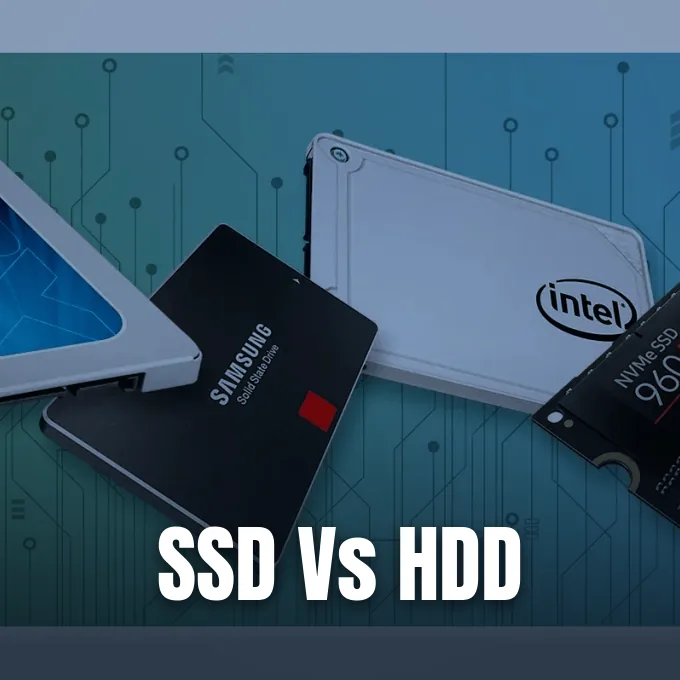
A solid-state drive stores digital data on silent silicon flash chips, but a hard disk drive writes bits onto spinning platters using a rapid actuator arm. The core operational gap comes down to moving parts versus solid circuitry. An SSD accesses files in fractions of a millisecond because electrical charges move without delay, but an HDD must spin platters and position a head over data tracks. This SSD vs HDD explained guide compares transfer speeds, drive endurance, power draw, and storage costs for computing platforms. PCWorld hardware specialist Marco Chiappetta tested both drive categories to evaluate real-world system responsiveness [1].
- SSD vs HDD Explained: Core Structural Differences
- Platters, Spindles, and Moving Arms in Hard Drives
- How Flash Cells Store Bits in Silicon
- How HDD vs SSD Performance Divides Common Tasks
- Capacity Limits and Storage Cost per Gigabyte
- Evaluating SSD vs HDD Longevity Under Heavy Loads
- Hybrid Drives with Layered Memory Caching
- System Maintenance Rules for Flash Storage
SSD vs HDD Explained: Core Structural Differences
The architecture of computer storage split into two paths when flash memory chips began challenging spinning disks. Magnetic data storage began during the mid-twentieth century when the IBM 650 RAMAC introduced magnetic platters to hold records for mainframe computing [6]. Bell Laboratories had laid the foundation for solid-state electronics when John Bardeen, Walter Houser Brattain, and William Shockley invented the transistor in 1947. Hard drives still use that rotating magnetic concept, pairing aluminum or glass platters with magnetic coatings and movable actuator arms. In contrast, an SSD relies on integrated circuits soldered onto a printed circuit board, using non-volatile NAND flash chips to retain information when power drops [10].
Motors and flying read heads define disk operation. If a laptop takes a sudden blow when platters spin at full throttle, the floating head can crash straight into the recording surface to ruin magnetic data sectors and corrupt system partitions. Silicon flash cells eliminate that hazard by storing bits on semiconductors without moving parts [3]. Drives from Crucial and SanDisk run in total silence because electrical gates generate zero acoustic vibration [15].
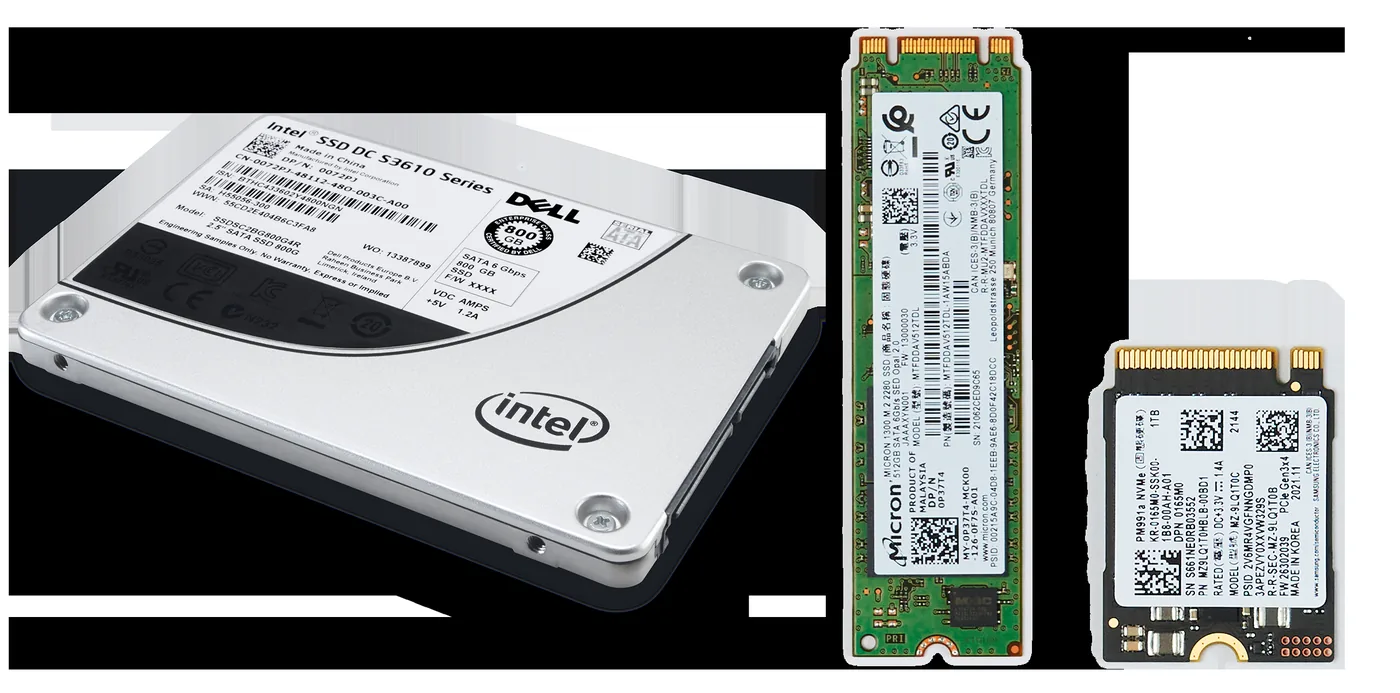
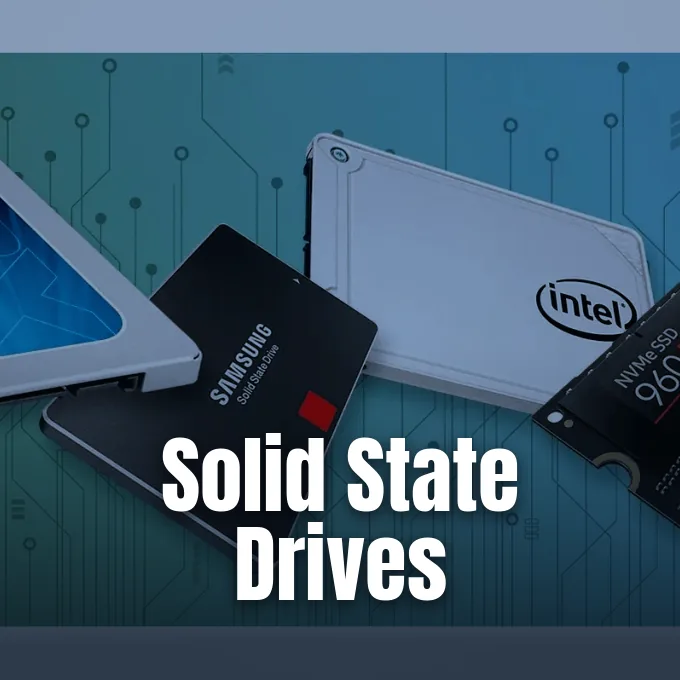
Drive dimensions follow distinct computer formats. Standard desktop units from Western Digital fit 3.5-inch drive bays, but laptops and external portable drives rely on smaller 2.5-inch casings [3]. Early consumer SSDs copied the 2.5-inch SATA casing to replace older hard drives, but newer hardware uses compact M.2 gumstick boards that plug straight into motherboard slots. Dell and HP build performance laptops around M.2 boards measuring 22 millimeters wide and 80 millimeters long in the 2280 format, freeing up interior space while shedding chassis weight [7].
Platters, Spindles, and Moving Arms in Hard Drives
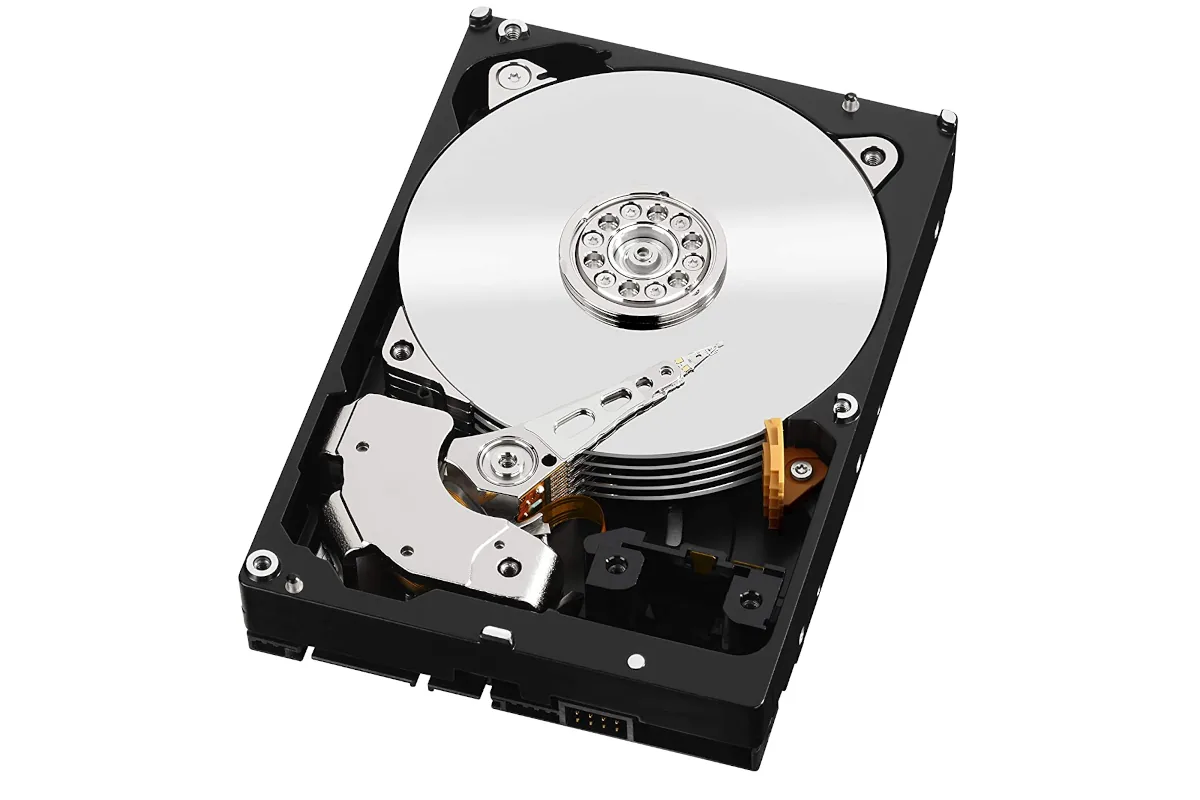
Inside a hard drive, circular platters spin on a central spindle at fixed motor speeds. Most consumer desktop models from Western Digital and Seagate spin at 5,400 RPM or 7,200 RPM, but enterprise units spin faster in sealed enclosures filled with helium gas [1]. As these magnetic platters spin beneath the actuator arm, the drive head floats on a thin cushion of air just nanometers above the recording layer. Magnetized bits flip polarity to represent binary ones and zeros along microscopic concentric tracks, organized into sectors that store blocks of files [2]. Seagate Barracuda Pro Compute drives pack multiple platters to reach double-digit terabyte capacities [1].
This spinning design creates rotational latency and seek delay. When Microsoft Windows requests a file, the actuator arm must swing over platters to reach the target track, and then wait for the platter to rotate the sector under the head. Even the fastest 7,200 RPM drives need a sub-8ms access window to complete this movement. When PCWorld tested storage hardware with ssd vs hdd explained through access patterns, the rotational delay of actuator arms stood out [1]. Fragmented files force heads to jump repeatedly, dragging down system response [2].
Motor rotation consumes electricity. Disk motors draw substantial wattage when spinning up magnetic platters from a dead stop, and keeping those disks spinning at several thousand revolutions per minute draws roughly 6 to 7 watts under load. In contrast, idle solid-state storage sips minimal electricity. Heat output follows this power draw curve [7].
How Flash Cells Store Bits in Silicon
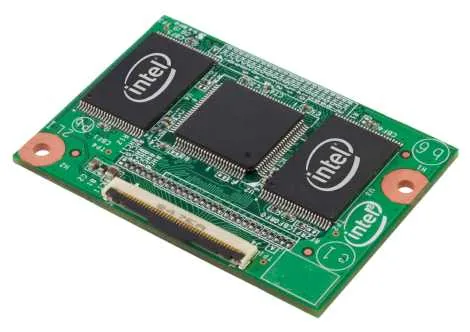
Instead of rotating platters, solid-state drives store data electronically inside silicon NAND flash memory chips. Each NAND die contains a grid of blocks, and each block subdivides into smaller pages that hold data in floating-gate or charge-trap transistors [6]. Floating gates trap electrons using specific voltage pulses, preserving the stored charge even when power cuts out. Because electrons move swiftly through silicon channels, an SSD avoids mechanical seek delays, allowing near-instant file access [3].
Flash memory density depends on how many bits fit into each microscopic cell. Single-Level Cell (SLC) technology stores just one bit per cell, delivering high write speeds and endurance at premium cost. Multi-Level Cell (MLC) distinguishes four separate electric charge thresholds to map two bits into each transistor cell [15]. Triple-Level Cell (TLC) holds three bits, but Quad-Level Cell (QLC) stores four bits to maximize drive capacity at lower prices [3]. To overcome planar limits below 15nm where electrons leak between adjacent cells, manufacturers like Intel and Micron developed 3D NAND, stacking dozens of cell layers vertically on a single die [15].
An embedded controller acts as the onboard processor for the SSD, routing data through memory channels and running firmware algorithms [10]. Flash cells cannot overwrite existing data; an entire block must be erased before pages receive new writes. The controller handles wear leveling to distribute writes across all cells, background garbage collection to reclaim stale blocks, and error correction codes like LDPC to fix bit drift [12]. Researchers like Chen, Hou, and Lee proved that controllers use internal parallelism through memory channels to accelerate complex write commands [10].
How HDD vs SSD Performance Divides Common Tasks
Raw transfer speeds show a massive gap between spinning platters and flash storage. Hard disk drives top out at sequential read and write speeds between 80 MB/s and 160 MB/s, with top 7,200 RPM models reaching roughly 200 MB/s on outer tracks [1, 3]. In contrast, SATA III solid-state drives reach approximately 560 MB/s, completely saturating the SATA bus bandwidth. When using Non-Volatile Memory Express protocols over the PCIe bus, newer SSDs bypass legacy bottlenecks entirely, with PCIe 3.0 drives exceeding 3,000 MB/s and PCIe 4.0 models surpassing 7,000 MB/s in sequential data transfers [1, 6]. NVM Express workgroup members Samsung, Intel, and Seagate built the NVMe standard to unlock flash bus throughput [6].
Random input and output operations per second (IOPS) dictate daily responsiveness. A hard drive handles around 75 to 100 IOPS due to actuator arm travel time. Solid-state storage handles hundreds of thousands of simultaneous operations [2]. In daily computing that keeps ssd vs hdd explained in practical terms, this IOPS advantage stops system stuttering during heavy background downloads [4].
These hardware metrics directly reshape common computing experiences. Operating systems like Windows 11 and Apple Mac OS boot in 10 to 15 seconds on an SSD, compared to 30 to 40 seconds on an HDD. Demanding applications like video editing suites load in under 15 seconds on flash storage, but rotating disks take upwards of 40 seconds to assemble code [4]. Gamers on HP OMEN and HP ENVY desktops experience shorter loading screens and seamless asset streaming in open-world titles, where slow platters would otherwise cause texture pop-in [7].
Capacity Limits and Storage Cost per Gigabyte
Bulk storage capacity favors magnetic platters. Consumer internal drives from Western Digital and Seagate reach 10TB, 16TB, and 20TB capacities without steep price spikes, whereas consumer SSDs typically cap out around 4TB or 8TB before prices climb steeply for everyday PC buyers [1, 4]. Enterprise data centers rely on multi-terabyte disk arrays for vast secondary archives [4].
Price per gigabyte shows why both storage technologies coexist in modern personal computing. High-capacity hard drives, such as the WD Black 4TB or Seagate Barracuda Pro 10TB, cost as little as $0.03 per gigabyte. Popular consumer solid-state drives, such as the 1TB Samsung 870 EVO, run around $0.14 per gigabyte, but mainstream NVMe PCIe 4.0 drives range between $0.075 and $0.20 per gigabyte [1, 5, 8]. Although the cost gap continues to narrow as NAND fabrication expands in Asian foundries, flash storage stays roughly two to four times costlier per unit of space [8]. Budget builds often pair both drive types to balance budget and performance [1].
Market history shows how manufacturing disruptions influence storage pricing dynamics. Following catastrophic floods in Thailand during late 2011, hard drive production slowed, causing HDD prices to double per gigabyte during the holiday quarter. IHS analyst Fang Zhang observed that the hard drive market required several years to stabilize following the disaster. Over that same period, SSD prices dropped in European markets tracked by Idealo research, falling by nearly a quarter during 2012 alone [9].
Evaluating SSD vs HDD Longevity Under Heavy Loads
Hardware resilience represents a sharp dividing line between spinning platters and silicon circuitry. Because an SSD lacks delicate moving parts, it withstands impacts of up to 1,500G, making it resilient against drops and vibration in portable laptops like the HP ENVY [8]. An HDD subjected to sudden impacts while running risks a catastrophic head crash, where the read head strikes the magnetic platter and permanently destroys stored sectors [2]. Annualized failure rates reflect this disparity, with SSDs experiencing failure rates between 0.5% and 1.5%, compared to 2% to 4% for hard disk drives [8]. Dell US technicians advise mobile users to adopt flash storage for field work [3].
Drive wear mechanisms operate differently across each medium. Magnetic disks do not suffer from write-cycle degradation, meaning sectors can be rewritten indefinitely without wearing out the recording surface [5]. Flash memory cells, however, endure wear with each program and erase cycle. Drive makers quantify this lifespan using Terabytes Written (TBW) metrics standardized by JEDEC JESD218 [10, 13]. A 1TB Samsung 970 EVO carries an endurance rating of 600 TBW [10].
Long-term unpowered data retention reveals an unexpected trade-off for cold archive storage. Magnetic platters hold polarity states reliably for years when disconnected in a dry environment. In contrast, unpowered NAND flash chips gradually leak trapped electrical charges over extended periods. Consumer SSDs left unpowered in storage closets for one to two years can experience bit rot and data loss [10]. Field studies reviewed in Proceedings of the IEEE confirm that while SSDs stay reliable during daily use, unpowered archival tasks still benefit from magnetic media [13].
Hybrid Drives with Layered Memory Caching
To bridge the speed of flash memory with the low cost of magnetic platters, hardware manufacturers developed hybrid storage architectures. Solid-State Hybrid Drives (SSHDs) incorporate a modest cache of high-speed NAND flash memory directly into a hard drive enclosure [1, 11]. The integrated drive firmware monitors which files the operating system accesses most frequently, caching system boot routines and critical programs onto the flash tier. A Seagate 1TB gaming SSHD achieved per-gigabyte costs of approximately $0.08, sitting comfortably between pure disk and solid-state alternatives [1]. Kaelee Nelson of HP Tech Takes said that hybrid drives helped consumers upgrade older PCs affordably [4].
Operating systems and motherboard chipsets also introduced dual-drive configurations. Intel introduced Smart Response Technology for its Z68 chipset, using a dedicated SATA or mSATA SSD as an automatic cache for a large hard drive. In workstation environments, Apple deployed its Fusion Drive logical volume manager, while Linux distributions implemented caching modules through bcache and dm-cache [10, 11]. Western Digital even released the WD Black2, combining separate SSD and HDD partitions into a single 2.5-inch laptop enclosure [11].

Standards bodies formalized host communication for hybrid storage devices. Version 3.2 of the SATA specification from the Serial ATA International Organization added the Hybrid Information feature, allowing operating systems to pass host-hinted placement commands to drive firmware. In self-optimized mode, the SSHD operates independently of host drivers [11]. Separate SSD and HDD setups eventually replaced these hybrid units [1].
System Maintenance Rules for Flash Storage
Maintaining drive health requires completely different rules depending on whether a computer runs an HDD or an SSD. Hard disk drives benefit from periodic disk defragmentation, which gathers fragmented file fragments into contiguous sectors on rotating platters. Defragmentation on a solid-state drive is unnecessary and harmful, because flash memory accesses every cell with equal speed. A defragmenter simply subjects NAND cells to thousands of unnecessary write and erase cycles, accelerating drive degradation without yielding performance benefits [3, 5]. Both Microsoft and Apple disable automatic defragmentation when detecting solid-state drives [5].
The TRIM command is critical for maintaining solid-state write speeds over years of use. When files get deleted, TRIM informs the drive controller which data blocks are no longer needed, allowing background garbage collection to clean them before new writes arrive [3, 5]. Windows 7 and newer, Apple macOS 10.6.6 and newer, and Linux kernel 2.6.33 and newer provide native TRIM support [5]. In Windows, administrators can verify status by running fsutil behavior query DisableDeleteNotify in the command prompt, where a returned zero confirms that TRIM functions correctly [3].
Drive sanitization and free space buffers also diverge between the two storage types. Hardware manufacturers recommend leaving 10% to 20% of SSD capacity empty to assist wear-leveling algorithms and controller buffers [5, 8]. When wiping storage devices, academic research by Wei, Grupp, Spada, and Swanson proved that hard-drive overwriting methods fail to reliably sanitize SSDs due to address remapping. Proper SSD data sanitization requires built-in ATA Secure Erase commands executed by firmware [10, 14]. With ssd vs hdd explained through storage architectures, matching storage drives to specific computing tasks ensures optimal performance and long hardware life.
- ONLINE NEWS Chiappetta, M. (2021). SSD vs. HDD vs. hybrid: Which storage tech is right for you? PCWorld. [Article Link]
- WEBSITE GeeksforGeeks. (2019). Hard Disk Drive (HDD) vs Solid State Drive (SSD). GeeksforGeeks. [Article Link]
- WEBSITE Dell US. (2026). SSD vs. HDD: Key Differences Between Solid State Drives and Hard Disk Drives. Dell US Support. [Article Link]
- WEBSITE HP. (2026). SSD vs HDD: Choosing the Best Storage for Your Needs. HP Tech Takes. [Article Link]
- ONLINE NEWS Fitzpatrick, J., & Lewis, N. (2016). What Is a Solid State Drive (SSD), and Do I Need One? How-To Geek. [Article Link]
- WEBSITE IBM. (2021). What Is a Solid-State Drive? IBM Think. [Article Link]
- WEBSITE HP. (2026). What is an SSD? The Ultimate Guide to Solid-State Drives. HP Tech Takes. [Article Link]
- WEBSITE Alibaba.com. (2026). How Do Solid State Drives Work — SSD Guide. Alibaba Electronics. [Article Link]
- ONLINE NEWS Whittaker, Z. (2012). Solid-state disk prices falling, still more costly than hard disks. ZDNET. [Article Link]
- WEBSITE Wikipedia. (n.d.). Solid-state drive. Wikipedia. [Article Link]
- WEBSITE Wikipedia. (n.d.). Hybrid drive. Wikipedia. [Article Link]
- ACADEMIC JOURNAL Zhao, K., Zhao, W., Sun, H., Zhang, T., Zhang, X., & Zheng, N. (2013). LDPC-in-SSD: making advanced error correction codes work effectively in solid state drives. [Article Link]
- ACADEMIC JOURNAL Mielke, N. R., Frickey, R. E., Kalastirsky, I., Quan, M., Ustinov, D., & Vasudevan, V. J. (2017). Reliability of Solid-State Drives Based on NAND Flash Memory. Proceedings of the IEEE, 105(9), 1725-1750. [Article Link]
- ACADEMIC JOURNAL Wei, M., Grupp, L. M., Spada, F. E., & Swanson, S. (2011). Reliably erasing data from flash-based solid state drives. [Article Link]
- WEBSITE Fox, A. (2018). How Solid State Drives Works. Make Tech Easier. [Article Link]


