



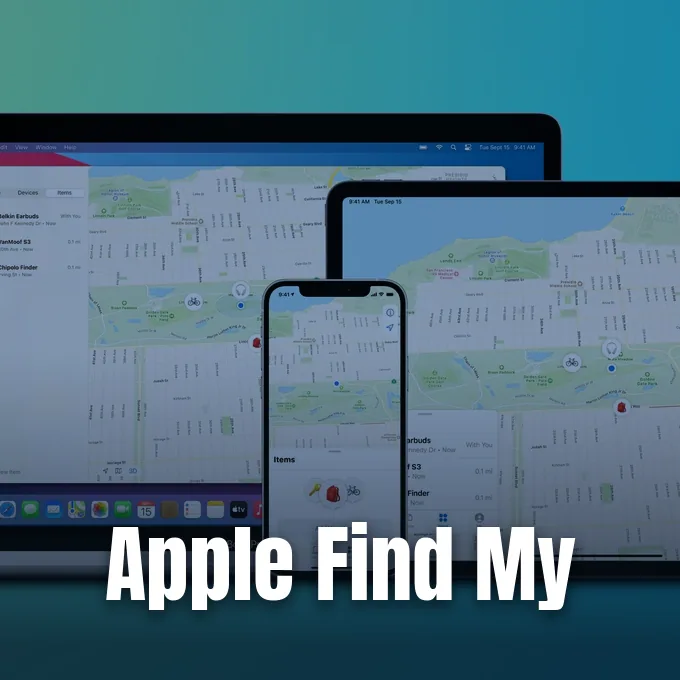
Apple Find My tracks lost hardware and personal belongings through an encrypted mesh network of connected devices. The system locates missing iPhones, iPads, and Mac computers even when they lack an active cellular connection or Wi-Fi signal. By transforming hundreds of millions of consumer gadgets into passive Bluetooth listening beacons, Apple created a crowdsourced recovery mechanism that operates without revealing private coordinates to company servers or nearby strangers. Understanding this architecture shows how modern consumer electronics balance real-time tracking utility with cryptographic privacy safeguards [5].
- Origins of the Apple Find My Ecosystem
- How Offline Bluetooth Relays Send Location Signals
- Public Key Cryptography in Apple Find My
- Locating Lost Hardware with Power Reserve
- AirTags and Ultra-Wideband Precision Finding
- How Does Location Sharing Work with Friends?
- Cross-Platform Tracker Alerts Counter Stalking Risks
- Patent Disputes Behind Remote Locator Tools
Origins of the Apple Find My Ecosystem
The foundation of consumer device tracking began before standalone tracking apps became common mobile utilities. In 2006, Navizon introduced Buddy Tracker on early mobile handsets, expanding location sharing to the original iPhone in 2007. Apple unveiled Find My iPhone on June 10, 2009, during its annual Worldwide Developers Conference (WWDC 2009) with iPhone OS 3 [17].
That initial tracking was not a free service for all hardware owners. Instead, Apple bundled the locator into its $99 annual MobileMe subscription, meaning only paying members could view a missing handset on a map, sound an audible chime, or issue remote wipe commands. Access widened on November 22, 2010, when iOS 4.2.1 made the tracking tool free for current hardware, including the iPhone 4, iPad, and fourth-generation iPod touch [12]. With the launch of iCloud in October 2011, Apple dropped subscription requirements entirely, while introducing Find My Mac in OS X 10.7 Lion to locate computers through nearby Wi-Fi beacons. These changes accompanied broader updates across macOS and iOS that simplified remote management for millions of desktop and mobile users [17].
Apple also targeted social coordination on October 12, 2011, launching Find My Friends as a 10.4MB standalone download with the release of iOS 5 to let family members track each other on an interactive map [7]. In iOS 9, Apple converted both locator utilities into pre-installed, non-removable system apps, and added friend tracking to desktop web browsers through iCloud.com in October 2015 [13]. The modern era began on September 19, 2019, when Apple launched iOS 13 and merged both utilities into a unified client named Find My, followed by iPadOS 13.1 on September 24 and macOS 10.15 Catalina on October 7 [4].
How Offline Bluetooth Relays Send Location Signals
How does a lost laptop broadcast its position when it can’t reach the web? Traditional recovery software fails when a stolen or forgotten machine can’t connect to a known wireless router. To overcome this limitation, Apple turned millions of active consumer products into an automated relay grid that locates dark hardware [14].
Craig Federighi, Apple’s senior vice president of Software Engineering, introduced the crowdsourced architecture at WWDC 2019, explaining how offline Apple devices communicate through low-power signals without relying on an active internet link [5]. When a laptop running macOS Catalina or a handset on iOS 13 enters an offline state, its internal transmitter begins broadcasting periodic beacons using Bluetooth Low Energy standards. The signal transmits quietly in the background while the laptop sleeps or sits inside a travel bag. Because these transmissions draw minimal battery power, the offline beacon can pulse for hours without generating heat or significantly draining stored battery reserves, ensuring the machine remains discoverable even during long transit delays [14].
Whenever a stranger carrying an internet-connected iPhone or iPad walks past that sleeping machine, the stranger’s device picks up the Bluetooth signal automatically. The receiving phone records its own GPS coordinates from navigation satellites, attaches those coordinates to the beacon payload, and forwards the package to Apple’s cloud over Wi-Fi or cellular data. This background relay happens passively without interrupting the stranger, letting everyday pedestrian traffic pinpoint missing hardware [14].
Public Key Cryptography in Apple Find My
Collecting billions of location packets from strangers creates obvious privacy hazards for everyday users. If Apple could inspect every uploaded coordinate, the company would control a centralized tracking database logging where people travel each day. To prevent this outcome, Apple Find My incorporates asymmetric cryptography where only the owner of the lost equipment can decode stored coordinates [14].
Activating the tracking system needs at least two Apple devices linked to the same iCloud profile, such as an iPhone paired with an iPad or Mac computer. During device setup, these endpoints complete a zero-knowledge cryptographic handshake that exchanges keys without sharing secrets with Apple servers, mirroring the architecture behind iCloud Keychain and end-to-end encrypted iMessage chats. The offline device creates an asymmetric key pair, keeping its private key stored securely in hardware while broadcasting its public key over short-range radio signals. Because broadcasting a constant identifier would let commercial marketing firms or surveillance trackers monitor people across physical storefronts, the lost device rotates its public key on a frequent schedule to prevent continuous tracking [14].

Cryptographer Matthew Green evaluated the protocol after its introduction, noting how the design protects the identity of both the finder and the loser. When a passing phone detects the broadcast, it generates a one-way cryptographic hash of that public key, encrypts its own GPS fix with the public key, and sends both elements to Apple. Apple stores the encrypted package alongside the hash. Because one-way hashes can’t be reversed, Apple can’t read the payload or identify which device sent the broadcast [14].
Locating Lost Hardware with Power Reserve
Older smartphone tracking failed the moment a device battery depleted or an intruder powered down the system. Thieves routinely shut down stolen handsets to block cellular towers and GPS signals. Apple mitigated this flaw in iOS 15 by adding power reserve tracking to the iPhone 11 and later models, excluding iPhone SE hardware [17].
Under this hardware configuration, the handset retains reserve power channeled directly to its Bluetooth chip even after the battery can no longer illuminate the screen or boot iOS. The phone continues broadcasting its cryptographic locator beacon for up to 5 hours after normal battery shutdown, or for up to 24 hours if the user manually powers down the device [17]. Google implemented a similar strategy for its tracking ecosystem in 2024, deploying an API named Powered-Off Finding to preserve Bluetooth beacons on the Pixel 8, Pixel 8 Pro, and Pixel 8a [10]. Both platforms preserve battery recovery signals after battery exhaustion, although tracking still stops if an owner activates Airplane Mode or turns off Bluetooth before misplacing the hardware [14].
When owners realize an item is missing, they can activate Lost Mode through another Apple product or the iCloud.com interface. Lost Mode locks the screen behind a passcode, suspends payment cards in Apple Wallet, and displays contact details for anyone who discovers the device. If recovery fails, owners can initiate a remote wipe. The hardware remains secured by Activation Lock, preventing unauthorized users from resetting or reselling the device without the owner’s original password [17].


AirTags and Ultra-Wideband Precision Finding
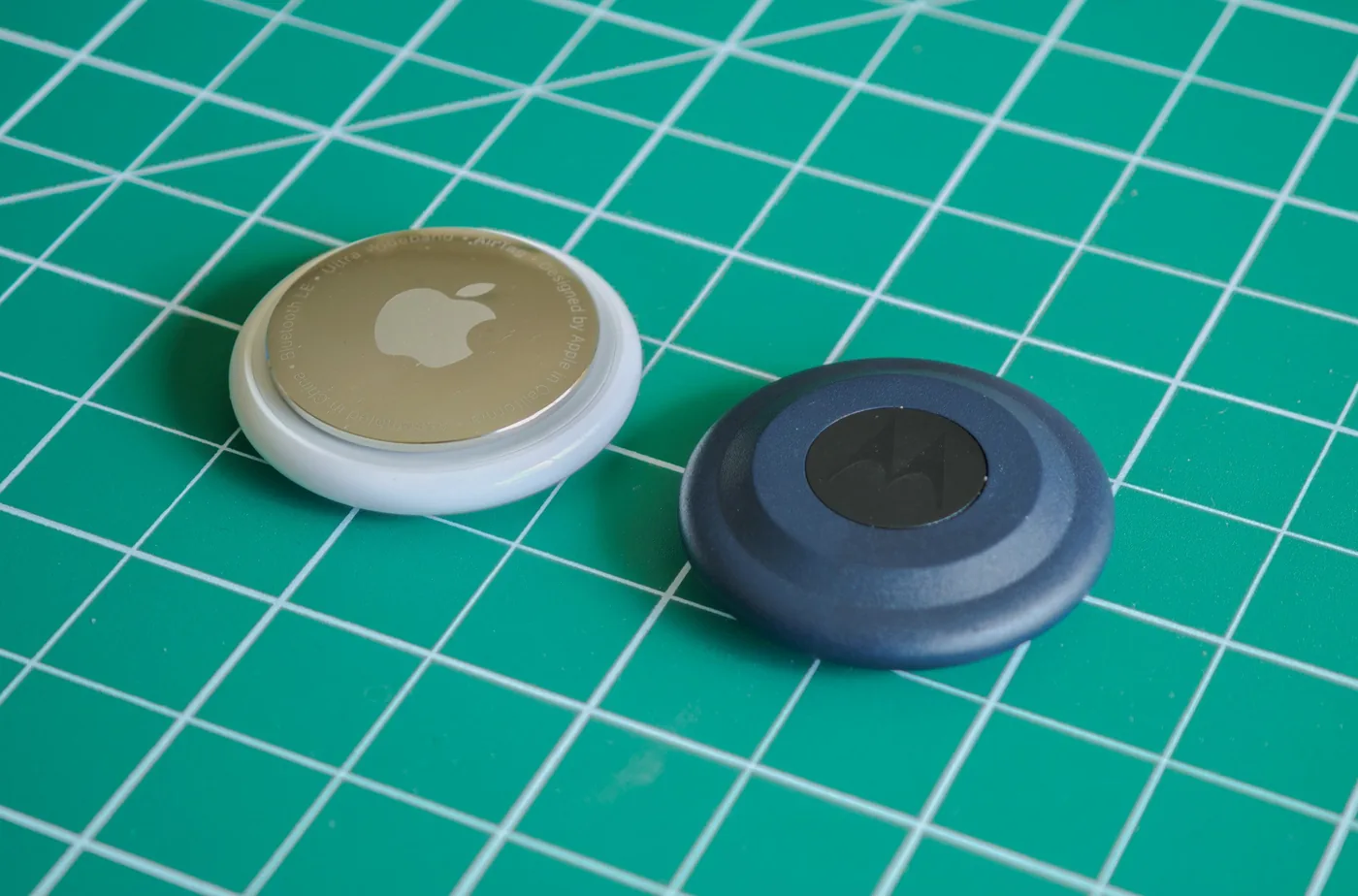
In April 2021, Apple broadened its tracking network beyond consumer electronics by introducing AirTags and establishing the Find My network accessory program for third-party manufacturers. This initiative allowed certified hardware partners in the Made for iPhone program to embed tracking directly into items like electric bicycles, luggage tags, and earbuds [3].
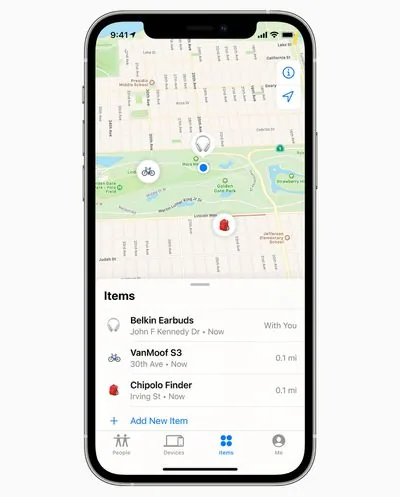
VanMoof became an early partner by building tracking circuits into electric bicycles, letting owners enter pairing mode with a double tap of the power button and monitor their bikes inside the Items tab added in iOS 14.3. While AirTags communicate with nearby Apple devices over Bluetooth, they also incorporate an Ultra-Wideband (UWB) chip that powers Precision Finding on the iPhone 11 and subsequent models, excluding iPhone SE and iPhone 16e editions [3]. Standard Bluetooth signals only estimate rough proximity based on signal degradation, but Ultra-Wideband calculates radio wave travel time to display pinpoint distance measurements and directional arrows on the iPhone screen. Google introduced comparable UWB tracking to its Find Hub platform in 2025, bringing directional navigation to accessories like the Motorola Moto Tag [9].
Physical tracking accessories also integrate preventative alerts to stop users from leaving valuable gear behind. In iOS 15, Apple introduced Separation Alerts, which notify users if they walk away from an AirTag or supported accessory [3]. Starting in 2024, Apple also partnered with commercial airlines to allow travelers to share temporary item tracking links directly with customer service representatives, helping staff locate delayed baggage in transit hubs [17]. These integrations complement connected accessories across travel hubs and smart home product launches without sacrificing user privacy.

How Does Location Sharing Work with Friends?
Beyond tracking misplaced hardware, Find My functions as a direct interpersonal tool through its People tab. Users can share real-time coordinates with friends and family members for one hour, until the end of the day, or indefinitely [1]. This feature grew out of Find My Friends, which debuted on iOS 5 in 2011 [7].
The People interface includes configurable geofence alerts that notify users whenever a contact reaches or leaves an address. For example, parents can receive automatic updates when a child arrives at school or departs from a sports practice facility. The app also supports scheduled monitoring that triggers an alert if a family member is not present at a designated location during specific hours. Account holders can create up to 25 Notify Me alerts across their contacts, though setting up recurring alerts needs two-factor authentication on the recipient’s Apple ID to verify identity [2]. Once configured, contacts can view distances and tap directions to navigate directly to their friend’s location [15].
Because background tracking can compromise personal boundaries, Apple requires explicit consent before any coordinates appear on a map. Following someone is never a unilateral choice. Users must approve each tracking request, and contacts can enable Hide from Followers in account settings to stop sharing location instantly. Temporary sharing options also let travelers share itineraries with companions during vacations, automatically removing tracking permissions once the scheduled meetup window closes [15].
Cross-Platform Tracker Alerts Counter Stalking Risks
The compact size and long battery life of Bluetooth tags created direct stalking vulnerabilities soon after AirTags reached consumers in 2021. Malicious actors slipped tags into vehicle bumpers, jackets, and bags to track people without consent, sparking numerous lawsuits against Apple [17]. In response, Apple designed background safety alerts to detect unwanted trackers travelling with individuals [3].
Academic security researchers quickly investigated whether modified hardware could evade these protections. In a 2023 study published in Proceedings on Privacy Enhancing Technologies, researchers Troy Mayberry, Erik-Oliver Blaß, and Ellis Fenske examined privacy weaknesses in the Find My architecture. They showed that custom hardware clones and modified AirTags could disable audible chimes and suppress item safety alerts, allowing stalkers to track victims indefinitely without triggering system warnings. To eliminate these blind spots, the authors proposed cryptographic verification protocols that need tracking accessories to confirm their identity to nearby scanning phones, so that stealthy tracking clones cannot operate undetected across consumer environments [18].
Platform fragmentation created another serious gap, because Android owners couldn’t detect nearby AirTags, while iPhone users had no native protection against Android trackers. Apple and Google resolved this problem by collaborating on the Detecting Unwanted Location Trackers (DULT) standard, publishing Version 1.0 to the Internet Engineering Task Force in December 2023. Apple implemented the specification in iOS 17.5, providing universal tracker detection across mobile operating systems [8].
Patent Disputes Behind Remote Locator Tools
The rise of mobile locator tools triggered legal battles over intellectual property rights. In 2013, Remote Locator Systems filed a patent infringement lawsuit against Apple over Find My iPhone. Internal disputes followed in 2018 when a former engineer sued Apple for omitting his name from five patent applications covering locator concepts [17].
A significant legal challenge surfaced in 2018 when Agis Software sued Apple for patent infringement over Find My Friends. Apple defended its software architecture by naming Navizon as a co-defendant and calling company representatives to testify in court. Apple showed that Navizon’s 2006 Buddy Tracker software served as prior art, proving that mobile location sharing existed long before the Agis patents were registered. This defense helped establish that basic person-to-person coordinate mapping was an established concept in mobile software, clearing the way for modern mesh tracking systems to evolve without broad patent restrictions from early telecom holding firms [17].
Competing platforms pursued different paths before converging on Bluetooth mesh networks. Microsoft’s My Windows Phone relied heavily on SMS text commands and cellular towers, while Google evolved Android Device Manager into Find Hub [19]. By replacing carrier dependencies with local cryptographic beacons, Apple Find My established a private, crowdsourced tracking standard that reliably locates dark hardware in global urban centers [17].
- WEBSITE Apple Support. (2026). Find My Support. Apple Support. [Article Link]
- WEBSITE Apple Support. (2026). Get notified when a friend’s location changes in Find My on iPad. Apple Support. [Article Link]
- ONLINE NEWS Clover, J. (2021). Everything You Need to Know About Apple’s Find My Network Accessory Program. MacRumors. [Article Link]
- ONLINE NEWS Clover, J. (2019). Apple Releases iOS 13 With System-Wide Dark Mode, Privacy Updates, Revamped Photos App, Find My App, New Maps Features and More. MacRumors. [Article Link]
- ONLINE NEWS Carman, A. (2019). Apple’s new Find My app will find your devices even if they’re offline. The Verge. [Article Link]
- ONLINE NEWS Gurman, M. (2011). Find my Mac coming in 10.7 Lion? 9to5Mac. [Article Link]
- ONLINE NEWS 9to5Mac. (2011). Find My Friends app goes live ahead of iOS 5 release. 9to5Mac. [Article Link]
- ONLINE NEWS Schoon, B. (2023). Android’s ‘Find My Device’ network inches forward as industry spec nears release. 9to5Google. [Article Link]
- ONLINE NEWS Preston, D. (2025). Google adds UWB support to its rebranded Find Hub tracker app. The Verge. [Article Link]
- ONLINE NEWS Rahman, M. (2024). The Pixel 8a can also be located through Find My Device when it’s out of battery. Android Authority. [Article Link]
- ONLINE NEWS Sharma, A. (2025). All the trackers, headphones, and devices that support Google’s Find My Device network. Android Authority. [Article Link]
- ONLINE NEWS Snell, J. (2010). Apple makes Find My iPhone free for some iOS 4.2 users. Macworld. [Article Link]
- ONLINE NEWS Keller, J. (2015). Find My Friends pops up on iCloud.com. iMore. [Article Link]
- ONLINE NEWS Fleishman, G. (2019). How Apple’s New Find My Service Locates Missing Hardware That’s Offline. TidBITS. [Article Link]
- ONLINE NEWS Milchman, E. (2011). Everything You Need to Know About The Evil, Useful Find My Friends App [FAQ]. Cult of Mac. [Article Link]
- WEBSITE Google for Developers. (2026). Find Hub Network Accessory Specification. Google for Developers. [Article Link]
- WEBSITE Wikipedia. (2026). Find My. Wikipedia. [Article Link]
- ACADEMIC JOURNAL Mayberry, T., Blaß, E., & Fenske, E. (2023). Blind My – An Improved Cryptographic Protocol to Prevent Stalking in Apple’s Find My Network. Proceedings on Privacy Enhancing Technologies, 2023(1), 85-97. [Article Link]
- WEBSITE Wikipedia. (2026). Find Hub. Wikipedia. [Article Link]


