





A headless browser is a web browser execution environment that runs without a display screen, letting software programs access and parse web pages programmatically [1]. It runs layout engines and client scripts without showing graphics to human users [9]. Andrew Girdwood pointed out that these tools inspect font sizes, element widths, and object coordinates for testing and data collection [1]. Software engineering teams also run these automated browsers to track dynamic web applications that rely on complex asynchronous script calls [6].
How a Headless Browser Operates
A headless browser functions like a standard web client by fetching raw HTML, parsing CSS style rules, and running client scripts [1]. It sends page data directly to memory buffers instead of displaying graphic frames on a physical monitor [6].
In October 2009, Google proposed that site owners run a headless browser on host web servers so search engine spiders could crawl pages that rely on Asynchronous JavaScript and XML. In that proposed setup, site administrators use the headless engine to access dynamic pages directly on the server, rendering all script output before search spiders arrive to index content. Google outlined a plan where webmasters render client scripts internally and provide finished snapshots to Googlebot. Spiders inspect the resulting markup. Site owners could verify what search spiders saw. Because dynamic sites often load extra assets after initial page requests, running a real layout engine ensures that index crawlers see full text and active links rather than blank script tags [1].
Basic network tools like cURL or Python Requests grab static HTML files but cannot execute scripts or build dynamic page trees. When dynamic web applications update page elements after complex user actions or asynchronous fetch calls, simple HTTP clients fail because they lack the JavaScript execution engine required to render the full interface [8]. A headless engine solves this issue by coupling a script engine with a document parser [9]. It clicks links, types text into form inputs, and downloads files in background threads [1]. Scripts steer each session through standard code hooks [9].

Early Engines and WebKit Roots
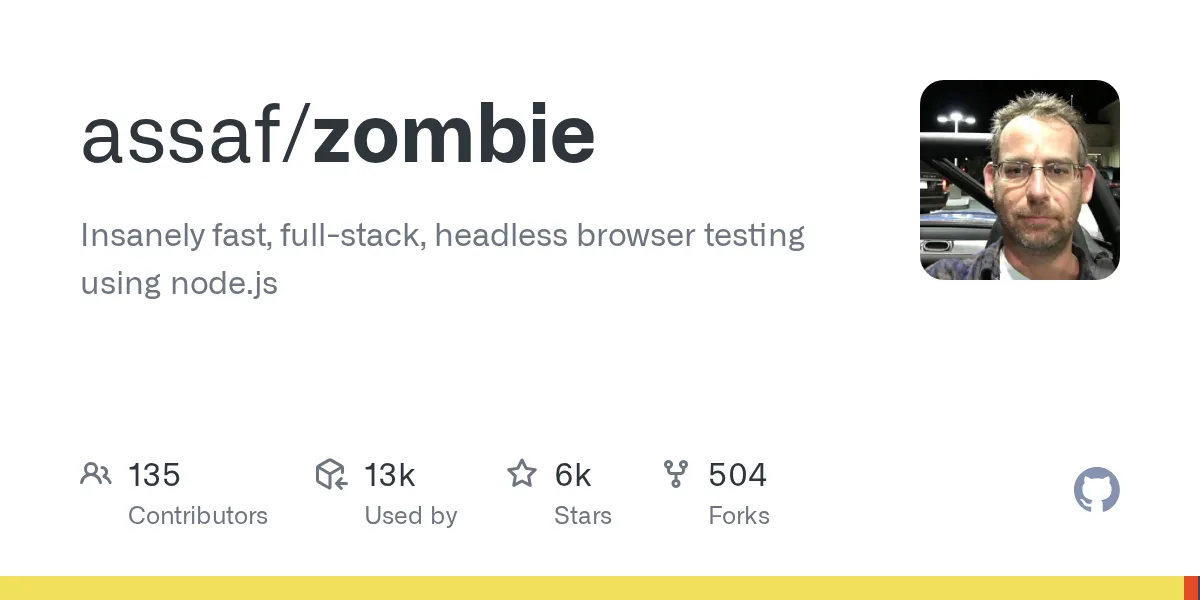
Before major browser vendors added native command-line options, programmers created mock environments to test client scripts without launching desktop windows, leading John Resig to build envjs in 2008 on the Java Rhino runtime [9]. Assaf Arkin followed in 2010 by building Zombie.js for Node.js environments running version 0.8 or later. Zombie.js simulated tabs, cookies, and forms across local test ports like 3000 and 3001. Tests ran fast. Coders validated web pages with checks like browser.assert.success() and browser.assert.text() on Linux, macOS, and Windows without needing display drivers. The system mapped domains with wildcard routing, letting developers test complex network interactions without deploying code to external servers [4].
Ruby test suites also needed fast checks without rendering UI frames. John Bintz built Jasmine Headless WebKit using QtWebKit and Qt 4.7, compiling CoffeeScript and storing build files in a cache folder for a 20% speedup [3].
Around that time, PhantomJS became the main headless tool by wrapping WebKit for automated scripting tasks [6]. Teams used it to crawl pages and run test suites, but maintaining custom WebKit builds caused recurring bugs. As web standards moved ahead, QtWebkit fell behind. Test jobs failed repeatedly on continuous build servers. The creator of PhantomJS eventually stepped down, urging engineers to switch to native headless tools [7].
Chrome DevTools and Headless Browser Controls
Google introduced native command-line execution in Chrome 59, allowing engineers like Eric Bidelman to run the Blink layout engine with the --headless flag on cloud servers without dedicated display adapters or physical graphics hardware. Command line flags like --dump-dom printed HTML trees straight to standard output [2].
Launching the browser with the --remote-debugging-port=9222 flag starts the Chrome DevTools Protocol, which lets external scripts inspect network calls, run JavaScript, and navigate pages via WebSockets. The Chrome team released Puppeteer, a Node library that controls this protocol to produce PDFs and grab screenshots, while David Schnurr detailed separate automation patterns for capturing full-page images. Teams use chrome-remote-interface for low-level protocol calls and deploy chrome-launcher from Lighthouse to manage Chrome Canary instances. Selenium users adopted ChromeDriver 2.32 to drive Chrome 61 [2]. Similar automation systems show how Chrome tab sharing saves scroll state across user devices.
With version 112, Chrome introduced an updated mode invoked with the --headless=new flag. The older headless shell wrapped Chromium’s content module without graphic libraries like X11 or Wayland, making it fast for scraping and page captures. The newer mode runs the complete Chrome application binary. This gives teams full support for browser extensions and authentic testing setups, though it uses more memory than the bare shell [2].
Lightweight Engines Built in Zig
Running full Chromium stacks across cloud servers uses significant memory and CPU power. High-volume web scraping jobs and autonomous artificial intelligence agents often execute thousands of concurrent browsing sessions, making complete desktop browser stacks prohibitively expensive and resource-intensive to run across enterprise cloud clusters. Ilya Krukowski said that desktop engines carry graphic code that server data collection never uses. Engineers built slim engines strictly for automated workloads to avoid this server overhead [8].
One modern alternative is Lightpanda, an open-source headless browser written in the Zig language. It uses Zig for memory speed, Google’s V8 for JavaScript, libcurl for HTTP calls, and html5ever to parse markup without drawing pixels [8].
Benchmark data highlights the efficiency gains of purpose-built headless tools over full desktop browsers. In a test crawling 933 catalog web addresses on an Amazon Web Services m5.xlarge host with 25 parallel worker jobs, Lightpanda used 123 MB of RAM compared to 2.0 GB for Chrome. The run finished in 4.81 seconds, while Chrome took 46.70 seconds on the same job. Speed was nine times faster. Lightpanda also includes a native Model Context Protocol server over standard streams, helping AI agents fetch Markdown text without heavy browser overhead. Developers use CLI options like --dump markdown and --obey-robots to extract page content cleanly for machine processing pipelines [8].


Framework Support Across Environments
Modern testing setups link headless engines to programming tools through common automation libraries. Playwright drives Chromium, Firefox, and WebKit through unified APIs in Python and JavaScript [9]. Engineering teams link Playwright scripts to remote headless servers through standard WebSocket connections, issuing low-level Chrome DevTools Protocol commands to manage browser contexts, simulate user clicks, and inspect network requests [8]. Selenium WebDriver also remains a staple across enterprise codebases, following formal W3C browser automation rules [9].
In the .NET world, coders embed Chromium features using DotNetBrowser without writing custom shell scripts. DotNetBrowser supports .NET 5 up to .NET 10 as well as .NET Framework 4.6.2 to 4.8.1 on Windows, macOS, and Linux. Beyond standard desktop controls for WPF and Avalonia UI, the library provides an off-screen rendering engine that executes JavaScript, exports PDFs, navigates frame hierarchies, and captures images using SkiaSharp. Teams run it in Windows services to track store stock [5]. Testing simulated agents in isolated runtime environments mirrors research where Chrome AI agents run in simulated mirror environments to evaluate automated responses.
Ruby on Rails teams also moved from capybara-webkit to headless Chrome with the webdrivers and capybara-selenium gems. Francisco Silva said that passing no-sandbox helped Chrome run in Docker, while pausing animations fixed missed clicks [7].
Headless Browser Tests in Web Applications
Quality assurance teams rely on headless browser tools to catch visual defects before code ships to production [9]. Because the underlying headless engine calculates exact CSS geometry and builds real document trees, quality assurance teams capture automated full-page screenshots to detect unexpected layout regressions between software deployment cycles. Chrome accepts parameters like --screenshot and --window-size, letting scripts test viewports at 1280,1696 for print layouts or 412,732 for mobile phones like the Nexus 5X. Using --print-to-pdf creates clean documents on build machines [2].
A headless browser also validates complete user workflows by typing into fields, picking checkboxes, and submitting multi-step forms [1]. Frameworks like Cypress, QF-Test, and Capybara drive these steps to verify sign-up and checkout paths [9]. When sites use Ajax calls to update text, the runner waits for network responses before checking page elements [1]. This hands-off process catches broken forms before customers encounter them [6].
Can lightweight simulated environments replace full layout engines for all testing tasks? Mock tools like jsdom in Node.js or HtmlUnit in Java parse HTML and handle basic events without running layout code. They run quickly and use little RAM, but they do not calculate CSS shapes or trigger layout events. When web apps rely on responsive designs, dynamic animations, or custom browser APIs, running tests against a real headless browser avoids hidden layout bugs [9].
Web Traffic Audits in Security Research
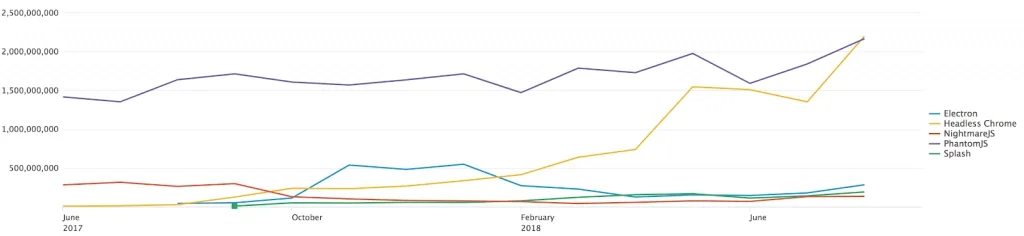
While headless engines serve vital testing roles, automated browsers also drive a large share of uninvited web traffic. Security researcher Dima Bekerman found that automated browsers generate an expanding slice of web traffic, with Headless Chrome passing PhantomJS within a year of its launch. Imperva observed over 10,000 unique IP addresses daily running automated scripts for content scraping, credential stuffing, and card fraud. Bad actors turn to headless browsers because modern websites require JavaScript execution to complete forms and bypass simple bot traps [6].
Security logs show that attackers do not favor headless browsers over regular browsers when launching web exploits [9]. Imperva found that malicious sessions were split evenly between headless and standard browser modes, showing no special lean toward SQL injection or cross-site scripting. Furthermore, headless browsers rarely power denial-of-service floods. A browser must wait for server data and parse scripts before sending its next request, so its request pace cannot match raw packet flood tools [6].
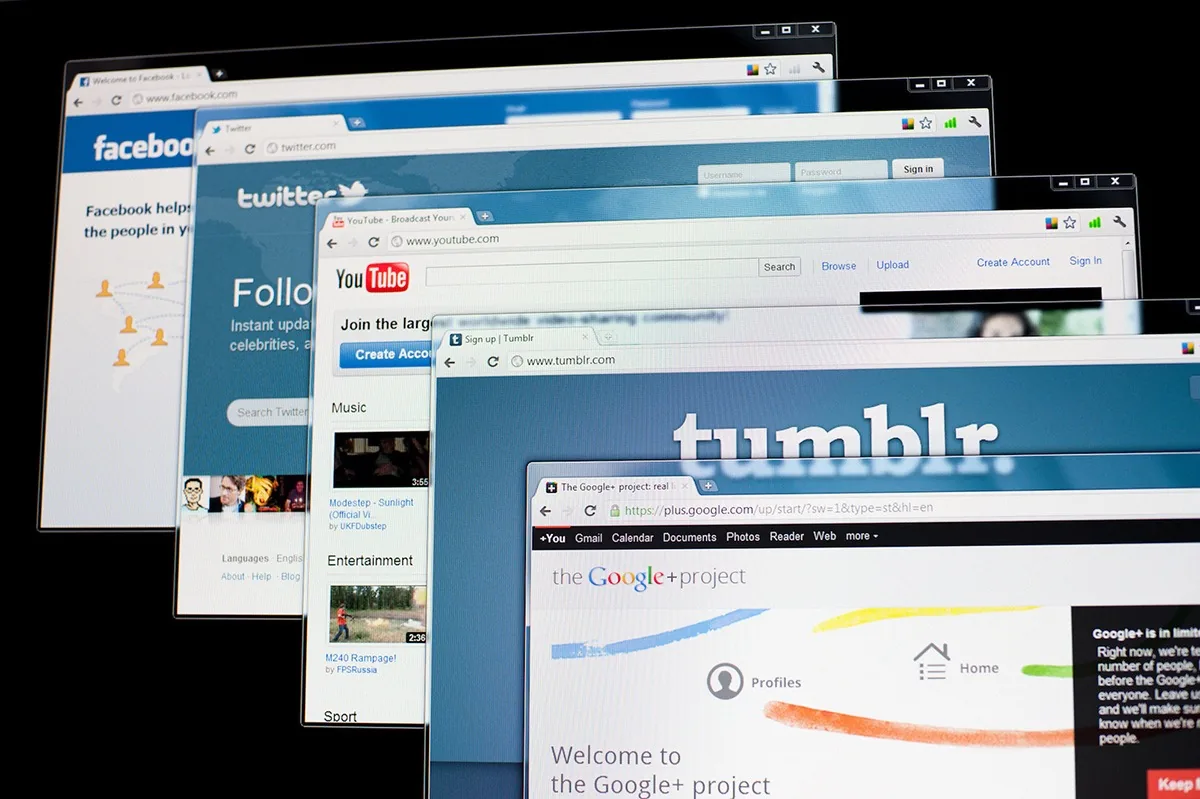
Security defenses must distinguish benign bots from malicious scrapers without relying on blunt user-agent filtering. Search crawlers, SEO monitors, and synthetic testing platforms rely continuously on headless browsers to evaluate site health and index dynamic content. Imperva reported that 7% of malicious traffic hides behind proxies or VPN tunnels to mask where requests originate [6].
Selection Criteria for Automation Engines
Picking an automation tool requires balancing rendering realism against server memory limits. For tasks that need strict end-to-end testing, visual layout checks, or Chrome extension support, the modern headless mode in Chrome provides the most accurate setup. Because it runs identical code to the desktop browser, teams make sure tests mirror real user conditions [2]. But running hundreds of parallel test containers takes substantial server RAM [8].
When teams build large data extraction jobs or AI agent fleets, lean engines offer clear cost benefits. Tools like Lightpanda drop visual subsystems, executing scripts and returning DOM trees while using a fraction of Chrome’s memory. Developers set proxy routes, rate limits, and robots.txt rules directly via terminal flags. Because these modern automation tools support the Chrome DevTools Protocol over standard network sockets, developers can connect existing Playwright and Puppeteer test scripts to them without rewriting core application logic [8].
Simulated DOM tools like jsdom or Zombie.js remain useful for quick unit tests that do not need CSS calculations [4]. These tools run in milliseconds because they skip rendering passes entirely [9]. As web tools grow, picking between full browser binaries, slim headless engines, and mock DOM libraries lets teams match server costs to their needs [2]. Knowing how a headless browser works helps engineering teams build resilient tests and fast data extraction systems [1].
- WEBSITE Girdwood, A. (2009). What is a headless browser?. Blogger. [Article Link]
- WEBSITE Bidelman, E. (2017). Headless Chrome shell: Automation and testing. Chrome for Developers. [Article Link]
- WEBSITE Bintz, J. (2011). Jasmine Headless WebKit. GitHub Pages. [Article Link]
- WEBSITE Arkin, A. (2010). Zombie.js: Insanely fast, headless full-stack testing using Node.js. GitHub. [Article Link]
- WEBSITE TeamDev. (2019). DotNetBrowser Examples and Tutorials. GitHub. [Article Link]
- REPORT Bekerman, D. (2018). Headless Chrome: DevOps Love It, So Do Hackers, Here’s Why. Imperva. [Article Link]
- WEBSITE Silva, F. (2019). From Capybara-Webkit to Headless Chrome and ChromeDriver. Imaginary Cloud. [Article Link]
- WEBSITE Krukowski, I. (2026). Lightpanda: The Headless Browser Built for AI Agents and Scalable Automation. ScrapingBee. [Article Link]
- WEBSITE Wikipedia contributors. (2026). Headless browser. Wikipedia, The Free Encyclopedia. [Article Link]


